
Chrome Audio Capture
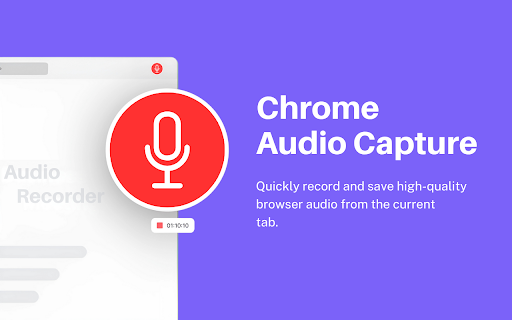
Free audio recorder extension for Chrome — capture tab audio in one click, save MP3 or WAV, and edit in the built-in audio editor.
As of June 2026, Chrome Audio Capture has 20,000 users and a 3.77/5 rating from 103 reviews in the Accessibility category.
Usersup 100.0 percent+100.0%
20.0K
20,000
Ratingup 1.3 percent+1.3%
3.77
103 reviews
Reviewsup 139.5 percent+139.5%
103
Version
5.4.2-beta
Manifest V3
90-day change · In the last 90 days this extension gained 10.0K users, 3 version updates.
History
18 snapshotsTracking since Apr 1, 2026.
View as table
| Date | Users | Rating | Reviews | Version |
|---|---|---|---|---|
| Apr 1, 2026 | 10.0K | 3.72 | 43 | 5.0.1 |
| Apr 5, 2026 | 10.0K | 3.75 | 44 | 5.0.1 |
| Apr 16, 2026 | 10.0K | 3.82 | 50 | 5.0.1 |
| Apr 22, 2026 | 10.0K | 3.86 | 59 | 5.2.1 |
| Apr 26, 2026 | 10.0K | 3.90 | 62 | 5.2.1 |
| May 1, 2026 | 10.0K | 3.95 | 65 | 5.2.1 |
| May 7, 2026 | 10.0K | 3.91 | 66 | 5.2.1 |
| May 11, 2026 | 20.0K | 3.85 | 75 | 5.2.1 |
| May 14, 2026 | 20.0K | 3.91 | 79 | 5.2.1 |
| May 16, 2026 | 20.0K | 3.89 | 84 | 5.3.1 |
| May 22, 2026 | 20.0K | 3.84 | 88 | 5.3.2 |
| May 24, 2026 | 20.0K | 3.84 | 89 | 5.3.2 |
| Jun 2, 2026 | 20.0K | 3.84 | 91 | 5.3.2 |
| Jun 5, 2026 | 20.0K | 3.82 | 93 | 5.3.2 |
| Jun 7, 2026 | 20.0K | 3.84 | 95 | 5.3.2 |
| Jun 10, 2026 | 20.0K | 3.86 | 99 | 5.3.2 |
| Jun 13, 2026 | 20.0K | 3.83 | 100 | 5.3.2 |
| Jun 19, 2026 | 20.0K | 3.77 | 102 | 5.4.2-beta |
| Now | 20.0K | 3.77 | 103 | 5.4.2-beta |
Changelog
- Jun 13, 2026short_description
Chrome Audio Capture records audio from the current tab and saves the output file to your computer in MP3 or WAV format!
Free audio recorder extension for Chrome — capture tab audio in one click, save MP3 or WAV, and edit in the built-in audio editor.
Permissions & access
- Permissions
- commandstabCapturedownloadsdownloads.openoffscreenstorageactiveTabtabs
- Host access
- None declared
Screenshots

About
Audio Capture is a simple and useful tool that allows you record any sound playing in your current browser tab. Whether it's music, a podcast, or a video call, this extension makes it easy to save the audio directly to your computer.

Additionally, you can visit our official website! You will find the best online free tool in the pop-up section!

👉 Key Features of Audio Capture:

► Record Audio from Any Tab: Record audio from the current tab or any active tab in your browser.

► Save in Multiple Formats: You can save your recordings as either .mp3 or .wav files, giving you flexibility depending on your needs.

► Adjust Recording Time: Set a maximum recording time in minutes, so the extension automatically stops recording after the set duration. This is handy for capturing specific audio segments.

► Customize Audio Quality: Choose the fidelity of your .mp3 recordings (low, mid, or high), allowing you to control the balance between file size and audio quality.

One cool thing is that this Audio Capture Extension is free, and you don't need to log in or sign up to use the services. (Installing or uninstalling this extension may display promotional content.)

Disclaimer: All recordings are processed and saved locally on your device - nothing is ever uploaded to external servers. This makes Chrome Audio Capture a safe choice for sensitive audio like online classes, meetings, or personal notes.
Technical
- Version
- 5.4.2-beta
- Manifest
- V3
- Size
- 317KiB
- Min Chrome
- 88
- Languages
- 54
- Featured
- No
Metadata
- ID
- cnodfbfgbbgdgepnajkdkbmblblcnbli
- Developer ID
- u2460027666ad357ac892d19bd7ad816c
- Developer Email
- [email protected]
- Created
- Aug 20, 2024
- Last Updated (Store)
- Jun 11, 2026
- Last Scraped
- Jun 19, 2026
- Website
- https://prepphint.com/
- Support URL
- https://www.prepphint.com/p/contact-us.html
- Privacy Policy
- https://www.prepphint.com/p/privacy-policy.html
Similar extensions
Alternatives to Chrome Audio Capture, ranked by description similarity.

Screen Capture - Screenshot & Save Tool
Take instant screenshots of your current tab. Save, preview, and download images easily with one click or shortcut.
6

TranscribeFlow
Easy and Seamless Audio Transcription & Precise AI Transcript Summaries
91
★ 3.4

Sound Booster - 1000% up Bass & Treble
Powerful audio booster with 1000% volume, enhanced bass up to 50dB, and treble control. Perfect for videos, music, movies and more.
698
★ 5.0

Volume Master 4 You
Volume booster up to 600% with fine-grained control for any tab
13

Audio Master
Take full control of your browser tab's audio with a volume booster, equalizer, and more.
1.0K
★ 4.8

Speech to Text Converter
Translate voice into text with speech to text converter. Fast audio to text transcription using automatic speech recognition.
4.0K
★ 4.5

Sound Booster up to 600%
Amplify volume up to 600%, customize EQ presets, switch output devices per tab, with visualizers and shortcuts.
90
★ 5.0

Sound Boost Hub
Boost Your Audio With Powerful All-In-One Sound Enhancement Tools
3.0K
★ 4.4
Data sourced from the Chrome Web Store · last verified Jun 19, 2026.