
How Log Ago?
Time stats for the Meraki Dashboard Event Log
As of May 2026, How Log Ago? has 262 users and a 5.00/5 rating from 4 reviews in the Accessibility category.
Usersdown 14.4 percent−14.4%
262
262
Ratingno change0%
5.00
4 reviews
Reviewsno change0%
4
Version
3.1.1
Manifest V3
History
3 snapshotsTracking since Apr 1, 2026.
View as table
| Date | Users | Rating | Reviews | Version |
|---|---|---|---|---|
| Apr 1, 2026 | 306 | 5.00 | 4 | 3.1.1 |
| Apr 29, 2026 | 281 | 5.00 | 4 | 3.1.1 |
| May 27, 2026 | 257 | 5.00 | 4 | 3.1.1 |
| Now | 262 | 5.00 | 4 | 3.1.1 |
Permissions & access
- Permissions
- None declared
- Host access
- https://*.meraki.com/*/*/*/*/*/event_log*, https://*.meraki.cn/*/*/*/*/*/event_log*, https://*.meraki.in/*/*/*/*/*/event_log*, https://*.meraki.ca/*/*/*/*/*/event_log*
Screenshots


About
Provide Meraki Dashboard's local time zone and shows how long ago an event occurred.
Simply install and watch the (Meraki) magic happen!
Clicking the page will refresh the times, or add them if they are missing.

>> "Network-wide > Event log" page:
- Display network local time zone on the header of Time column;
- Display how long ago that event occurred

I am not a programmer, expect a lot of issues and kindly provide us feedback if you find something odd (we are looking for Time Zones that are not working as expected).

Patrick Plenge (Special thanks to Eduardo Azevedo who assisted with early design & concept).

Current issues:
 - Times will sometimes not be automatically displayed, requires refresh by clicking.
 - Times will never automatically refresh when clicking 'newer / older'. Requires clicking.
 - Certain timezones with no valid abbreviation may display incorrect times
 - Certain timezones with duplicate abbreviations (eg. IST, CST, EST) may display incorrect times. This will not fixed beyond  the 3.0 update (sorry Ireland).

Change-log and Bug fixes:
Version 3.1
 - Fixed an issue causing AM/PM not to be parsed correctly for certain timezones

Version 3.0
 - Now works with China, India & Canada dashboards!
 - Fixed an issue where UTC was no longer a valid abbreviated timezone (now +00) cuasing times to not be displayed.
 - Fixed an issue due to timezone abbreviation overlaps (eg. Central standard time & China standard time). How log ago will now assume the timezone is Central if URL is Meraki.com, and China if on Meraki.cn
 - Fixed an issue due to timezone abbreviation overlaps (eg. Indian standard time & Ireland standard time). How log ago will now assume the IST timezone is Indian Standard regardless of the URL

Version 2.0.2
 - Updated to manifest v3

Version 2.0.0
 - Fixed an issue that did not take into account the new year

Version 1.1.6
 - Fixed an issue that causes network time not to display when there are <30 events

Version 1.1.5
 - Updated permissions to be less ambiguous
 - Remove console logging
 - After 24 hours the time will be reflected with 'days' instead of hours. Keeping '0 hours' because i like it better than without it.
 - Fixed an issue that would cause minutes to accumulate instead of ticking over to the hours (from 1.0.1).

Version 1.1.4
 - Fixed an issue that caused the month of December to become undefined

Version 1.1.0 (Official release)
 - Removed ability to show/hide event time and network time
 - Changed the UI
 - Added feedback button
 - Fixed an issue where times would disappear when filtering
 - Clicking anywhere will refresh the times
 - Reduced amount of loading errors
 - Only allow script to run on event log page

Known bugs and issues:
 - Clicking newer & older does not auto-refresh time stats. Requires manual refresh - but can now be done by clicking on the page
 - Events over 99 hours are incorrectly formatted
 - Timezones with the same abbreviation can be displayed incorrectly (IST)

Version Beta 1.0.1 (Second release) (Deprecated)
 - Fixed an issue that would display incorrect network times
 - Fixed an issue that did not remove previously written event and network times.
 - Added new logo
 - Added ability to hide and show network / event times.
 - Added ability to refresh the current network time.
 - Rebranded from 'Meraki Time' to 'How Log Ago'

Known bugs and issues:
 - Clicking newer & older does not auto-refresh time stats. Requires manual refresh.
 - Loading event log for first time does not auto-refresh. Requires manual refresh.
 - Hiding and showing network time is unreliable
 - Hiding and showing event time is unreliable
 - Events over 99 hours are incorrectly formatted
 - Timezones with the same abbreviation can be displayed incorrectly (IST)
Technical
- Version
- 3.1.1
- Manifest
- V3
- Size
- 2.51MiB
- Min Chrome
- 88
- Languages
- 1
- Featured
- No
Metadata
- ID
- cmngbajebgjfcnclmbnjgebfkbokjnfn
- Developer ID
- u8bb2c5ea94d47d416d9f30e5ef8dd842
- Developer Email
- [email protected]
- Created
- Sep 19, 2019
- Last Updated (Store)
- Jan 16, 2025
- Last Scraped
- May 27, 2026
- Website
- —
- Support URL
- —
- Privacy Policy
- —
Similar extensions
Alternatives to How Log Ago?, ranked by description similarity.

Mink - Integrate Live & Archived Web +Memento
Integrating the Live and Archived Web Viewing Experience Using Memento
325
★ 5.0

Call Timer for Meet
This extension adds a timer to your Google Meet calls with customizable time limits and alerts.
70.0K
★ 3.8

MotoPower.lv new posts extension
This is a small extension built for a Latvian Motorcycle riders forum which allows better accessability on the homepage of this…
5
★ 5.0

Mixcloud (with) Tracklist
Display tracklists on Mixcloud
1.0K
★ 4.6

What Time Is It There?
Easily see the localtime of many countries
128
★ 5.0

Chess.com Keyboard
This browser extension allows you to make moves on Chess.com using your keyboard
7.0K
★ 4.2
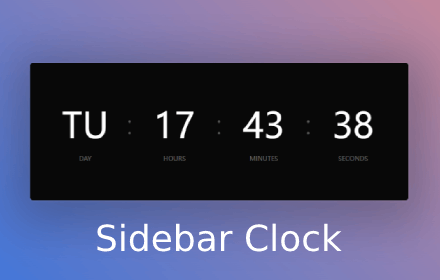
Sidebar Clock
A minimalist sidebar clock extension featuring clock, stopwatch, timer, and Pomodoro timer to help you manage time efficiently.
1.0K
★ 4.0
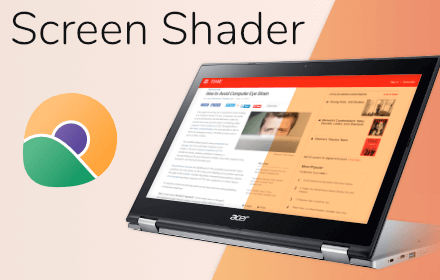
Screen Shader | Smart Screen Tinting
Shades Chrome to a soothing orange color to decrease eye-strain, eye fatigue and to appease your brain's day/night cycle.
100.0K
★ 4.5
Data sourced from the Chrome Web Store · last verified May 27, 2026.