
Force Field Focus
Automatically or manually (Ctrl+Shift+E) focuses the first input field on webpages, with a customizable list of auto-focus sites.
As of May 2026, Force Field Focus has 24 users and a 5.00/5 rating from 3 reviews in the Functionality & UI category.
Usersdown 22.6 percent−22.6%
24
24
Ratingno change0%
5.00
3 reviews
Reviewsup 200.0 percent+200.0%
3
Version
1.3
Manifest V3
History
4 snapshotsTracking since Apr 1, 2026.
View as table
| Date | Users | Rating | Reviews | Version |
|---|---|---|---|---|
| Apr 1, 2026 | 31 | 5.00 | 1 | 1.3 |
| Apr 21, 2026 | 14 | 5.00 | 1 | 1.3 |
| May 6, 2026 | 15 | 5.00 | 1 | 1.3 |
| May 17, 2026 | 20 | 5.00 | 2 | 1.3 |
| Now | 24 | 5.00 | 3 | 1.3 |
Permissions & access
- Permissions
- activeTabstoragecontextMenus
- Host access
- None declared
Screenshots


About
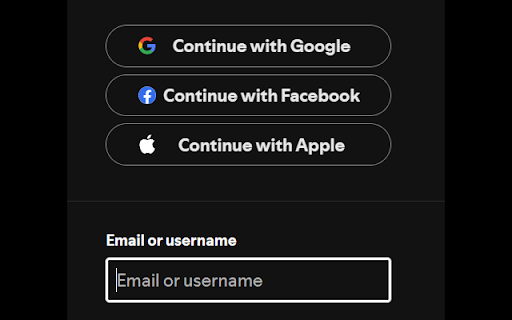
Choose which sites to automatically focus on the first text field.

Manually focus on the first text field with Ctrl+Shift+E

Useful for keyboard users when the website doesn't use autofocus on the login, two-factor auth, search text boxes and others.

It's annoying to type in a 2FA code only to realise the field wasn't focused and it has to be typed in again.

Supports multiple text box types: text, textarea, email, password, tel, number, search and url.

When there is no text box, the first input of any kind is focused.

 - Use on Amazon.com, youtube.com, facebook.com and others

Install Notes:
 - Default Shortcut Key: Ctrl+Shift+E  this can be changed in Extensions > Manage Extensions > Keyboard Shortcuts
Technical
- Version
- 1.3
- Manifest
- V3
- Size
- 8.43KiB
- Min Chrome
- 88
- Languages
- 1
- Featured
- No
Metadata
- ID
- cklhmchbnbdkblknldeflpceailfmkco
- Developer ID
- u6aa79c1a0b65afee1b855063ac47b37a
- Developer Email
- [email protected]
- Created
- Apr 9, 2025
- Last Updated (Store)
- May 6, 2025
- Last Scraped
- May 17, 2026
- Website
- —
- Support URL
- —
- Privacy Policy
- —
Similar extensions
Alternatives to Force Field Focus, ranked by description similarity.

Website Hotkey
Quickly open websites with custom keyboard shortcuts
52

Auto Focus Element
Automatically focus on any button, input, or link when a webpage loads. Simply enter a CSS selector (ID, Class or Tag) and let the…
12

KeyWord BookMarks
Quickly open a bookmark from the keyboard based on a keyword in the bookmark title.
4
★ 4.0

Cute Search Focus
Focuses the main search box on the current page when you open the extension.
1

ClickToSearch
Select text and click (outside links) with a custom modifier combination to search using one of your saved search engines.
3

TypeReady
Auto-focus the search box or first input on every page. Skip the click and just start typing. Works in iframes and Shadow DOM.
3

Shortcut Navigator
Navigate through websites using customizable shortcuts, boosting efficiency and minimizing clicks.
23
★ 5.0

Tab Seeker
Find tabs that match your search keyword
15
★ 5.0
Data sourced from the Chrome Web Store · last verified May 17, 2026.