
Team Bookmark Folders by EliteWork
Share bookmark folders in Chrome's bookmarks bar with your team! A free productivity tool by EliteWork.com!
As of May 2026, Team Bookmark Folders by EliteWork has 559 users and a 4.35/5 rating from 23 reviews in the Workflow & Planning category.
Usersup 2.4 percent+2.4%
559
559
Ratingno change0%
4.35
23 reviews
Reviewsno change0%
23
Version
1.4
Manifest V3
History
2 snapshotsTracking since Apr 24, 2026.
View as table
| Date | Users | Rating | Reviews | Version |
|---|---|---|---|---|
| Apr 24, 2026 | 546 | 4.35 | 23 | 1.4 |
| May 19, 2026 | 567 | 4.35 | 23 | 1.4 |
| Now | 559 | 4.35 | 23 | 1.4 |
Permissions & access
- Permissions
- storagebookmarks
- Host access
- https://script.google.com/*, https://*.googleusercontent.com/
Screenshots


About
This extension offers a free way to share folders on Chrome's bookmark's bar with your family, team, or organization. With no account or login required!

How it works:
1. Create a Shared Bookmark Folder, which appears on your bookmark's bar
2. Add bookmarks into this folder for sharing
3. Share the unique Folder ID for others to grant access

To create a shared folder:
1. Open the Extension Options page (Right click icon > Options)
2. Enter a Folder Name
3. Click "Create Shared Folder" for a Folder ID to be assigned
4. Shared bookmarks can now be dragged into this folder on the bookmark's bar

To import a shared folder:
1. Open the Extension Options page (Right click icon > Options)
2. Enter the Folder Name and Folder ID
3. Click "Add Shared Folder" and "Import All" to import the shared folder.
4. Shared bookmarks should appear on this folder on the bookmark's bar

Why?
* Organize bookmarks for a team's documentation, dashboards, and tools for sharing across your team.
* Organize bookmarks for a project to be shared with clients and team members.
* Organize bookmarks for learning resources to be shared within your family.

Features
-- Create unlimited shared folders (each with a unique Folder ID for sharing)
-- Share with unlimited people (just by sharing the unique Folder ID)
-- Manage and access bookmarks directly on Chrome bookmark's bar
-- Import and export bookmarks to a dedicated Google spreadsheet

Team Bookmark Folders is a free Chrome extension developed and maintained by EliteWork.com:
https://www.elitework.com
Technical
- Version
- 1.4
- Manifest
- V3
- Size
- 26.94KiB
- Min Chrome
- 88
- Languages
- 1
- Featured
- Yes
Metadata
- ID
- ckiiddpkjnibipmmokjegofpkddcmnee
- Developer ID
- u0d462daabbfa2f0db6088edca3d66aca
- Developer Email
- —
- Created
- Jul 13, 2020
- Last Updated (Store)
- Jun 30, 2023
- Last Scraped
- May 19, 2026
- Website
- —
- Support URL
- https://elitework.com/contact.php
- Privacy Policy
- —
Similar extensions
Alternatives to Team Bookmark Folders by EliteWork, ranked by description similarity.

Tabuddy
The "Tabuddy" extension allows users to easily share bookmarks with their teammates
7
★ 5.0

Cloudmark - Collaborative Bookmark Manager
Cloudmark is a collaborative bookmark manager that allows you to save and organize your bookmarks in the cloud.
40
★ 5.0

Bookmark manager
Optimize your browsing with Bookmark Manager extension. Easily organize and manage bookmarks for a seamless browsing experience.
1.0K
★ 2.9

New Tab Unlimited Bookmarks
Add unlimited bookmarks to the Chrome start page. Works with existing bookmarks folders.
67
★ 4.7

OurTab
An easy to share extension lets groups set up same customized links on members' new tab. Improves team collaboration and management.
5
★ 5.0

BoD's Bookmark Tool
BoD's Bookmark Tool
—
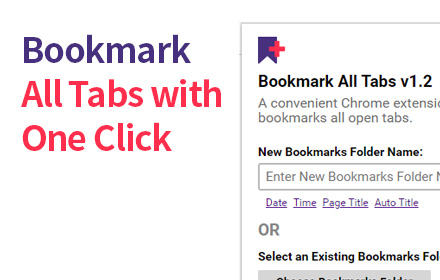
Bookmark All Tabs
A Chrome extension that allows you to bookmark all open tabs with one click. Choose to save to a new or existing bookmark folder.
1.0K
★ 4.1

SharedMarks
Share bookmark folders with your team!
101
Data sourced from the Chrome Web Store · last verified May 19, 2026.