
PinMyPrompt
Pin ChatGPT prompts to specific web pages for easy access.
As of May 2026, PinMyPrompt has 10 users in the Workflow & Planning category.
Usersno change0%
10
10
Ratingno change0%
—
— reviews
Reviewsno change0%
—
Version
1.1
Manifest V3
History
2 snapshotsTracking since Apr 24, 2026.
View as table
| Date | Users | Rating | Reviews | Version |
|---|---|---|---|---|
| Apr 24, 2026 | 10 | — | — | 1.1 |
| May 19, 2026 | 13 | — | — | 1.1 |
| Now | 10 | — | — | 1.1 |
Permissions & access
- Permissions
- activeTabstorage
- Host access
- None declared
Screenshots


About
Ever found yourself wishing to revisit the exact ChatGPT prompts that gave context to a web page? PinMyPrompt is here to the rescue! A unique extension designed for ChatGPT enthusiasts, it seamlessly pins and organizes the URLs of ChatGPT prompts for your convenience, ensuring you never lose context.

How to Use PinMyPrompt?

1. In ChatGPT: Click the top right icon to copy your conversation link.
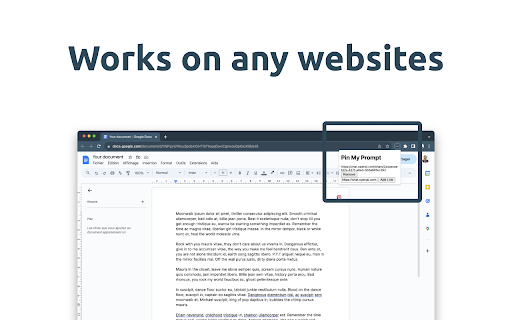
2. Go to Your Work: This could be Google Docs, Sheets, a social media post, WordPress, or any other site.
3. Click PmP: You'll find this on your browser's top bar.
4. Paste & Save: Put the link in, click "Add link", and you're done!

Now you can easily find your ChatGPT links when you need them!

Key Features:

Easy Access Icon: Spot our discreet icon at the top right of your browser, waiting for your click. Tap to unveil a neatly organized list of all your pinned ChatGPT prompt URLs for that page.

Simple URL Pinning: Pinning ChatGPT prompt URLs to your favorite web pages is now just a click away. Watch your pinned list grow; we've got no limits!

Coming features :

Hassle-Free Link Management: Freely edit, erase, or jump straight into your pinned prompts directly from the dropdown list.

Smart Notifications: Enter a previously visited page and our extension icon will nudge you, indicating the presence of your saved links.

Exclusion List Flexibility: Not every site needs a pinned prompt. Manage your exclusion list to decide where PinMyPrompt should take a break.

Always On (Except When It's Not): Continuously active, our extension is always at work. But, respect is crucial – it goes dormant on websites you've added to the exclusion list.
Technical
- Version
- 1.1
- Manifest
- V3
- Size
- 5.12KiB
- Min Chrome
- 88
- Languages
- 1
- Featured
- Yes
Metadata
- ID
- ckemfpomodadmfcgmjbjncikejamdjmm
- Developer ID
- ub4134120aa7d5636c83a09ef9e5e7f00
- Developer Email
- [email protected]
- Created
- Aug 20, 2023
- Last Updated (Store)
- Aug 22, 2023
- Last Scraped
- May 19, 2026
- Website
- —
- Support URL
- —
- Privacy Policy
- https://marketing-makers.com/PinMyPrompt
Similar extensions
Alternatives to PinMyPrompt, ranked by description similarity.

Pinception
Pinception helps you save, search, and reuse important ChatGPT replies and personal prompts in one place.
6
★ 5.0

PromptGum - AI Prompt Manager, Sidebar, and 1Password-Like Management
A browser extension for managing AI prompts with tags, search, favorites, and quick access from any webpage.
11
★ 5.0

PinMyPrompt-free
Enhanced productivity tools for ChatGPT, Claude, Gemini, and Perplexity
9
★ 5.0

Prompt Holder: Store and Manage prompts effectively
Boost your AI workflow with a personal prompt library. Save, favorite, and inject prompts offline.
15
★ 5.0

Pin Prompts - For ChatGPT and Claude
A Chrome extension to help users pin down prompts in ChatGPT and Claude.
103

Prompts Library
Chrome extension for chat.openai.com to show a Prompts Library
19

ChatGPT Prompt Keeper
This extension allows you to save your most used ChatGPT prompts.
105
★ 5.0

QuickPrompts
Quickly inject predefined prompts into conversations
21
Data sourced from the Chrome Web Store · last verified May 19, 2026.