
WebDriver Element Locator
Chrome Port of WebDriver Element Locator
As of May 2026, WebDriver Element Locator has 2,000 users and a 3.00/5 rating from 2 reviews in the Developer Tools category.
Usersno change0%
2.0K
2,000
Ratingno change0%
3.00
2 reviews
Reviewsno change0%
2
Version
1.5
Manifest V3
History
1 snapshotsTracking since Apr 24, 2026.
View as table
| Date | Users | Rating | Reviews | Version |
|---|---|---|---|---|
| Apr 24, 2026 | 2.0K | 3.00 | 2 | 1.5 |
| Now | 2.0K | 3.00 | 2 | 1.5 |
Permissions & access
- Permissions
- contextMenus
- Host access
- None declared
Screenshots

About
To use this extension, simply right click on the web element you wish to locate, select an appropriate locator string and it'll be copied to your clipboard.

This extension will attempt to populate the context menu with usable webdriver XPATH-based findElement commands for the dotnet, python and ruby bindings and Support Locator Library references for the focused web element.

To help prevent buggy tests (and save your time debugging), it will also check the locators for uniqueness, signified by red crosses and green ticks.

In addition, if elements have long, fragile, auto-generated attributes such as id="ctl00_ElementContainer_Inputs_txtForename" it will attempt to locate based on the final (and most significant) part of the value only.

If it struggles to locate via attributes it will also attempt to locate via text value.

After installing the extension a browser restart is recommended to ensure the extension functions as expected.
Technical
- Version
- 1.5
- Manifest
- V3
- Size
- 21.57KiB
- Min Chrome
- 88
- Languages
- 1
- Featured
- Yes
Metadata
- ID
- cjighmmbcdpbfnhinpakjloafcpmefgl
- Developer ID
- u114b41c223937b8c1982a7ad27d0c085
- Developer Email
- [email protected]
- Created
- Nov 12, 2021
- Last Updated (Store)
- Mar 16, 2023
- Last Scraped
- May 19, 2026
- Website
- —
- Privacy Policy
- —
Similar extensions
Alternatives to WebDriver Element Locator, ranked by description similarity.

TestMagiQ
XPath plugin to auto generate, write and verify xpath & cssSelector & insert into fields.
15
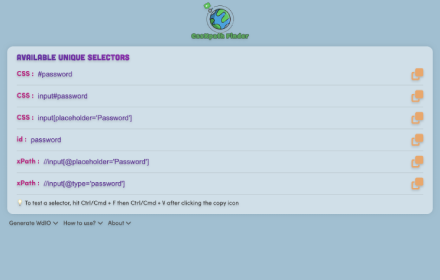
CssXpath Finder
The best CSS & Xpath finder for your web automation!
210
★ 5.0

Element Locator
A Chrome extension to form Xpaths and Css Hassle Free
18

XPath Finder
Click any element to instantly copy its unique XPath. Supports axes strategy.
7

Find My Locator
Description
“FindMyLocator” is a powerful and user-friendly browser extension designed to simplify locating unique elements within…
632
★ 4.8

Locators Finder
A plugin for recording web element locators
44

QuickLocator
Smart XPath and CSS generator via right-click or HTML snippet. Works reliably and copies instantly.
6
★ 5.0

Automation Locator Identifier
Copy all visible elements on the current webpage and highlight elements
52
★ 5.0
Data sourced from the Chrome Web Store · last verified May 19, 2026.