
Find My Locator
Description “FindMyLocator” is a powerful and user-friendly browser extension designed to simplify locating unique elements within…
As of May 2026, Find My Locator has 632 users and a 4.81/5 rating from 42 reviews in the Developer Tools category.
Usersdown 0.9 percent−0.9%
632
632
Ratingno change0%
4.81
42 reviews
Reviewsno change0%
42
Version
1.2.4
Manifest V3
History
2 snapshotsTracking since Apr 24, 2026.
View as table
| Date | Users | Rating | Reviews | Version |
|---|---|---|---|---|
| Apr 24, 2026 | 638 | 4.81 | 42 | 1.2.4 |
| May 19, 2026 | 568 | 4.81 | 42 | 1.2.4 |
| Now | 632 | 4.81 | 42 | 1.2.4 |
Permissions & access
- Permissions
- scriptingactiveTabcontextMenusmanagementstorage
- Host access
- <all_urls>
Screenshots


About
Description
“FindMyLocator”  is a powerful and user-friendly browser extension designed to simplify locating unique elements within a Document Object Model (DOM) structure of your Web Pages.

FindMyLocator is a product conceived and meticulously crafted by R&D department of DevQAExpert Solution Pvt. Ltd.

Whether you’re a developer, a tester, or someone who frequently interacts with web content, “FindMyLocator”  is here to enhance your productivity and streamline your workflow. “FindMyLocator”  generates unique selectors just in a single click. It also supports axes methods like siblings, Following-sibling, parents, childNodes, ancestors and descendants etc.

Key Features of  FindMYLocator:

Precise Element Identification: “FindMyLocator”  empowers users to accurately pinpoint and identify specific elements within a webpage’s DOM structure. With a clicking event, you can visually select an element, and “FindMyLocator”  will generate a unique and robust locator strategy to access that element programmatically.

Multiple Locator Strategies: The extension supports a variety of popular locator strategies, such as CSS selectors, XPath, and more. This ensures that no matter your preferred method of interacting with the DOM, “FindMyLocator” has you covered.

Visual Selection: “FindMyLocator” offers an intuitive interface that lets users visually highlight the element they want to locate. The extension then generates the corresponding locator code, eliminating the need to manually inspect and create locators from scratch.

Code Generation: Once an element is selected, “FindMyLocator” generates the unique path required to access the selected element using the chosen locator strategy. This code can be directly copied and pasted into your development or testing environment, saving you time and reducing the likelihood of errors.

Interactive Preview: “FindMyLocator” provides an interactive preview of the selected element, showcasing how it will be targeted using the generated locator strategy. This preview helps users confirm their selection before incorporating the code into their projects.

Developer and Tester Friendly: Whether you’re writing automated tests, developing web applications, or performing manual testing, “FindMyLocator” simplifies the process of locating and interacting with DOM elements, helping you achieve better results in less time.

It supports
- xpath and CssSelector unique locator
- Ancestors and sibling
- iframe and nested iframe
- Cross origin iframe
- svg elements
- Dynamic elements,
- shadow DOM and nested shadow DOM, (In Progress)
- dynamic dropdown
- submenu and dynamic invisible elements too.
- Locate the coordinate positions (In Progress)


How to Use:
      ·  Install the “FindMyLocator” extension from the web store.
      ·  Navigate to a webpage you want to work with.
      ·  Click on the “FindMyLocator” icon in your browser toolbar to
          activate the extension.
      ·  Click the element you want to locate.
      ·  Choose your preferred locator strategy (CSS selector, XPath, etc.).
      ·  Copy the generated code and paste it into your development or
          testing environment.


Development Team:

“Challenges Drive Innovation”

In our testing domain, we encounter the constant need to identify unique locators and adapt to changes when locators evolve. This has led our Tester’s community to develop a groundbreaking solution that outperforms existing market products, ensuring precise locator identification even in the face of change.

Members are:-
          Ms. Pooja Kabra
          Mr. Gopal Solanki
          Ms. Arti Tongia
          Mr. Pranjal  Dubey
          Mr. Nishant Sinha
          Mr. Rituraj Prajapati
          Mr. Rishabh Sharma
          Ms. Sonal Jadhav


Tested by:-
        Ms. Meenal Saxena
        Ms. Neelam Dahare
        Mr. Saurav Ranjan

Facts of  Our FindMyLocator Extension Tool:

       -  Seamlessly obtain distinctive locators
       -  Developed by a dedicated community of testers
       -  Rigorously tested by seasoned professionals
       -  Versatile multi-locator capabilities
       -  Guaranteed 100% efficiency
       -  Significant time savings achieved
       -  Free Available
       -  Chrome Browser compatible

Enhance your web development and testing efficiency with “FindMyLocator”.

Say goodbye to manual locator creation and debugging, and say hello to a smoother, more productive workflow.

Video: https://youtu.be/YDVNaTw0-b4
Web page: https://devqaexpert.com/findmylocator/
Technical
- Version
- 1.2.4
- Manifest
- V3
- Size
- 199KiB
- Min Chrome
- 88
- Languages
- 1
- Featured
- No
Metadata
- ID
- dcbgkkkekedfhfkopmcpgekglckkgmgj
- Developer ID
- u6ea8bcc1efd5b0b4a1faebb10a0a36a8
- Developer Email
- [email protected]
- Created
- Nov 12, 2023
- Last Updated (Store)
- Mar 26, 2024
- Last Scraped
- May 19, 2026
- Website
- —
- Support URL
- http://devqaexpert.com/findmylocator-help/
- Privacy Policy
- http://devqaexpert.com/privacy-policy/
Similar extensions
Alternatives to Find My Locator, ranked by description similarity.

Element Locator
A Chrome extension to form Xpaths and Css Hassle Free
18

TestMagiQ
XPath plugin to auto generate, write and verify xpath & cssSelector & insert into fields.
15

Locator Labs-Playwright, Selenium, Cypress & WebdriverIO Locator Generator
Generate smart locators for Playwright, Selenium, Cypress, WebdriverIO & Robot Framework
10.0K
★ 5.0

QuickLocator
Smart XPath and CSS generator via right-click or HTML snippet. Works reliably and copies instantly.
6
★ 5.0
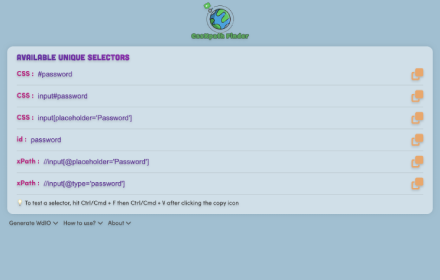
CssXpath Finder
The best CSS & Xpath finder for your web automation!
210
★ 5.0

Locator Finder: AI Powered
AI Powered Locator Finder for Selenium automation testing
59
★ 5.0

LocatorPro | Element Locators for Test Automation
Professional DOM element locator generator for Playwright, Cypress, and Selenium test automation
74

Web Element Selector
Advanced element locator with AI-powered xpath and css selector generation. Supports ChatGPT, Gemini, DeepSeek, and Claude.
416
★ 5.0
Data sourced from the Chrome Web Store · last verified May 19, 2026.