Microsoft Clarity Live
Watch how people are engaging with your site - right from your site.
As of June 2026, Microsoft Clarity Live has 90,000 users and a 2.82/5 rating from 51 reviews in the Workflow & Planning category.
Usersno change0%
90.0K
90,000
Ratingdown 23.2 percent−23.2%
2.82
51 reviews
Reviewsup 70.0 percent+70.0%
51
Version
2.1.1
Manifest V3
90-day change · In the last 90 days this extension 1 version update.
History
6 snapshotsTracking since Apr 1, 2026.
View as table
| Date | Users | Rating | Reviews | Version |
|---|---|---|---|---|
| Apr 1, 2026 | 90.0K | 3.67 | 30 | 2.0.0 |
| Apr 21, 2026 | 90.0K | 3.58 | 31 | 2.0.0 |
| May 6, 2026 | 90.0K | 2.98 | 44 | 2.0.0 |
| May 9, 2026 | 90.0K | 2.85 | 48 | 2.1.1 |
| May 11, 2026 | 90.0K | 2.82 | 49 | 2.1.1 |
| May 18, 2026 | 90.0K | 2.78 | 50 | 2.1.1 |
| Now | 90.0K | 2.82 | 51 | 2.1.1 |
Permissions & access
- Permissions
- tabsstorage
- Host access
- None declared
Screenshots


About
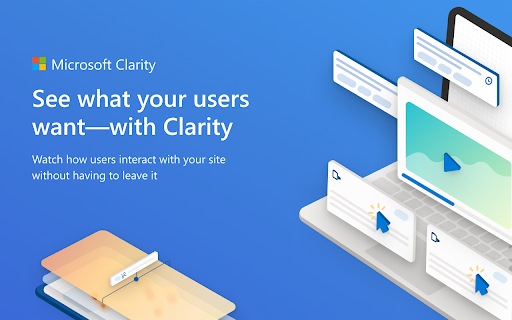
The Microsoft Clarity Live extension helps you easily see where users engage with your site, where they get stuck, and test out new ideas. You don't have to go to a separate website or comb through columns of data to get the info you need, either. Clarity Live does the hard work for you by creating heatmaps and session recordings that you can view without leaving your site. These data visualizations make it simple to analyze engagement, optimize your design, and quickly identify and fix problems.

How it works: Download the extension and set up a free Clarity account if you don't already have one. Then simply navigate to the page or specific experience you want to explore and select the heatmap, area heatmap, or session recording icon on the Clarity widget. Voila! Whichever Clarity feature you chose launches right over the page you're on. That's it. Analytics has never been so easy!

Highlights

Heatmaps: Clarity Live combines two types of heatmap into one view. Click heatmaps capture the most clicked (or tapped) elements on a page. Scroll heatmaps reveal the most viewed areas on a page by showing how far users scroll. Clarity Live makes it easy to see engagement for flyouts, popups, dropdown lists, and other elements that can be difficult to capture in a typical heatmap experience.

Area heatmaps: Instead of visualizing engagement on the element level, these heatmaps allow you to select an area, which could contain several elements, to get the total clicks and click distribution rate. An area could include just one element or be as large as the entire page. You're in control.

Session recordings: These give you a front-row seat to individual sessions. These animated renderings capture how a user explored your site, by showing you where they clicked or tapped, where they hesitated, and how they moved their cursor. Clarity Live makes it a snap to find recordings for a specific experience, too. For example, if you wanted to see how a user engages with a particular popup, you could fire the popup on your site, and select the recording icon on the widget. You would instantly see relevant recordings made within the last three days.

A note on pricing: Clarity is 100% free. You'll never be asked to upgrade to a paid version. No credit card is required to sign up for a Clarity account. Learn more(https://clarity.microsoft.com/pricing)

Stop guessing. Get Clarity.

Happy visualizing!
Technical
- Version
- 2.1.1
- Manifest
- V3
- Size
- 1.33MiB
- Min Chrome
- 88
- Languages
- 1
- Featured
- No
Metadata
- ID
- cjfdbemmaeeohgibnhdhlakiahifjjcf
- Developer ID
- u42a395af7ca1e1e4e79c8b9a26857460
- Developer Email
- [email protected]
- Created
- Feb 2, 2022
- Last Updated (Store)
- Apr 22, 2026
- Last Scraped
- Jun 22, 2026
- Website
- —
- Support URL
- —
- Privacy Policy
- https://go.microsoft.com/fwlink/?LinkId=521839
Similar extensions
Alternatives to Microsoft Clarity Live, ranked by description similarity.

Snapshot Capture
With the snapshot capture extension, you can take snapshots of pages for analysis in Tealeaf and Connect.
371

Cliperact: Create Interactive Product Demos With AI
Cliperact – Turn Clicks into Interactive Videos Effortlessly!
What is Cliperact?
Cliperact is an innovative interactive video…
12
★ 5.0

Clipy — Screen Recorder, Annotate & Share
Record screen, tab, or webcam in Chrome. Annotate, blur, spotlight cursor. Get a shareable link the second you stop.
128
★ 5.0

ChatGPT Clarity
Pin ChatGPT messages, ask follow-up questions, and organize conversations in a beautiful sidebar with grid layout.
—

Crystal Ball - Automated Annotations and Insights
Automated Google Analytics Annotations directly from your ad accounts, project management platforms, newsletters and more..
2.0K
★ 5.0
Air360 Quick Insights
Air360 eCommerce experience analytics platform helps you spot all opportunities to improve revenue and get recommendations to…
269
★ 5.0
StreamAlive - Polls, Word Clouds & Spinner Wheels
FREE: Chat-powered polls, word clouds, Q&As and more
338
★ 4.7

Attention Insight
AI-powered design analytics
8.0K
★ 4.4
Data sourced from the Chrome Web Store · last verified Jun 22, 2026.