
Data Extractor
Scrape data from a website
As of May 2026, Data Extractor has 2,000 users and a 5.00/5 rating from 1 reviews in the Productivity category.
Usersno change0%
2.0K
2,000
Ratingno change0%
5.00
1 reviews
Reviewsno change0%
1
Version
2.1.0
Manifest V3
History
1 snapshotsTracking since Apr 24, 2026.
View as table
| Date | Users | Rating | Reviews | Version |
|---|---|---|---|---|
| Apr 24, 2026 | 2.0K | 5.00 | 1 | 2.1.0 |
| Now | 2.0K | 5.00 | 1 | 2.1.0 |
Permissions & access
- Permissions
- activeTabscripting
- Host access
- <all_urls>
Screenshots
About
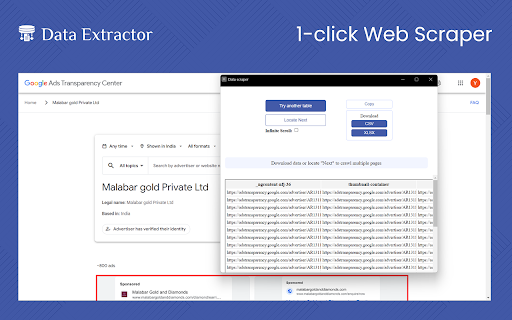
No more copying data manually, that is a waste of time. Make a revolutionary change to your efficiency with a highly effective Data Extractor Chrome extension that works on any website. Perfect for market research, price comparison, lead generation, and many others, this tool saves time and increases productivity. Get more information fast and effectively with this simple chrome extension that can help improve your results and efficiency.


Key features for this chrome extension

One-Click Data Extraction: One click and data from any website can be copied easily.

Versatile Use Cases: This is perfect for market research, price comparison, and lead generation services.

Timesaving: Reduces the time taken to extract data as it is done automatically to increase efficiency.

User-Friendly: This is the best interface that is easy to use by anyone without necessarily requiring the services of a professional.

How to Use:

Install the Extension:

Go to the Chrome Web Store and search for the Data Extractor extension then install it.


Activate the Extension:

When you are ready to use the extension, click on the Chrome toolbar icon.


Navigate to a Website:

Open the website that you wish to scrape data from.


Extract Data:

After that, you can download the collected data in csv or xlsx formats by pressing the “Extract Data” button.

To Whom It Is Useful:

The use of this tool is useful for people in the following fields: market research, price comparison, lead generation, competitive analysis, and data analysis. It is also of great importance to students, researchers and any other person who requires to scrape big data from several websites in a short span of time.


Why It Is Useful:

Data Extractor Chrome extension is beneficial because it saves time and reduces possible errors that may occur during the data copying process. It makes it very efficient because it eliminates the need for users to manually search for large quantities of information. This increases efficiency, productivity and allows users to make proper decisions based on the results of the analysis.
Technical
- Version
- 2.1.0
- Manifest
- V3
- Size
- 112KiB
- Min Chrome
- 88
- Languages
- 1
- Featured
- Yes
Metadata
- ID
- cinnboclepfeikibjjmeinbkonhojgcl
- Developer ID
- u0979a061b3328a714ae72feedce6a68b
- Developer Email
- [email protected]
- Created
- Oct 21, 2023
- Last Updated (Store)
- Jul 16, 2024
- Last Scraped
- May 19, 2026
- Website
- —
- Support URL
- —
Similar extensions
Alternatives to Data Extractor, ranked by description similarity.

URL Extractor
Use URL Extractor - The ultimate url scanner and link grabber for detecting and exporting links effortlessly from any webpage.
10.0K
★ 4.8

Web Scraper - Free AI-Based Data Extractor
Free AI-powered data extraction tool. Scrape any website with AI assistance.
12

Page Scraper
Simple and easy to use scraper tool.
57

Spider ListCrawling Extension
Web page element selection and data extraction tool
25

Link Grabber
Use Link Grabber to extract all links from a webpage
2.0K
★ 5.0

Phone Number Extractor
Use the Phone Number Extractor tool designed to quickly find phone numbers on sites, export this data, or copy it to the clipboard.
10.0K
★ 4.6

Web Page Scraper
Scrape all content from any webpage in one click — including text, headings, links, meta info and more.
32

Link Extractor V2
Extracts all links from a page and copies them to the clipboard.
889
★ 4.0
Data sourced from the Chrome Web Store · last verified May 19, 2026.