
CheckLinks
Check all hyperlinks on a page for broken links.
As of June 2026, CheckLinks has 19 users in the Developer Tools category.
Usersdown 20.8 percent−20.8%
19
19
Ratingno change0%
—
— reviews
Reviewsno change0%
—
Version
1.0.0
Manifest V3
History
9 snapshotsTracking since Apr 1, 2026.
View as table
| Date | Users | Rating | Reviews | Version |
|---|---|---|---|---|
| Apr 1, 2026 | 24 | — | — | 1.0.0 |
| Apr 11, 2026 | 32 | — | — | 1.0.0 |
| Apr 21, 2026 | 26 | — | — | 1.0.0 |
| Apr 28, 2026 | 15 | — | — | 1.0.0 |
| May 5, 2026 | 17 | — | — | 1.0.0 |
| May 11, 2026 | 19 | — | — | 1.0.0 |
| May 19, 2026 | 22 | — | — | 1.0.0 |
| May 29, 2026 | 17 | — | — | 1.0.0 |
| Jun 6, 2026 | 18 | — | — | 1.0.0 |
| Now | 19 | — | — | 1.0.0 |
Permissions & access
- Permissions
- activeTabscripting
- Host access
- <all_urls>
Screenshots

About
CheckLinks scans every link on the current page and tells you which ones are broken — right where they are.

Click the extension icon to start a scan. Links are highlighted directly on the page with colored outlines: green for working links, amber for redirects, red for broken (4xx/5xx), and gray for timeouts or network errors.

A floating, draggable results panel shows a summary with counts, a progress bar, and a sorted list of every link checked. Filter by status category to focus on what matters, and click any result to scroll straight to that link on the page.

FEATURES
• Inline overlays — colored outlines and status badges appear on every link, right on the page
• Draggable results panel — move it anywhere, close it when you're done
• Filter by status — quickly narrow results to broken links, redirects, errors, or working links
• Scroll to link — click a result to jump to and highlight the link on the page
• CSV export — download the full scan results for reporting
• Detailed errors — network issues are classified (DNS failure, connection refused, SSL error, timeout, etc.)
• Lightweight — plain JavaScript, no external dependencies

HOW TO USE
1. Navigate to any web page
2. Click the CheckLinks icon in the toolbar
3. A floating panel appears and scanning starts automatically
4. Watch as links are highlighted with status indicators
5. Use the filter buttons to focus on specific categories
6. Click any result to scroll to the link on the page
7. Export results as CSV or clear overlays when done

CheckLinks makes HTTP requests only to URLs already visible on the page you are viewing. No data is collected, stored, or sent anywhere. See the full privacy policy on our website.
Technical
- Version
- 1.0.0
- Manifest
- V3
- Size
- 14.57KiB
- Min Chrome
- 88
- Languages
- 1
- Featured
- No
Metadata
- ID
- chhcilocdjapdojciijkeghifjdicdmp
- Developer ID
- uaf476cd998f2f3e2de9e59254abce892
- Developer Email
- [email protected]
- Created
- Feb 5, 2026
- Last Updated (Store)
- Feb 5, 2026
- Last Scraped
- Jun 6, 2026
- Website
- —
- Support URL
- https://leemark.github.io/checklinks/
- Privacy Policy
- https://leemark.github.io/checklinks/privacy.html
Similar extensions
Alternatives to CheckLinks, ranked by description similarity.

LinkPulse
Instantly scan any webpage for broken links. Real-time status codes, filtering, CSV export, and full-tab results.
5
★ 5.0

Broken-Links Scanner
Check broken links on any webpage instantly. Lightweight, private, no tracking. Runs only when you ask.
31

Broken Link Finder Pro
Find broken links on the current webpage with detailed status codes
22
★ 5.0
Check My Links
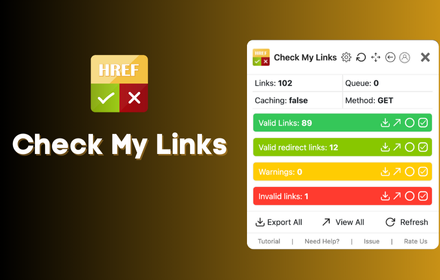
Check My Links is a link checker that crawls through your webpage and looks for broken links.
90.0K
★ 4.4

Broken Links Checker
Broken Link Checker for Chrome scans webpages to detect broken links, redirects, and HTTP status errors like 404 for fast SEO audits
70
★ 5.0

Broken Links Finder
Broken Link Finder can scan entire website or a single page. Effortlessly detect dead links and optimize your site's SEO!
16

Free Link Checker by LRT
Free link checker to verify all links on a page. Finds broken, unverified, no-follow, follow, internal, external links.
20.0K
★ 4.3

Link Checker
Link Checker: Find broken links fast
2
Data sourced from the Chrome Web Store · last verified Jun 6, 2026.