
Image Reader (OCR)
Easily get words out of an image with OCR engine!
As of June 2026, Image Reader (OCR) has 20,000 users and a 3.63/5 rating from 27 reviews in the Productivity category.
Usersno change0%
20.0K
20,000
Ratingno change0%
3.63
27 reviews
Reviewsno change0%
27
Version
0.2.0
Manifest V3
History
1 snapshotsTracking since Apr 18, 2026.
View as table
| Date | Users | Rating | Reviews | Version |
|---|---|---|---|---|
| Apr 18, 2026 | 20.0K | 3.63 | 27 | 0.2.0 |
| Now | 20.0K | 3.63 | 27 | 0.2.0 |
Permissions & access
- Permissions
- storagecontextMenus
- Host access
- None declared
Screenshots

About
Image Reader (OCR) extension helps you easily get words out of any image. It uses two different open-source OCR engines.

The 1st engine is called Tesseract. Tesseract.js is an open-source JavaScript library and is made via an Emscripten port of the famous Tesseract OCR Engine written in C and C++. Please visit (https://github.com/naptha/tesseract.js) to get more info. The 2nd engine, called Granite Docling, is developed by IBM (https://huggingface.co/ibm-granite/granite-docling-258M). Please note that when you choose IBM Granite Docling, the app needs to download training data (~1200MB) for the AI engine. So please be patient while it is loading.

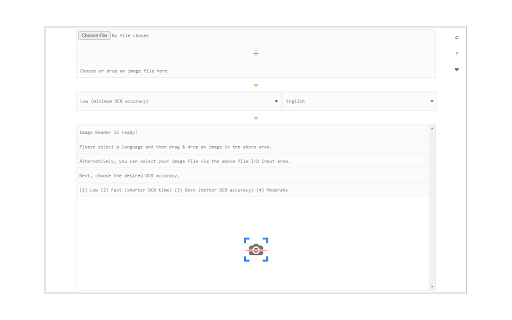
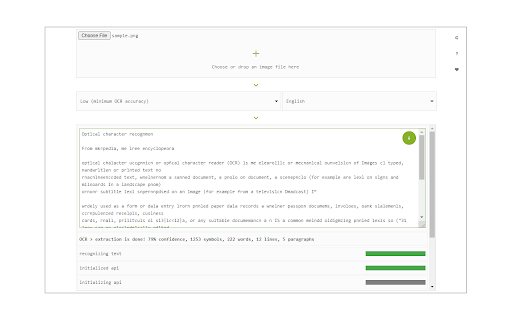
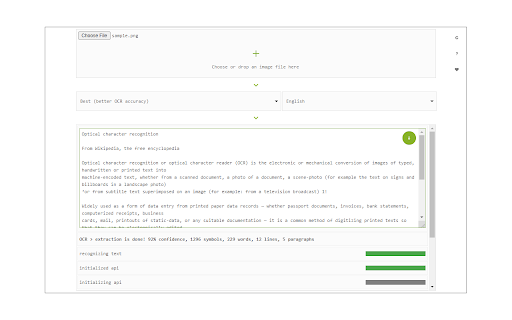
To work with this addon, simply open the addon's interface and load your image via the file selector (top section). Before using the addon, please make sure to select the appropriate OCR engine and language. For Tesseract, the default OCR language is set to English. For Granite Docling, you do not need to set a language; just select the desired backend (CPU or GPU) and wait for the app to load completely.

Note: For the Tesseract OCR engine, this addon uses the "https://github.com/naptha/tessdata/tree/gh-pages/" GitHub repo to fetch language data required for the OCR operation. For the IBM Granite Docling, it uses "https://huggingface.co/onnx-community/granite-docling-258M-ONNX" to fetch training data required for the OCR operation. Both language data packs are very large and cannot be included in the addon package.

To report bugs, please fill out the bug report form on the extension's homepage (https://mybrowseraddon.com/image-reader.html).
Technical
- Version
- 0.2.0
- Manifest
- V3
- Size
- 13.19MiB
- Min Chrome
- 88
- Languages
- 1
- Featured
- Yes
Metadata
- ID
- cakcfocedphbadddjpalejbkhflfbhmf
- Developer ID
- u945d559d572e22612b859d592da9a903
- Developer Email
- [email protected]
- Created
- Nov 10, 2018
- Last Updated (Store)
- Nov 10, 2025
- Last Scraped
- Jun 9, 2026
- Website
- —
- Support URL
- https://mybrowseraddon.com/image-reader.html
Similar extensions
Alternatives to Image Reader (OCR), ranked by description similarity.

Text to Image (Using AI)
Generate image with text prompt via artificial intelligence.
44

Image to Text (Using AI)
Generate a caption for any image via artificial intelligence.
229

Sidebar Translator (Using AI)
Translate text within the sidebar panel via two different AI engines (fully offline).
15

Grok OCR
Perform OCR on images using grok-2-vision
15

PickText OCR — Copy Text from Images by OneClickPDF
Extract text from any image or screenshot. Works offline. Your images never leave your device.
45

InstantOCR
Capture screenshots, extract text from images and videos, and copy it instantly.
9
★ 5.0

ICU OCR: Intelligent Capture Utility
Go beyond simple OCR and create custom AI workflows to instantly extract, format and send text from any image to your favorite apps.
37

PDF Tools - Convert, Resize & Merge
Manipulate PDF documents via Ghostscript interpreter right in your browser!
454
★ 1.0
Data sourced from the Chrome Web Store · last verified Jun 9, 2026.