
Win Win
Balanced windows for multitasking.
As of May 2026, Win Win has 76 users and a 5.00/5 rating from 2 reviews in the Functionality & UI category.
Usersdown 17.4 percent−17.4%
76
76
Ratingno change0%
5.00
2 reviews
Reviewsno change0%
2
Version
1.0.2
Manifest V3
History
2 snapshotsTracking since Apr 29, 2026.
View as table
| Date | Users | Rating | Reviews | Version |
|---|---|---|---|---|
| Apr 29, 2026 | 92 | 5.00 | 2 | 1.0.2 |
| May 26, 2026 | 77 | 5.00 | 2 | 1.0.2 |
| Now | 76 | 5.00 | 2 | 1.0.2 |
Permissions & access
- Permissions
- tabswindowssystem.displaystorage
- Host access
- None declared
Screenshots

About
Win Win is a simple but powerful Chrome extension designed to enhance your multitasking capabilities by effortlessly managing and organizing your browser windows. Whether you're a student, professional, or a multitasking enthusiast, Win Win helps you streamline your workflow and boost productivity.

Key Features:

Split Tabs with Ease:
   - Seamlessly split your current browser window into two side-by-side windows.
   - Automatically resize windows to a balanced 40/60 split, perfect for comparing documents, browsing multiple sites, or keeping an eye on essential tasks.

Efficient Window Merging:
   - Combine multiple browser windows into one with a single click.
   - Ensure your workspace is tidy and organized by merging all tabs into the main window.

Smart Tab Management:
   - Automatically move tabs based on your active selection.
   - If there’s only one tab, the extension creates an empty window for new tasks.
   - For multiple tabs, move the active tab and all tabs to its right to the new window.

User-Friendly Interface:
   - Simple, intuitive interface designed to make window management effortless.
   - Buttons are disabled and greyed out based on window availability, ensuring clear and straightforward usability.

Dynamic Tab Count:
   - Real-time tab count displayed on the extension icon, helping you keep track of your open tabs.

Latest Updates
Version 1.0.2:
   - Minor Bugfixes: Addressed small issues to improve overall functionality and stability.

Version 1.0.1:
   - Minor Fixes and Enhancements:
   - Resolved various small bugs and issues to improve the overall stability and performance of the extension.
   - Enhanced error handling for better management of edge cases and unexpected scenarios.
   - Made code optimizations for improved maintainability and efficiency.

Why Install Win Win?

   - Boost Productivity: Optimize your browsing experience by easily managing multiple tasks, research projects, or work assignments simultaneously.
   - Stay Organized: Keep your desktop clutter-free by efficiently splitting and merging browser windows based on your needs.
   - Improve Workflow: Whether you’re comparing documents, browsing different sites, or keeping essential tabs open, Win Win makes multitasking a breeze.
   - Simple and Effective: With an elegant and minimalist design, Win Win provides powerful functionality without the complexity.

Get Win Win Today!

Transform the way you multitask with your browser and take control of your workflow. Install Win Win now and experience the benefits of balanced, efficient window management.

Testimonial
"I showed this humble extension to my girlfriend, she wasn't impressed—but I find it very useful and enables me to get the most out of a 16-inch screen."
- The Developer
Technical
- Version
- 1.0.2
- Manifest
- V3
- Size
- 17.89KiB
- Min Chrome
- 88
- Languages
- 1
- Featured
- No
Metadata
- ID
- cacgeaapncpnnnbigaaiebjkbogejkmm
- Developer ID
- u1523f2fd5d3f91ac7449085063361813
- Developer Email
- [email protected]
- Created
- Jun 17, 2024
- Last Updated (Store)
- Sep 1, 2024
- Last Scraped
- May 26, 2026
- Website
- —
- Support URL
- —
- Privacy Policy
- https://johanecker.github.io/win-win-privacy-policy/
Similar extensions
Alternatives to Win Win, ranked by description similarity.

Screen Splitter - Tab Resize - Split Screen
Split Screen for Google Chrome. Splits your screen into multiple windows. Screen Splitter Multi Monitor support.
1.0K
★ 5.0

ChromeShift - Multi-Monitor Chrome Window Splitter
Split Chrome windows across multiple monitors with precision
9
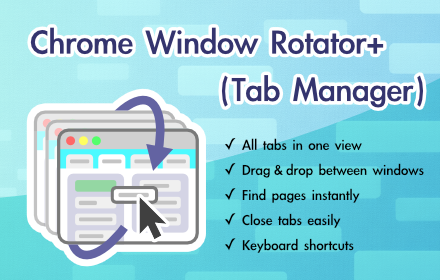
Chrome Window Rotator+ (Tab Manager)
View all tabs across windows. Find and access pages instantly. Organize with drag & drop.
108
★ 5.0

Tab Buddy – Open Tabs Next to Current
Opens new tab next to the current one
245
★ 3.0

Window Focus: Tab Manager
Manage all your windows and tabs from one place. Search, organize, and navigate your browser windows.
13

Tab Manager
Tab Manager for Chrome
48

Smart Modern Tab Manager - Organised Browsing
Organize browser tabs into minimalist workspaces. Save, restore, and manage tab groups with notes and tasks.
10
★ 5.0

Vertical Tabs - Tab Manager
Best vertical tabs extension. Sidebar, Vertical Tabs, Tab Manager, Tab groups
1.0K
★ 4.5
Data sourced from the Chrome Web Store · last verified May 26, 2026.