
Clipity: Bookmarks, Clip with Highlight
Capture short clips from your favorite website and store them in an easy to use interface.
As of May 2026, Clipity: Bookmarks, Clip with Highlight has 117 users and a 5.00/5 rating from 1 reviews in the Workflow & Planning category.
Usersup 0.9 percent+0.9%
117
117
Ratingno change0%
5.00
1 reviews
Reviewsno change0%
1
Version
2.5.6
Manifest V3
History
2 snapshotsTracking since Apr 29, 2026.
View as table
| Date | Users | Rating | Reviews | Version |
|---|---|---|---|---|
| Apr 29, 2026 | 116 | 5.00 | 1 | 2.5.6 |
| May 26, 2026 | 131 | 5.00 | 1 | 2.5.6 |
| Now | 117 | 5.00 | 1 | 2.5.6 |
Permissions & access
- Permissions
- activeTabstorageunlimitedStoragecontextMenus
- Host access
- *://*/*
Screenshots


About
🚀💥🚀💥🚀💥🚀💥 Clipity v2 🚀💥🚀💥🚀💥🚀💥

💥 Clipity is your go-to Chrome extension for effortlessly saving text snippets and highlighted content from any website. But it's not just another bookmarking tool; Clipity revolutionizes the way you bookmark by offering a unique feature that lets you revisit the exact place where you copied the text from.

✅ With Clipity, saving text snippets or highlighted content is a breeze. No more copying and pasting into separate documents or losing track of important information.

✅ Clipity seamlessly integrates into your browsing experience, allowing you to save snippets with just a few clicks or from a single text highlight.

✅ Access your clips and bookmarks with our PWA (mobile app) at anytime. Discuss your clips in form of comments, attach any document, images, docs or voice notes. Create public direct links to your clips for anyone to see.

✅ By streamlining the process of saving and revisiting text, Clipity boosts your productivity. Whether you're conducting research, gathering inspiration, or simply saving interesting tidbits, Clipity helps you stay organized and efficient.
Customize Clipity to suit your preferences. Organize your saved snippets with tags, categories, or notes to create a personalized archive that's tailored to your needs.

# Changelog

### Added
- v2.5.6 - Fixed bug that causes white spaces at the bottom of most webpages.
- v2.5.5 - Enable sending of user feedback.
- v2.5.0 - Settings to hide the highlight icon. Ability to right-click to highlight the selection.
- v2.4.0 - Clicking on a clip expands into a larger screen. Pro: Add plain-text comments on an expanded clip view. Attachments coming soon.
- v2.3.0 - User Interface Enhancements: Settings updates are now applied instantly without requiring a browser refresh.
- v2.2.0 - Sign in or register with your Google account.
- v2.1.0: Pro: Ability to sync/restore data, vice versa, with browser and web application (PWA).
Technical
- Version
- 2.5.6
- Manifest
- V3
- Size
- 1.39MiB
- Min Chrome
- 88
- Languages
- 1
- Featured
- No
Metadata
- ID
- bpiecjiegkibjpojeaedfgjhbbgcjbgl
- Developer ID
- u71ac6c12910ed4c290dccf442b0ae0a9
- Developer Email
- [email protected]
- Created
- Feb 29, 2024
- Last Updated (Store)
- Mar 24, 2025
- Last Scraped
- May 26, 2026
- Website
- clipity.app
- Support URL
- https://clipity.app/support
- Privacy Policy
- https://www.mayneweb.com/policies/privacy
Similar extensions
Alternatives to Clipity: Bookmarks, Clip with Highlight, ranked by description similarity.

Checkvist Web Clipper
Collect bookmarks and web clippings from email, Jira, GitHub, Zendesk, annotate and organize into flexible (todo) lists.
744
★ 4.5

QuickClip-NotepadClipboard
A simple clipboard/notepad tool for saving and managing text snippets
24
★ 5.0

ClipSnap
Clip text and links with one click.
2

Pure Copy
Smart clipboard manager: Save text snippets, copy without formatting, track history. Perfect for productivity.
21

Copy Text Easily
Extension that lets you view and reuse clipboard history with drag and drop, and copy text with one click
30.0K
★ 3.9

ClipGo
Your daily web memory. One-click capture. Calendar recall. Zero cloud.
2
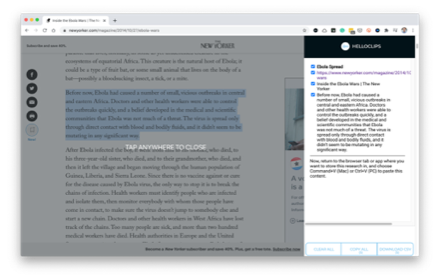
HelloClips
A free and private clipping tool for writers, podcasters, sales professionals — anyone compiling text research for any purpose.
104
★ 3.7

Pinboard Plus
Save, tag, and manage Pinboard bookmarks in one click. The toolbar icon shows whether the current page is already saved.
8.0K
★ 4.2
Data sourced from the Chrome Web Store · last verified May 26, 2026.