
TTrends
An extension that help with adding twitter trend to posts
As of June 2026, TTrends has 3 users in the Productivity category.
Usersup 200.0 percent+200.0%
3
3
Ratingno change0%
—
— reviews
Reviewsno change0%
—
Version
1.0.0
Manifest V3
History
2 snapshotsTracking since Apr 21, 2026.
View as table
| Date | Users | Rating | Reviews | Version |
|---|---|---|---|---|
| Apr 21, 2026 | 1 | — | — | 1.0.0 |
| May 6, 2026 | 2 | — | — | 1.0.0 |
| Now | 3 | — | — | 1.0.0 |
Permissions & access
- Permissions
- scriptingactiveTab
- Host access
- None declared
Screenshots
About
Description:
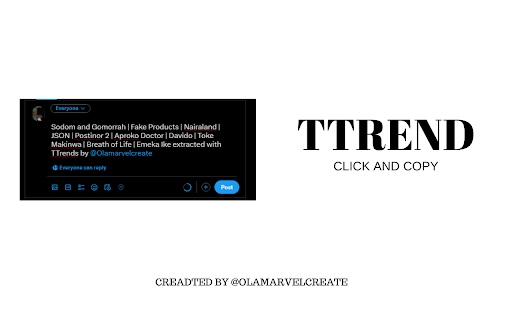
TTrends is a powerful Chrome extension designed to enhance your Twitter experience by providing quick access to trending topics and facilitating easy sharing. Whether you're a social media enthusiast, content creator, or researcher, TTrends simplifies the process of extracting and sharing Twitter trends.
Key Features:

Effortless Trend Extraction: TTrends seamlessly extracts trending topics from your Twitter feed, making it easy for you to stay informed about the latest discussions.

Quick Clipboard Sharing: With just a click, TTrends copies the extracted trends to your clipboard, allowing you to share them instantly in your tweets, articles, or research.

Dynamic Icon Notifications: TTrends dynamically changes its icon based on the success or failure of the trend extraction process, providing visual feedback to the user.

Intuitive Tooltip Notifications: Receive tooltip notifications indicating the success or failure of the trend extraction, ensuring a smooth user experience.
How to Use:

Click the Icon: Simply click on the TTrends icon in your Chrome browser to initiate the trend extraction process.

Instant Extraction: TTrends will quickly extract the current Twitter trends and display a visual indicator of success or failure.

Copy to Clipboard: If successful, click the icon again to copy the trends to your clipboard, ready for sharing.

Dynamic Icon Updates: Experience dynamic icon updates based on the success or failure of the trend extraction process.

Smart Notifications: Receive tooltip notifications for easy status updates on the extraction process.

Follow us on https://twitter.com/olamarvelcreate  for the latest updates, tips, and support.

Note:
TTrends is designed for Twitter enthusiasts who want to streamline their trend-sharing experience. Please make sure to grant the necessary permissions for the extension to function optimally.

Thank you for choosing TTrends - Your go-to Twitter Trends companion!
Technical
- Version
- 1.0.0
- Manifest
- V3
- Size
- 13.84KiB
- Min Chrome
- 88
- Languages
- 1
- Featured
- No
Metadata
- ID
- bnblhffbhjnbfffajelphlckclilpflh
- Developer ID
- u002b888fd9591748a408cd2182fd5833
- Developer Email
- [email protected]
- Created
- Dec 21, 2023
- Last Updated (Store)
- Jun 23, 2025
- Last Scraped
- Jun 1, 2026
- Website
- —
- Support URL
- —
- Privacy Policy
- —
Similar extensions
Alternatives to TTrends, ranked by description similarity.

TickerTrends - Trend Analytics & Social Insights
Reveal trending keywords, Google Trends, and social signals for any website — real-time insights to power smarter decisions.
159
★ 5.0

Trending News
Trending News provides easy access to the latest news and headlines via a widget on your toolbar.
38

Highlighter for TrendsCritical.com
Not just a plain Highlighter. Not just a vanilla AI. It's a highlighter with Trends and AI.
20

TrendsBar - Google Trends Assistant
Maximize Your Google Trends Analysis
7.0K
★ 5.0

Kiolix Pulse - Google Trends Global Enhancer
Enhance Google Trends with Kiolix Pulse trend intelligence and open canonical Kiolix Pulse detail pages instantly.
4

Trends Pocket - Analyze Google Trends in real-time
Explore trending topics and analyze Google Trends data in real-time. Track, visualize, and understand search patterns instantly.
154
★ 4.5

Trendtrack - eCommerce Analysis & All in one tool (Website, Trends, Ads..)
Trendtrack: The All-in-One Intelligence Tool for eCommerce Success
40.0K
★ 4.9

Google Trends Everywhere
Compare search trends with your keywords right next to Google search results, and quickly open Google Trends via right-click menu
1.0K
★ 5.0
Data sourced from the Chrome Web Store · last verified Jun 1, 2026.