
TrendsBar - Google Trends Assistant
Maximize Your Google Trends Analysis
As of June 2026, TrendsBar - Google Trends Assistant has 7,000 users and a 5.00/5 rating from 8 reviews in the Productivity category.
Usersup 16.7 percent+16.7%
7.0K
7,000
Ratingno change0%
5.00
8 reviews
Reviewsno change0%
8
Version
0.5.1
Manifest V3
90-day change · In the last 90 days this extension gained 1.0K users.
History
2 snapshotsTracking since Apr 16, 2026.
View as table
| Date | Users | Rating | Reviews | Version |
|---|---|---|---|---|
| Apr 16, 2026 | 6.0K | 5.00 | 8 | 0.5.1 |
| May 19, 2026 | 6.0K | 5.00 | 8 | 0.5.1 |
| Now | 7.0K | 5.00 | 8 | 0.5.1 |
Permissions & access
- Permissions
- storagesidePanelcontextMenus
- Host access
- https://*/*
Screenshots

About
TrendsBar is a browser extension designed to assist with Google Trends, aimed at helping users view and compare keyword trends in bulk, enhancing the efficiency of keyword discovery.

💥 TrendsBar Features
Feature 1: Batch Open Seed Keywords Trend Pages
With just one click, quickly view trend changes for multiple seed keywords, helping you expand your thinking and discover more potential business opportunities!

Feature 2: One-Click Keyword Comparison
Simply hover over keywords on Google Trends pages for instant comparison, visually presenting keyword traffic trends to support your precise decision-making!

Feature 3: Smart Keyword Analysis
Supports keyword translation, calculates and displays keyword scores, and allows you to jump to keyword analysis. Embedded with PowerWord Dictionary, Wikipedia, and Bing Search, quickly understand keyword meanings and the search intent behind them, helping you gain deep insights into user needs!

📑 TrendsBar Changelog
0.5.1: Support the new trends explore page, fix some bugs.
0.5.0: Added analysis record functionality, supports viewing analysis history, bookmarking keywords, and configuring regions.
0.4.4: Update the default analysis link and add a keyword organization feature.
0.4.3: Fixed related queries display issue with translation enabled.
0.4.2: Added analysis assistant, supporting keyword translation and keyword score calculation.
0.4.1: Fixed keyword comparison in right-click menu.
0.4.0: Supports batch keyword analysis with time/region comparison links. Reset to defaults before use.
0.3.6: Support launching TrendsBar through right-click menu to analyze or compare selected keywords.
0.3.5: Fixed an intermittent issue where configurations could be unexpectedly reset.
0.3.4: Added support for internationalization (i18n) and fixed the issue of keywords not refreshing in the input box.
0.3.3: New configuration page added, allowing editing of analysis links and optimizing overall style.
0.3.2: Added a hover toolbar for the current keyword, supporting quick deletion, analysis, and adding/removing quotation marks.
0.3.1: Fixed a bug where a configuration would be reset.
0.3.0: Introduced keyword analysis functionality, supporting hover keyword operations on the trending page.
0.2.0: Added the ability to edit bulk seed keywords.
0.1.1: Supported access data for specified comparison keywords.
0.1.0: First release of TrendsBar.

🔒 Privacy Statement
TrendsBar does not upload or store any user data; all data within the extension is stored locally, ensuring the security of user information.
Technical
- Version
- 0.5.1
- Manifest
- V3
- Size
- 86.3KiB
- Min Chrome
- 88
- Languages
- 2
- Featured
- Yes
Metadata
- ID
- djimlibchepimambphhbhhjegmanioch
- Developer ID
- u7b982edab1eb855270cebb3c426b8021
- Developer Email
- [email protected]
- Created
- Oct 20, 2024
- Last Updated (Store)
- Jan 21, 2026
- Last Scraped
- Jun 6, 2026
- Website
- trendsbar.net
- Support URL
- —
- Privacy Policy
- https://trendsbar.net/privacy-policy
Similar extensions
Alternatives to TrendsBar - Google Trends Assistant, ranked by description similarity.

Kiolix Pulse - Google Trends Global Enhancer
Enhance Google Trends with Kiolix Pulse trend intelligence and open canonical Kiolix Pulse detail pages instantly.
4

TickerTrends - Trend Analytics & Social Insights
Reveal trending keywords, Google Trends, and social signals for any website — real-time insights to power smarter decisions.
159
★ 5.0

Keyword Trends - Keyword Research Tool
Adds keyword trends to your Google search page.
486
★ 5.0

Trends Pocket - Analyze Google Trends in real-time
Explore trending topics and analyze Google Trends data in real-time. Track, visualize, and understand search patterns instantly.
154
★ 4.5

Google Trends Everywhere
Compare search trends with your keywords right next to Google search results, and quickly open Google Trends via right-click menu
1.0K
★ 5.0

Treendly - Discover rising trends
See trend data, growth pace, and search volume right inside Google, Bing, and DuckDuckGo search results.
420
★ 4.0
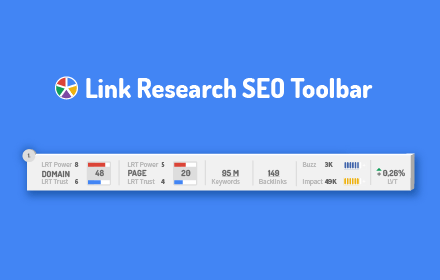
Link Research SEO Toolbar
Enjoy looking at the most advanced SEO metrics while you search the Web.
10.0K
★ 4.4

TrendWrapper - Keyword Generator - Keywordtalk
Easily wrap keywords in exact, phrase, or broad match formats and discover trending keywords to boost your campaigns.
78
★ 5.0
Data sourced from the Chrome Web Store · last verified Jun 6, 2026.