sklera player
sklera - Digital Signage made easy
As of June 2026, sklera player has — users and a 4.75/5 rating from 4 reviews.
Usersno change0%
—
—
Ratingno change0%
4.75
4 reviews
Reviewsno change0%
4
Version
4.5.262
Manifest V2
History
1 snapshotsTracking since Apr 27, 2026.
Not enough history yet for this metric — the chart fills in as we collect more snapshots.
View as table
| Date | Users | Rating | Reviews | Version |
|---|---|---|---|---|
| Apr 27, 2026 | — | 4.75 | 4 | 4.5.262 |
| Now | — | 4.75 | 4 | 4.5.262 |
Permissions & access
- Permissions
- audioaudioCapturevideoCapturenetworking.oncsystem.displaysystem.networksystem.cpusystem.memorybackgroundpowerwebviewfullscreenapp.window.fullscreen.overrideEscserialalwaysOnTopWindowsstoragepointerLockfileSystemunlimitedStoragecontextMenusenterprise.deviceAttributesenterprise.hardwarePlatformnodeusbhid
- Host access
- <all_urls>, https://www.youtube.com/
Screenshots


About
// http://sklera.tv //

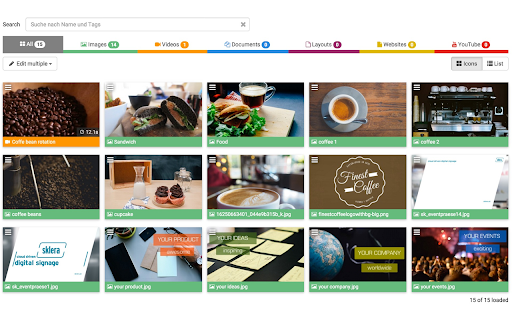
sklera is an easy to use and modern digital signage software solution allowing professional playouts on your displays. With the help of sklera your Chrome OS based device becomes a digital signage device within minutes. Organize your pictures, videos or websites in your private media library and publish your content easily on your screens. You can control your displays from anywhere, just by one click.

Sign up at https://sklera.tv for a free demo account and take control of your Chrome OS device instantly.

Permissions: The player app will need write permissions to download all your media files on the device. This allows us using the player with bad or even without an internet connection after the first sync. When preferred the app can also be launched automatically during system boot in kiosk mode.

Notice: This app is per intention designed without any touch interaction or user interfaces. The app connects your display with our CMS and can then be controlled remotely using your web browser. Get your free demo at: https://sklera.tv/demo
Technical
- Version
- 4.5.262
- Manifest
- V2
- Size
- 11.09MiB
- Min Chrome
- 45
- Languages
- 2
- Featured
- No
Metadata
- ID
- bmohpcdocjjomgdnemfjhpopekgpafbp
- Developer ID
- u5a916ada284a900ba0fb2aefe51b3f74
- Developer Email
- [email protected]
- Created
- Feb 27, 2015
- Last Updated (Store)
- Jan 28, 2026
- Last Scraped
- Jun 8, 2026
- Website
- https://sklera.at/
- Support URL
- https://help.sklera.tv
- Privacy Policy
- —
Similar extensions
Alternatives to sklera player, ranked by description similarity.

Playr
Digital signage kiosk app for Chrome OS
—
★ 5.0
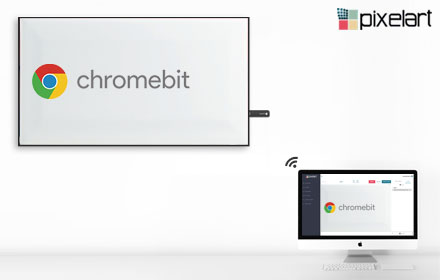
Pixelart Player — Modern Digital Signage
Pixelart player for Chrome OS
—

Signage Player
Digital signage player for any business to run stable 24/7. Download once, install on your ChromeOS device and control the content…
—
★ 3.0

ScreenCloud Digital Signage Player
Easy to use cloud based Digital Signage content management. Designed to work with Google apps, Chrome, Chromebox, & Chromebit kiosk
—
★ 4.1

Bizplay
Digital signage kiosk Chrome OS app for content from bizplay.com
—
★ 5.0

Revel Digital Player
Turn your Chrome OS device into digital signage. The Revel Digital Player app works in conjunction with the Revel Digital…
—
★ 5.0

DigitalSigns.ai Player
Launch DigitalSigns.ai signage player in a dedicated maximized window for pairing and playback.
1

CloudPixel Player
Digital Signage transforms the way you reach your current and prospective customers. It facilitates the transition
from the dull,…
—
Data sourced from the Chrome Web Store · last verified Jun 8, 2026.