
SlapNote
Quickly take notes by capturing texts and images from the web, organizing your brainstorms, research, and ideas in one place.
As of June 2026, SlapNote has 14 users and a 4.20/5 rating from 5 reviews in the Productivity category.
Usersdown 12.5 percent−12.5%
14
14
Ratingdown 16.0 percent−16.0%
4.20
5 reviews
Reviewsup 25.0 percent+25.0%
5
Version
2.2.1
Manifest V3
90-day change · In the last 90 days this extension 2 version updates.
History
6 snapshotsTracking since Apr 18, 2026.
View as table
| Date | Users | Rating | Reviews | Version |
|---|---|---|---|---|
| Apr 18, 2026 | 16 | 5.00 | 4 | 2.1.1 |
| May 2, 2026 | 15 | 5.00 | 4 | 2.2.0 |
| May 9, 2026 | 14 | 5.00 | 4 | 2.2.0 |
| May 14, 2026 | 19 | 4.20 | 5 | 2.2.1 |
| May 20, 2026 | 17 | 4.20 | 5 | 2.2.1 |
| May 26, 2026 | 13 | 4.20 | 5 | 2.2.1 |
| Now | 14 | 4.20 | 5 | 2.2.1 |
Changelog
- Apr 18, 2026description
Tired of juggling 100 tabs and losing sources mid-study?

Meet SlapNote - the Chrome add-on that keeps your research in one place.

Name a project, highlight a quote, right-click and ‘Slap!’ Images work too.

Each save becomes a tidy card with the source link attached - no detective work later.

Want focus? Pop SlapNote into its own window and keep slapping.

When it’s time to write, export to PDF or straight into Google Docs.

Less copy-paste. More progress.

All notes saved locally. Works offline. You can sync to cloud too with SlapNote Pro.
Quickly capture texts, images, and sources from any webpage while browsing.

Tired of juggling tabs and losing sources halfway through an assignment?

SlapNote is built for students and researchers who collect ideas while they read.

Highlight a quote, right-click, and “Slap!”

Images work too.

Each save becomes a tidy note with the source already attached – so you’re not digging through tabs later trying to figure out where something came from.

No switching tabs. No breaking your flow. Just read and save as you go.

Working on multiple assignments or papers?

Create projects and keep everything organized by class, topic, or research goal.

When it’s time to write, export your notes straight into Google Docs and start with everything already in one place.

Less copy-paste. More writing.


Why students are using SlapNote
- Save quotes and sources while reading online
- Keep research organized by project or assignment
- Avoid losing links or rebuilding sources later
- Move from research to writing faster


Key Features
- Capture texts and images directly from any webpage
- Automatically save source links with every note
- Organize notes into projects
- Search for specific texts or sources in your captured notes
- Export projects as a text file or PDF
- Convert projects to Google Docs or Markdown (Pro required)
- Works fully offline
- Cloud sync across devices (Pro required)
Permissions & access
- Permissions
- storagescriptingcontextMenustabswindowsidentity
- Host access
- <all_urls>
Screenshots


About
Quickly capture texts, images, and sources from any webpage while browsing.

Tired of juggling tabs and losing sources halfway through an assignment?

SlapNote is built for students and researchers who collect ideas while they read.

Highlight a quote, right-click, and “Slap!”

Images work too.

Each save becomes a tidy note with the source already attached – so you’re not digging through tabs later trying to figure out where something came from.

No switching tabs. No breaking your flow. Just read and save as you go.

Working on multiple assignments or papers?

Create projects and keep everything organized by class, topic, or research goal.

When it’s time to write, export your notes straight into Google Docs and start with everything already in one place.

Less copy-paste. More writing.


Why students are using SlapNote
- Save quotes and sources while reading online
- Keep research organized by project or assignment
- Avoid losing links or rebuilding sources later
- Move from research to writing faster


Key Features
- Capture texts and images directly from any webpage
- Automatically save source links with every note
- Organize notes into projects
- Search for specific texts or sources in your captured notes
- Export projects as a text file or PDF
- Convert projects to Google Docs or Markdown (Pro required)
- Works fully offline
- Cloud sync across devices (Pro required)
Technical
- Version
- 2.2.1
- Manifest
- V3
- Size
- 110KiB
- Min Chrome
- 88
- Languages
- 1
- Featured
- No
Metadata
- ID
- bmlflocggcjgohjmcegpdocnacedddad
- Developer ID
- u3b042252cf8d2151589db6bca00294e3
- Developer Email
- [email protected]
- Created
- Dec 3, 2025
- Last Updated (Store)
- May 7, 2026
- Last Scraped
- Jun 8, 2026
- Website
- slapnote.io
- Support URL
- https://slapnote.io/help
- Privacy Policy
- https://slapnote.io/privacy
Similar extensions
Alternatives to SlapNote, ranked by description similarity.

TabScribe — Research OS for the Web
Highlight → Summarize → Translate → Rewrite → Cite. A privacy-first research side panel powered by Chrome's built-in AI.
11
★ 5.0

Online Sticky Notes
Create minimal sticky notes on any web page. Drag, minimize, delete, persist per-URL. Send notes to Notion.
11
★ 5.0

Save This Webpage
Save the current page with title, URL, screenshot, and optional note, then export your saved pages as a Markdown archive.
45

ZenMarker
Save text snippets from any website with optional notes and tags.
1
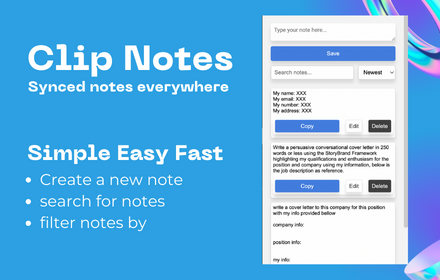
Clip Note
a quick simple in browser productivity notepad, for saving time with repetitive tasks.
129

Quick Notes
Write and organize notes linked to the current website. Notes are stored locally and can be searched or exported as text.
—

Highlight & Save Text
Save web highlights and export them as a text file.
5

Web Page Markup Tool
Highlight, underline, and take notes on any webpage.
152
★ 4.2
Data sourced from the Chrome Web Store · last verified Jun 8, 2026.