
AI-MarkDone — ChatGPT Reader & Organizer
AI-MarkDone for ChatGPT: reader, bookmarks, Google Drive backup, LaTeX copy, Markdown copy, and PNG/PDF export.
As of June 2026, AI-MarkDone — ChatGPT Reader & Organizer has 3,000 users and a 5.00/5 rating from 15 reviews in the Productivity category.
Usersup 1085.8 percent+1085.8%
3.0K
3,000
Ratingno change0%
5.00
15 reviews
Reviewsup 114.3 percent+114.3%
15
Version
4.5.1
Manifest V3
90-day change · In the last 90 days this extension gained 2.7K users, 10 version updates, changed permissions.
History
13 snapshotsTracking since Apr 3, 2026.
View as table
| Date | Users | Rating | Reviews | Version |
|---|---|---|---|---|
| Apr 3, 2026 | 253 | 5.00 | 7 | 3.0.0 |
| Apr 17, 2026 | 263 | 5.00 | 7 | 3.0.0 |
| Apr 23, 2026 | 335 | 5.00 | 7 | 4.0.0 |
| Apr 28, 2026 | 442 | 5.00 | 7 | 4.1.0 |
| May 5, 2026 | 1.0K | 5.00 | 9 | 4.2.2 |
| May 9, 2026 | 2.0K | 5.00 | 10 | 4.2.3 |
| May 12, 2026 | 2.0K | 5.00 | 11 | 4.3.1 |
| May 16, 2026 | 2.0K | 5.00 | 11 | 4.4.0 |
| May 21, 2026 | 3.0K | 5.00 | 12 | 4.4.0 |
| May 25, 2026 | 3.0K | 5.00 | 13 | 4.4.1 |
| May 30, 2026 | 3.0K | 5.00 | 13 | 4.4.5 |
| Jun 8, 2026 | 3.0K | 5.00 | 13 | 4.4.6 |
| Jun 15, 2026 | 3.0K | 5.00 | 14 | 4.5.1 |
| Now | 3.0K | 5.00 | 15 | 4.5.1 |
Changelog
- Jun 8, 2026description
AI-MarkDone is a focused productivity extension for ChatGPT users who read long conversations, organize useful answers, copy structured content, and share AI-generated results across notes, documents, and social platforms.

It is designed for students, researchers, writers, developers, content creators, and heavy ChatGPT users who want a cleaner way to navigate, read, save, export, and reuse ChatGPT responses without changing the original ChatGPT experience.

✨ Key Features

⚡ ChatGPT Conversation Navigation
AI-MarkDone adds a right-side conversation directory to ChatGPT, helping you quickly scan long chats, preview message summaries, and jump back to important turns.
When a conversation has dozens of rounds, you no longer need to scroll endlessly to find the answer you need.

📖 Immersive Reader Mode
Open ChatGPT responses in a cleaner reading view with Markdown rendering, code blocks, tables, and mathematical formulas preserved.
Reader mode supports keyboard navigation, including switching between messages and scrolling through long answers more comfortably.

📌 Sticky Reading Mode
Select important passages in Reader and pin them to the side while reading long responses.
This is especially useful when reviewing research notes, technical explanations, draft revisions, or long-form AI-generated content.

📋 Better Markdown Copy
Copy ChatGPT answers as clean, reusable Markdown.
AI-MarkDone preserves structure such as headings, lists, code blocks, tables, formulas, and selected passages as much as possible, making the output easier to paste into Typora, Obsidian, VS Code, Notion, documentation tools, or personal knowledge bases.

🗂️ Export ChatGPT to Markdown / PDF / PNG
Export selected messages or full conversations for archiving, sharing, or further editing.
Markdown is ideal for knowledge management, PDF is useful for documentation and long-term storage, and PNG is convenient for sharing polished visual snippets.

🖼️ One-Click PNG Export
Copy a single ChatGPT response as a PNG image, or export multiple messages in batch.
This is useful for sharing long answers, study notes, knowledge cards, technical explanations, and research-related content. Export width and image quality can be adjusted in settings.

📝 Dynamic Annotation
Highlight specific paragraphs in Reader, add revision notes or comments, and turn them into structured instructions for another ChatGPT prompt.
This is helpful for paper editing, article polishing, technical writing, document review, and iterative content refinement.

🔖 ChatGPT Bookmarks
Save important ChatGPT messages with one click and organize them into folders.
The bookmark panel supports preview and jump-back behavior, making it easier to revisit key answers, research ideas, code snippets, and creative inspiration.

🧮 Formula Copy and Export
Click rendered formulas to copy LaTeX source, copy Office-compatible MathML, or export formulas as PNG/SVG.
This is especially useful for students, researchers, engineers, and academic writers who need formulas for papers, notes, slides, or presentations.

📊 Word and Character Count
View word and character statistics for ChatGPT responses while reducing noise from code blocks where possible.
Useful for checking answer length, writing scale, and content density.

---

🌐 Browser Support

Chrome · Firefox · Safari

---

🤖 Primary Supported Platform

ChatGPT

Some existing features for Gemini, Claude, and DeepSeek may still work, but future development will focus more deeply on ChatGPT.
The goal is to make ChatGPT reading, copying, exporting, bookmarking, annotating, and knowledge organization more reliable and polished.

---

📅 Latest Update: v4.4.5

- Added one-click formula copy as Office-compatible MathML.
- Added support for rendering formulas inside tables.
- Added global status feedback such as “Copied successfully”.
- Improved Reader refresh logic so newly generated pages can appear more reliably after sending messages from Reader.
- Improved toolbar injection stability.
- Added Sticky mode in Reader for pinning selected passages while reading long content.
- Improved ChatGPT directory refresh performance.
- Improved toolbar and directory behavior when the page width changes.
- Formula hover buttons are now off by default to reduce reading obstruction, and their button style has been simplified.
- Reader now supports Up and Down arrow key scrolling.
- Fixed an issue where Copy as Markdown could remove links inside code blocks as if they were citation noise.

---

⭐ If AI-MarkDone helps you save time, a five-star review would mean a lot.

Feedback and suggestions: [email protected]
GitHub: https://github.com/zhaoliangbin42/AI-MarkDone
AI-MarkDone is a focused productivity extension for ChatGPT users who read long conversations, organize useful answers, copy structured content, and share AI-generated results across notes, documents, and social platforms.

It is designed for students, researchers, writers, developers, content creators, and heavy ChatGPT users who want a cleaner way to navigate, read, save, export, and reuse ChatGPT responses without changing the original ChatGPT experience.

✨ Key Features

⚡ ChatGPT Conversation Navigation
AI-MarkDone adds a right-side conversation directory to ChatGPT, helping you quickly scan long chats, preview message summaries, and jump back to important turns.
When a conversation has dozens of rounds, you no longer need to scroll endlessly to find the answer you need.

📖 Immersive Reader Mode
Open ChatGPT responses in a cleaner reading view with Markdown rendering, code blocks, tables, and mathematical formulas preserved.
Reader mode supports keyboard navigation, including switching between messages and scrolling through long answers more comfortably.

📌 Sticky Reading Mode
Select important passages in Reader and pin them to the side while reading long responses.
This is especially useful when reviewing research notes, technical explanations, draft revisions, or long-form AI-generated content.

📋 Better Markdown Copy
Copy ChatGPT answers as clean, reusable Markdown.
AI-MarkDone preserves structure such as headings, lists, code blocks, tables, formulas, and selected passages as much as possible, making the output easier to paste into Typora, Obsidian, VS Code, Notion, documentation tools, or personal knowledge bases.

🗂️ Export ChatGPT to Markdown / PDF / PNG
Export selected messages or full conversations for archiving, sharing, or further editing.
Markdown is ideal for knowledge management, PDF is useful for documentation and long-term storage, and PNG is convenient for sharing polished visual snippets.

🖼️ One-Click PNG Export
Copy a single ChatGPT response as a PNG image, or export multiple messages in batch.
This is useful for sharing long answers, study notes, knowledge cards, technical explanations, and research-related content. Export width and image quality can be adjusted in settings.

📝 Dynamic Annotation
Highlight specific paragraphs in Reader, add revision notes or comments, and turn them into structured instructions for another ChatGPT prompt.
This is helpful for paper editing, article polishing, technical writing, document review, and iterative content refinement.

🔖 ChatGPT Bookmarks
Save important ChatGPT messages with one click and organize them into folders.
The bookmark panel supports preview and jump-back behavior, making it easier to revisit key answers, research ideas, code snippets, and creative inspiration.

🧮 Formula Copy and Export
Click rendered formulas to copy LaTeX source, copy Office-compatible MathML, or export formulas as PNG/SVG.
This is especially useful for students, researchers, engineers, and academic writers who need formulas for papers, notes, slides, or presentations.

📊 Word and Character Count
View word and character statistics for ChatGPT responses while reducing noise from code blocks where possible.
Useful for checking answer length, writing scale, and content density.

---

🌐 Browser Support

Chrome · Firefox · Safari

---

🤖 Primary Supported Platform

ChatGPT

Some existing features for Gemini, Claude, and DeepSeek may still work, but future development will focus more deeply on ChatGPT.
The goal is to make ChatGPT reading, copying, exporting, bookmarking, annotating, and knowledge organization more reliable and polished.

---

📅 Latest Update: v4.5.1

- Restored the ChatGPT right-side navigation rail. Since some users already have ChatGPT's official rail, enabling the AI-MarkDone rail now hides the official one by default. Thanks to everyone on Xiaohongshu who kept asking for it.
- Restored formula recognition support for DeepSeek, Claude, and Gemini.
- Reader extraction now correctly handles new ChatGPT noise content. Previously, formulas or underlined text could sometimes turn into strange characters in Reader or copied Markdown source. In short, these are ChatGPT's new generative UI blocks or internal annotations; AI-MarkDone now cleans them before Reader, copy, export, and bookmark save.
- Fixed Firefox content discovery failures that could break bookmark saving, Copy Markdown, Reader, and related features.

---

⭐ If AI-MarkDone helps you save time, a five-star review would mean a lot.

Feedback and suggestions: [email protected]
GitHub: https://github.com/zhaoliangbin42/AI-MarkDone
Website: https://zhaoliangbin42.github.io/ai-markdone/en/
- Jun 8, 2026short_description
AI-MarkDone for ChatGPT: reader mode, directory, bookmarks, PNG/PDF export, LaTeX copy, and Markdown copy.
AI-MarkDone for ChatGPT: reader, bookmarks, Google Drive backup, LaTeX copy, Markdown copy, and PNG/PDF export.
- Jun 8, 2026host_permissions
https://chatgpt.com/*, https://chat.openai.com/*, https://gemini.google.com/*, https://claude.ai/*, https://chat.deepseek.com/*
https://chatgpt.com/*, https://chat.openai.com/*, https://gemini.google.com/*, https://claude.ai/*, https://chat.deepseek.com/*, https://www.googleapis.com/*, https://oauth2.googleapis.com/*
- Jun 8, 2026permissions
clipboardWrite, storage
clipboardWrite, storage, identity
- May 25, 2026description
AI-MarkDone — A ChatGPT productivity extension for navigation, quick sharing, Markdown copy, and bookmarks

AI-MarkDone is designed for students, researchers, writers, and heavy ChatGPT users.
It stays out of your way while making long conversations easier to read, navigate, organize, export, and share.

✨ Key Features

⚡ ChatGPT Conversation Navigator
Automatically builds a right-side navigator for the current ChatGPT conversation. It supports message previews, one-click jumps, expanded view, and a quick toggle.
When a thread gets long, you no longer need to scroll back and forth just to find the answer you need.

🖼️ Export Messages as PNG
Copy a single ChatGPT response as a PNG image, or batch export multiple messages as PNG files.
Perfect for sharing long answers, study notes, technical explanations, research summaries, and knowledge cards. You can adjust image width and scale in Settings to match different sharing platforms.

📖 Immersive Reader Mode
Turns ChatGPT responses into a cleaner reading view with full Markdown, code blocks, tables, and math formulas.
Use the left and right arrow keys to move between messages, and keep asking follow-up questions without leaving Reader.

📋 Powerful Markdown Copy
A cleaner, more reusable alternative to the default copy experience.
AI-MarkDone keeps Markdown structure as intact as possible, including formulas, code blocks, tables, and lists, so the result works well in Typora, Obsidian, VS Code, Notion, and other writing tools.

🗂️ Batch Export to Markdown / PDF / PNG
Export selected messages or a full conversation.
Use Markdown for knowledge management, PDF for archiving and sharing, and PNG for quick visual sharing on social platforms.

📝 Dynamic Annotations
Highlight specific passages in Reader, add revision notes, and turn them into structured follow-up input for the model.
Useful for paper revision, long-form editing, technical proofreading, and iterative content refinement.

🔖 Bookmarks
Save important messages with one click and organize them into folders.
Preview bookmarks in the panel and jump back to the original conversation position whenever you need.

🧮 One-Click LaTeX Copy
Click inline or block formulas to copy the original LaTeX source.
Especially useful for students, researchers, and anyone writing math-heavy notes or papers.

📊 Message Word Count
See real-time word and character counts for the current message, with code noise filtered out where possible.
Helpful for estimating answer length, writing scale, and information density.

---

🌐 Browser Support

Chrome · Firefox · Safari

---

🤖 Primary Platform

ChatGPT

Existing Gemini, Claude, and DeepSeek features may still work, but future development will focus on ChatGPT.
I want to spend my limited time on the platform I use most and understand best, and make its reading, navigation, copying, exporting, and sharing experience genuinely better.

---

📅 Changelog (v4.4.1)

- Added font size and theme color controls under Settings -> Advanced Settings, with live updates across extension surfaces.
- Added an internal Reader heading outline for long Markdown responses, and refreshed the latest Reader page from the live ChatGPT snapshot when revisited. Thanks to Xiaohongshu users @Hiahiaaa and @小红薯67542EF1.
- Streamlined the style system so the extension feels more visually consistent.

---

⭐️ If AI-MarkDone saves you time, a five-star review would mean a lot.
Feedback: [email protected]
GitHub: https://github.com/zhaoliangbin42/AI-MarkDone
AI-MarkDone is a focused productivity extension for ChatGPT users who read long conversations, organize useful answers, copy structured content, and share AI-generated results across notes, documents, and social platforms.

It is designed for students, researchers, writers, developers, content creators, and heavy ChatGPT users who want a cleaner way to navigate, read, save, export, and reuse ChatGPT responses without changing the original ChatGPT experience.

✨ Key Features

⚡ ChatGPT Conversation Navigation
AI-MarkDone adds a right-side conversation directory to ChatGPT, helping you quickly scan long chats, preview message summaries, and jump back to important turns.
When a conversation has dozens of rounds, you no longer need to scroll endlessly to find the answer you need.

📖 Immersive Reader Mode
Open ChatGPT responses in a cleaner reading view with Markdown rendering, code blocks, tables, and mathematical formulas preserved.
Reader mode supports keyboard navigation, including switching between messages and scrolling through long answers more comfortably.

📌 Sticky Reading Mode
Select important passages in Reader and pin them to the side while reading long responses.
This is especially useful when reviewing research notes, technical explanations, draft revisions, or long-form AI-generated content.

📋 Better Markdown Copy
Copy ChatGPT answers as clean, reusable Markdown.
AI-MarkDone preserves structure such as headings, lists, code blocks, tables, formulas, and selected passages as much as possible, making the output easier to paste into Typora, Obsidian, VS Code, Notion, documentation tools, or personal knowledge bases.

🗂️ Export ChatGPT to Markdown / PDF / PNG
Export selected messages or full conversations for archiving, sharing, or further editing.
Markdown is ideal for knowledge management, PDF is useful for documentation and long-term storage, and PNG is convenient for sharing polished visual snippets.

🖼️ One-Click PNG Export
Copy a single ChatGPT response as a PNG image, or export multiple messages in batch.
This is useful for sharing long answers, study notes, knowledge cards, technical explanations, and research-related content. Export width and image quality can be adjusted in settings.

📝 Dynamic Annotation
Highlight specific paragraphs in Reader, add revision notes or comments, and turn them into structured instructions for another ChatGPT prompt.
This is helpful for paper editing, article polishing, technical writing, document review, and iterative content refinement.

🔖 ChatGPT Bookmarks
Save important ChatGPT messages with one click and organize them into folders.
The bookmark panel supports preview and jump-back behavior, making it easier to revisit key answers, research ideas, code snippets, and creative inspiration.

🧮 Formula Copy and Export
Click rendered formulas to copy LaTeX source, copy Office-compatible MathML, or export formulas as PNG/SVG.
This is especially useful for students, researchers, engineers, and academic writers who need formulas for papers, notes, slides, or presentations.

📊 Word and Character Count
View word and character statistics for ChatGPT responses while reducing noise from code blocks where possible.
Useful for checking answer length, writing scale, and content density.

---

🌐 Browser Support

Chrome · Firefox · Safari

---

🤖 Primary Supported Platform

ChatGPT

Some existing features for Gemini, Claude, and DeepSeek may still work, but future development will focus more deeply on ChatGPT.
The goal is to make ChatGPT reading, copying, exporting, bookmarking, annotating, and knowledge organization more reliable and polished.

---

📅 Latest Update: v4.4.5

- Added one-click formula copy as Office-compatible MathML.
- Added support for rendering formulas inside tables.
- Added global status feedback such as “Copied successfully”.
- Improved Reader refresh logic so newly generated pages can appear more reliably after sending messages from Reader.
- Improved toolbar injection stability.
- Added Sticky mode in Reader for pinning selected passages while reading long content.
- Improved ChatGPT directory refresh performance.
- Improved toolbar and directory behavior when the page width changes.
- Formula hover buttons are now off by default to reduce reading obstruction, and their button style has been simplified.
- Reader now supports Up and Down arrow key scrolling.
- Fixed an issue where Copy as Markdown could remove links inside code blocks as if they were citation noise.

---

⭐ If AI-MarkDone helps you save time, a five-star review would mean a lot.

Feedback and suggestions: [email protected]
GitHub: https://github.com/zhaoliangbin42/AI-MarkDone
- May 25, 2026name
AI-MarkDone
AI-MarkDone — ChatGPT Reader & Organizer
- May 21, 2026description
AI-MarkDone — A ChatGPT productivity extension for navigation, quick sharing, Markdown copy, and bookmarks

AI-MarkDone is designed for students, researchers, writers, and heavy ChatGPT users.
It stays out of your way while making long conversations easier to read, navigate, organize, export, and share.

✨ Key Features

⚡ ChatGPT Conversation Navigator
Automatically builds a right-side navigator for the current ChatGPT conversation. It supports message previews, one-click jumps, expanded view, and a quick toggle.
When a thread gets long, you no longer need to scroll back and forth just to find the answer you need.

🖼️ Export Messages as PNG
Copy a single ChatGPT response as a PNG image, or batch export multiple messages as PNG files.
Perfect for sharing long answers, study notes, technical explanations, research summaries, and knowledge cards. You can adjust image width and scale in Settings to match different sharing platforms.

📖 Immersive Reader Mode
Turns ChatGPT responses into a cleaner reading view with full Markdown, code blocks, tables, and math formulas.
Use the left and right arrow keys to move between messages, and keep asking follow-up questions without leaving Reader.

📋 Powerful Markdown Copy
A cleaner, more reusable alternative to the default copy experience.
AI-MarkDone keeps Markdown structure as intact as possible, including formulas, code blocks, tables, and lists, so the result works well in Typora, Obsidian, VS Code, Notion, and other writing tools.

🗂️ Batch Export to Markdown / PDF / PNG
Export selected messages or a full conversation.
Use Markdown for knowledge management, PDF for archiving and sharing, and PNG for quick visual sharing on social platforms.

📝 Dynamic Annotations
Highlight specific passages in Reader, add revision notes, and turn them into structured follow-up input for the model.
Useful for paper revision, long-form editing, technical proofreading, and iterative content refinement.

🔖 Bookmarks
Save important messages with one click and organize them into folders.
Preview bookmarks in the panel and jump back to the original conversation position whenever you need.

🧮 One-Click LaTeX Copy
Click inline or block formulas to copy the original LaTeX source.
Especially useful for students, researchers, and anyone writing math-heavy notes or papers.

📊 Message Word Count
See real-time word and character counts for the current message, with code noise filtered out where possible.
Helpful for estimating answer length, writing scale, and information density.

---

🌐 Browser Support

Chrome · Firefox · Safari

---

🤖 Primary Platform

ChatGPT

Existing Gemini, Claude, and DeepSeek features may still work, but future development will focus on ChatGPT.
I want to spend my limited time on the platform I use most and understand best, and make its reading, navigation, copying, exporting, and sharing experience genuinely better.

---

📅 Changelog (v4.4.0)

- Improved PNG export performance for formula-heavy and complex messages, with visible progress and cancellation. Thanks to GitHub user @LTong-g.
- Fixed ChatGPT content discovery so Reader and export can recover full conversations again after recent page changes. Thanks to Xiaohongshu users @Jim and @全是恶意.

---

🗺️ What’s Next

AI-MarkDone will continue to focus on real ChatGPT workflow problems:
better long-thread reading, more reliable navigation, cleaner Markdown copy, easier image sharing, and stronger organization tools for study and research.

⭐️ If AI-MarkDone saves you time, a five-star review would mean a lot.
Feedback: [email protected]
GitHub: https://github.com/zhaoliangbin42/AI-MarkDone
AI-MarkDone — A ChatGPT productivity extension for navigation, quick sharing, Markdown copy, and bookmarks

AI-MarkDone is designed for students, researchers, writers, and heavy ChatGPT users.
It stays out of your way while making long conversations easier to read, navigate, organize, export, and share.

✨ Key Features

⚡ ChatGPT Conversation Navigator
Automatically builds a right-side navigator for the current ChatGPT conversation. It supports message previews, one-click jumps, expanded view, and a quick toggle.
When a thread gets long, you no longer need to scroll back and forth just to find the answer you need.

🖼️ Export Messages as PNG
Copy a single ChatGPT response as a PNG image, or batch export multiple messages as PNG files.
Perfect for sharing long answers, study notes, technical explanations, research summaries, and knowledge cards. You can adjust image width and scale in Settings to match different sharing platforms.

📖 Immersive Reader Mode
Turns ChatGPT responses into a cleaner reading view with full Markdown, code blocks, tables, and math formulas.
Use the left and right arrow keys to move between messages, and keep asking follow-up questions without leaving Reader.

📋 Powerful Markdown Copy
A cleaner, more reusable alternative to the default copy experience.
AI-MarkDone keeps Markdown structure as intact as possible, including formulas, code blocks, tables, and lists, so the result works well in Typora, Obsidian, VS Code, Notion, and other writing tools.

🗂️ Batch Export to Markdown / PDF / PNG
Export selected messages or a full conversation.
Use Markdown for knowledge management, PDF for archiving and sharing, and PNG for quick visual sharing on social platforms.

📝 Dynamic Annotations
Highlight specific passages in Reader, add revision notes, and turn them into structured follow-up input for the model.
Useful for paper revision, long-form editing, technical proofreading, and iterative content refinement.

🔖 Bookmarks
Save important messages with one click and organize them into folders.
Preview bookmarks in the panel and jump back to the original conversation position whenever you need.

🧮 One-Click LaTeX Copy
Click inline or block formulas to copy the original LaTeX source.
Especially useful for students, researchers, and anyone writing math-heavy notes or papers.

📊 Message Word Count
See real-time word and character counts for the current message, with code noise filtered out where possible.
Helpful for estimating answer length, writing scale, and information density.

---

🌐 Browser Support

Chrome · Firefox · Safari

---

🤖 Primary Platform

ChatGPT

Existing Gemini, Claude, and DeepSeek features may still work, but future development will focus on ChatGPT.
I want to spend my limited time on the platform I use most and understand best, and make its reading, navigation, copying, exporting, and sharing experience genuinely better.

---

📅 Changelog (v4.4.1)

- Added font size and theme color controls under Settings -> Advanced Settings, with live updates across extension surfaces.
- Added an internal Reader heading outline for long Markdown responses, and refreshed the latest Reader page from the live ChatGPT snapshot when revisited. Thanks to Xiaohongshu users @Hiahiaaa and @小红薯67542EF1.
- Streamlined the style system so the extension feels more visually consistent.

---

⭐️ If AI-MarkDone saves you time, a five-star review would mean a lot.
Feedback: [email protected]
GitHub: https://github.com/zhaoliangbin42/AI-MarkDone
- May 12, 2026description
AI-MarkDone — A ChatGPT productivity extension for navigation, quick sharing, Markdown copy, and bookmarks

AI-MarkDone is designed for students, researchers, writers, and heavy ChatGPT users.
It stays out of your way while making long conversations easier to read, navigate, organize, export, and share.

✨ Key Features

⚡ ChatGPT Conversation Navigator
Automatically builds a right-side navigator for the current ChatGPT conversation. It supports message previews, one-click jumps, expanded view, and a quick toggle.
When a thread gets long, you no longer need to scroll back and forth just to find the answer you need.

🖼️ Export Messages as PNG
Copy a single ChatGPT response as a PNG image, or batch export multiple messages as PNG files.
Perfect for sharing long answers, study notes, technical explanations, research summaries, and knowledge cards. You can adjust image width and scale in Settings to match different sharing platforms.

📖 Immersive Reader Mode
Turns ChatGPT responses into a cleaner reading view with full Markdown, code blocks, tables, and math formulas.
Use the left and right arrow keys to move between messages, and keep asking follow-up questions without leaving Reader.

📋 Powerful Markdown Copy
A cleaner, more reusable alternative to the default copy experience.
AI-MarkDone keeps Markdown structure as intact as possible, including formulas, code blocks, tables, and lists, so the result works well in Typora, Obsidian, VS Code, Notion, and other writing tools.

🗂️ Batch Export to Markdown / PDF / PNG
Export selected messages or a full conversation.
Use Markdown for knowledge management, PDF for archiving and sharing, and PNG for quick visual sharing on social platforms.

📝 Dynamic Annotations
Highlight specific passages in Reader, add revision notes, and turn them into structured follow-up input for the model.
Useful for paper revision, long-form editing, technical proofreading, and iterative content refinement.

🔖 Bookmarks
Save important messages with one click and organize them into folders.
Preview bookmarks in the panel and jump back to the original conversation position whenever you need.

🧮 One-Click LaTeX Copy
Click inline or block formulas to copy the original LaTeX source.
Especially useful for students, researchers, and anyone writing math-heavy notes or papers.

📊 Message Word Count
See real-time word and character counts for the current message, with code noise filtered out where possible.
Helpful for estimating answer length, writing scale, and information density.

---

🌐 Browser Support

Chrome · Firefox · Safari

---

🤖 Primary Platform

ChatGPT

Existing Gemini, Claude, and DeepSeek features may still work, but future development will focus on ChatGPT.
I want to spend my limited time on the platform I use most and understand best, and make its reading, navigation, copying, exporting, and sharing experience genuinely better.

---

📅 Changelog (v4.3.1)

- Fixed Firefox toolbar insertion failures on ChatGPT. Thanks to Xiaohongshu user @圆桶烤肉拌厚切三文鱼.
- Further reduced hyperlink and file citation noise in Reader copy and export output. Thanks to GitHub user @LTong-g.

---

🗺️ What’s Next

AI-MarkDone will continue to focus on real ChatGPT workflow problems:
better long-thread reading, more reliable navigation, cleaner Markdown copy, easier image sharing, and stronger organization tools for study and research.

⭐️ If AI-MarkDone saves you time, a five-star review would mean a lot.
Feedback: [email protected]
GitHub: https://github.com/zhaoliangbin42/AI-MarkDone
AI-MarkDone — A ChatGPT productivity extension for navigation, quick sharing, Markdown copy, and bookmarks

AI-MarkDone is designed for students, researchers, writers, and heavy ChatGPT users.
It stays out of your way while making long conversations easier to read, navigate, organize, export, and share.

✨ Key Features

⚡ ChatGPT Conversation Navigator
Automatically builds a right-side navigator for the current ChatGPT conversation. It supports message previews, one-click jumps, expanded view, and a quick toggle.
When a thread gets long, you no longer need to scroll back and forth just to find the answer you need.

🖼️ Export Messages as PNG
Copy a single ChatGPT response as a PNG image, or batch export multiple messages as PNG files.
Perfect for sharing long answers, study notes, technical explanations, research summaries, and knowledge cards. You can adjust image width and scale in Settings to match different sharing platforms.

📖 Immersive Reader Mode
Turns ChatGPT responses into a cleaner reading view with full Markdown, code blocks, tables, and math formulas.
Use the left and right arrow keys to move between messages, and keep asking follow-up questions without leaving Reader.

📋 Powerful Markdown Copy
A cleaner, more reusable alternative to the default copy experience.
AI-MarkDone keeps Markdown structure as intact as possible, including formulas, code blocks, tables, and lists, so the result works well in Typora, Obsidian, VS Code, Notion, and other writing tools.

🗂️ Batch Export to Markdown / PDF / PNG
Export selected messages or a full conversation.
Use Markdown for knowledge management, PDF for archiving and sharing, and PNG for quick visual sharing on social platforms.

📝 Dynamic Annotations
Highlight specific passages in Reader, add revision notes, and turn them into structured follow-up input for the model.
Useful for paper revision, long-form editing, technical proofreading, and iterative content refinement.

🔖 Bookmarks
Save important messages with one click and organize them into folders.
Preview bookmarks in the panel and jump back to the original conversation position whenever you need.

🧮 One-Click LaTeX Copy
Click inline or block formulas to copy the original LaTeX source.
Especially useful for students, researchers, and anyone writing math-heavy notes or papers.

📊 Message Word Count
See real-time word and character counts for the current message, with code noise filtered out where possible.
Helpful for estimating answer length, writing scale, and information density.

---

🌐 Browser Support

Chrome · Firefox · Safari

---

🤖 Primary Platform

ChatGPT

Existing Gemini, Claude, and DeepSeek features may still work, but future development will focus on ChatGPT.
I want to spend my limited time on the platform I use most and understand best, and make its reading, navigation, copying, exporting, and sharing experience genuinely better.

---

📅 Changelog (v4.4.0)

- Improved PNG export performance for formula-heavy and complex messages, with visible progress and cancellation. Thanks to GitHub user @LTong-g.
- Fixed ChatGPT content discovery so Reader and export can recover full conversations again after recent page changes. Thanks to Xiaohongshu users @Jim and @全是恶意.

---

🗺️ What’s Next

AI-MarkDone will continue to focus on real ChatGPT workflow problems:
better long-thread reading, more reliable navigation, cleaner Markdown copy, easier image sharing, and stronger organization tools for study and research.

⭐️ If AI-MarkDone saves you time, a five-star review would mean a lot.
Feedback: [email protected]
GitHub: https://github.com/zhaoliangbin42/AI-MarkDone
- May 9, 2026description
AI-MarkDone — A ChatGPT productivity extension for navigation, quick sharing, Markdown copy, and bookmarks

AI-MarkDone is designed for students, researchers, writers, and heavy ChatGPT users.
It stays out of your way while making long conversations easier to read, navigate, organize, export, and share.

✨ Key Features

⚡ ChatGPT Conversation Navigator
Automatically builds a right-side navigator for the current ChatGPT conversation. It supports message previews, one-click jumps, expanded view, and a quick toggle.
When a thread gets long, you no longer need to scroll back and forth just to find the answer you need.

🖼️ Export Messages as PNG
Copy a single ChatGPT response as a PNG image, or batch export multiple messages as PNG files.
Perfect for sharing long answers, study notes, technical explanations, research summaries, and knowledge cards. You can adjust image width and scale in Settings to match different sharing platforms.

📖 Immersive Reader Mode
Turns ChatGPT responses into a cleaner reading view with full Markdown, code blocks, tables, and math formulas.
Use the left and right arrow keys to move between messages, and keep asking follow-up questions without leaving Reader.

📋 Powerful Markdown Copy
A cleaner, more reusable alternative to the default copy experience.
AI-MarkDone keeps Markdown structure as intact as possible, including formulas, code blocks, tables, and lists, so the result works well in Typora, Obsidian, VS Code, Notion, and other writing tools.

🗂️ Batch Export to Markdown / PDF / PNG
Export selected messages or a full conversation.
Use Markdown for knowledge management, PDF for archiving and sharing, and PNG for quick visual sharing on social platforms.

📝 Dynamic Annotations
Highlight specific passages in Reader, add revision notes, and turn them into structured follow-up input for the model.
Useful for paper revision, long-form editing, technical proofreading, and iterative content refinement.

🔖 Bookmarks
Save important messages with one click and organize them into folders.
Preview bookmarks in the panel and jump back to the original conversation position whenever you need.

🧮 One-Click LaTeX Copy
Click inline or block formulas to copy the original LaTeX source.
Especially useful for students, researchers, and anyone writing math-heavy notes or papers.

📊 Message Word Count
See real-time word and character counts for the current message, with code noise filtered out where possible.
Helpful for estimating answer length, writing scale, and information density.

---

🌐 Browser Support

Chrome · Firefox · Safari

---

🤖 Primary Platform

ChatGPT

Existing Gemini, Claude, and DeepSeek features may still work, but future development will focus on ChatGPT.
I want to spend my limited time on the platform I use most and understand best, and make its reading, navigation, copying, exporting, and sharing experience genuinely better.

---

📅 Changelog (v4.2.3)

- Added Reader panel width control in Advanced Settings.
- Added lower-right previous/next message shortcuts for ChatGPT conversations.
- Fixed duplicate Reader `Copy annotations` buttons and overlapping numbered formulas in PDF export.

---

🗺️ What’s Next

AI-MarkDone will continue to focus on real ChatGPT workflow problems:
better long-thread reading, more reliable navigation, cleaner Markdown copy, easier image sharing, and stronger organization tools for study and research.

⭐️ If AI-MarkDone saves you time, a five-star review would mean a lot.
Feedback: [email protected]
GitHub: https://github.com/zhaoliangbin42/AI-MarkDone
AI-MarkDone — A ChatGPT productivity extension for navigation, quick sharing, Markdown copy, and bookmarks

AI-MarkDone is designed for students, researchers, writers, and heavy ChatGPT users.
It stays out of your way while making long conversations easier to read, navigate, organize, export, and share.

✨ Key Features

⚡ ChatGPT Conversation Navigator
Automatically builds a right-side navigator for the current ChatGPT conversation. It supports message previews, one-click jumps, expanded view, and a quick toggle.
When a thread gets long, you no longer need to scroll back and forth just to find the answer you need.

🖼️ Export Messages as PNG
Copy a single ChatGPT response as a PNG image, or batch export multiple messages as PNG files.
Perfect for sharing long answers, study notes, technical explanations, research summaries, and knowledge cards. You can adjust image width and scale in Settings to match different sharing platforms.

📖 Immersive Reader Mode
Turns ChatGPT responses into a cleaner reading view with full Markdown, code blocks, tables, and math formulas.
Use the left and right arrow keys to move between messages, and keep asking follow-up questions without leaving Reader.

📋 Powerful Markdown Copy
A cleaner, more reusable alternative to the default copy experience.
AI-MarkDone keeps Markdown structure as intact as possible, including formulas, code blocks, tables, and lists, so the result works well in Typora, Obsidian, VS Code, Notion, and other writing tools.

🗂️ Batch Export to Markdown / PDF / PNG
Export selected messages or a full conversation.
Use Markdown for knowledge management, PDF for archiving and sharing, and PNG for quick visual sharing on social platforms.

📝 Dynamic Annotations
Highlight specific passages in Reader, add revision notes, and turn them into structured follow-up input for the model.
Useful for paper revision, long-form editing, technical proofreading, and iterative content refinement.

🔖 Bookmarks
Save important messages with one click and organize them into folders.
Preview bookmarks in the panel and jump back to the original conversation position whenever you need.

🧮 One-Click LaTeX Copy
Click inline or block formulas to copy the original LaTeX source.
Especially useful for students, researchers, and anyone writing math-heavy notes or papers.

📊 Message Word Count
See real-time word and character counts for the current message, with code noise filtered out where possible.
Helpful for estimating answer length, writing scale, and information density.

---

🌐 Browser Support

Chrome · Firefox · Safari

---

🤖 Primary Platform

ChatGPT

Existing Gemini, Claude, and DeepSeek features may still work, but future development will focus on ChatGPT.
I want to spend my limited time on the platform I use most and understand best, and make its reading, navigation, copying, exporting, and sharing experience genuinely better.

---

📅 Changelog (v4.3.1)

- Fixed Firefox toolbar insertion failures on ChatGPT. Thanks to Xiaohongshu user @圆桶烤肉拌厚切三文鱼.
- Further reduced hyperlink and file citation noise in Reader copy and export output. Thanks to GitHub user @LTong-g.

---

🗺️ What’s Next

AI-MarkDone will continue to focus on real ChatGPT workflow problems:
better long-thread reading, more reliable navigation, cleaner Markdown copy, easier image sharing, and stronger organization tools for study and research.

⭐️ If AI-MarkDone saves you time, a five-star review would mean a lot.
Feedback: [email protected]
GitHub: https://github.com/zhaoliangbin42/AI-MarkDone
- May 9, 2026short_description
All you need for ChatGPT, Gemini, Claude & DeepSeek: reader mode, conversation directory, bookmarks, LaTeX copy & Markdown export.
AI-MarkDone for ChatGPT: reader mode, directory, bookmarks, PNG/PDF export, LaTeX copy, and Markdown copy.
- May 5, 2026description
AI-MarkDone — A ChatGPT productivity extension for navigation, quick sharing, Markdown copy, and bookmarks

AI-MarkDone is designed for students, researchers, writers, and heavy ChatGPT users.
It stays out of your way while making long conversations easier to read, navigate, organize, export, and share.

✨ Key Features

⚡ ChatGPT Conversation Navigator
Automatically builds a right-side navigator for the current ChatGPT conversation. It supports message previews, one-click jumps, expanded view, and a quick toggle.
When a thread gets long, you no longer need to scroll back and forth just to find the answer you need.

🖼️ Export Messages as PNG
Copy a single ChatGPT response as a PNG image, or batch export multiple messages as PNG files.
Perfect for sharing long answers, study notes, technical explanations, research summaries, and knowledge cards. You can adjust image width and scale in Settings to match different sharing platforms.

📖 Immersive Reader Mode
Turns ChatGPT responses into a cleaner reading view with full Markdown, code blocks, tables, and math formulas.
Use the left and right arrow keys to move between messages, and keep asking follow-up questions without leaving Reader.

📋 Powerful Markdown Copy
A cleaner, more reusable alternative to the default copy experience.
AI-MarkDone keeps Markdown structure as intact as possible, including formulas, code blocks, tables, and lists, so the result works well in Typora, Obsidian, VS Code, Notion, and other writing tools.

🗂️ Batch Export to Markdown / PDF / PNG
Export selected messages or a full conversation.
Use Markdown for knowledge management, PDF for archiving and sharing, and PNG for quick visual sharing on social platforms.

📝 Dynamic Annotations
Highlight specific passages in Reader, add revision notes, and turn them into structured follow-up input for the model.
Useful for paper revision, long-form editing, technical proofreading, and iterative content refinement.

🔖 Bookmarks
Save important messages with one click and organize them into folders.
Preview bookmarks in the panel and jump back to the original conversation position whenever you need.

🧮 One-Click LaTeX Copy
Click inline or block formulas to copy the original LaTeX source.
Especially useful for students, researchers, and anyone writing math-heavy notes or papers.

📊 Message Word Count
See real-time word and character counts for the current message, with code noise filtered out where possible.
Helpful for estimating answer length, writing scale, and information density.

---

🌐 Browser Support

Chrome · Firefox · Safari

---

🤖 Primary Platform

ChatGPT

Existing Gemini, Claude, and DeepSeek features may still work, but future development will focus on ChatGPT.
I want to spend my limited time on the platform I use most and understand best, and make its reading, navigation, copying, exporting, and sharing experience genuinely better.

---

📅 Changelog (v4.2.0)

- Added Safari and Firefox support.
- Added Copy as PNG for quickly turning a single message into an image.
- Added batch PNG export for long conversations and selected messages.
- Added PNG width and scale settings for different sharing platforms.
- Added expanded navigator mode for viewing all message summaries at once.
- Added a navigator toggle for users who prefer the native ChatGPT page.
- Fixed Settings panel layout issues.
- Improved invalid bookmark filename messages.
- Fixed navigator jump drift caused by ChatGPT incremental loading.

---

🗺️ What’s Next

AI-MarkDone will continue to focus on real ChatGPT workflow problems:
better long-thread reading, more reliable navigation, cleaner Markdown copy, easier image sharing, and stronger organization tools for study and research.

⭐️ If AI-MarkDone saves you time, a five-star review would mean a lot.
Feedback: [email protected]
GitHub: https://github.com/zhaoliangbin42/AI-MarkDone
AI-MarkDone — A ChatGPT productivity extension for navigation, quick sharing, Markdown copy, and bookmarks

AI-MarkDone is designed for students, researchers, writers, and heavy ChatGPT users.
It stays out of your way while making long conversations easier to read, navigate, organize, export, and share.

✨ Key Features

⚡ ChatGPT Conversation Navigator
Automatically builds a right-side navigator for the current ChatGPT conversation. It supports message previews, one-click jumps, expanded view, and a quick toggle.
When a thread gets long, you no longer need to scroll back and forth just to find the answer you need.

🖼️ Export Messages as PNG
Copy a single ChatGPT response as a PNG image, or batch export multiple messages as PNG files.
Perfect for sharing long answers, study notes, technical explanations, research summaries, and knowledge cards. You can adjust image width and scale in Settings to match different sharing platforms.

📖 Immersive Reader Mode
Turns ChatGPT responses into a cleaner reading view with full Markdown, code blocks, tables, and math formulas.
Use the left and right arrow keys to move between messages, and keep asking follow-up questions without leaving Reader.

📋 Powerful Markdown Copy
A cleaner, more reusable alternative to the default copy experience.
AI-MarkDone keeps Markdown structure as intact as possible, including formulas, code blocks, tables, and lists, so the result works well in Typora, Obsidian, VS Code, Notion, and other writing tools.

🗂️ Batch Export to Markdown / PDF / PNG
Export selected messages or a full conversation.
Use Markdown for knowledge management, PDF for archiving and sharing, and PNG for quick visual sharing on social platforms.

📝 Dynamic Annotations
Highlight specific passages in Reader, add revision notes, and turn them into structured follow-up input for the model.
Useful for paper revision, long-form editing, technical proofreading, and iterative content refinement.

🔖 Bookmarks
Save important messages with one click and organize them into folders.
Preview bookmarks in the panel and jump back to the original conversation position whenever you need.

🧮 One-Click LaTeX Copy
Click inline or block formulas to copy the original LaTeX source.
Especially useful for students, researchers, and anyone writing math-heavy notes or papers.

📊 Message Word Count
See real-time word and character counts for the current message, with code noise filtered out where possible.
Helpful for estimating answer length, writing scale, and information density.

---

🌐 Browser Support

Chrome · Firefox · Safari

---

🤖 Primary Platform

ChatGPT

Existing Gemini, Claude, and DeepSeek features may still work, but future development will focus on ChatGPT.
I want to spend my limited time on the platform I use most and understand best, and make its reading, navigation, copying, exporting, and sharing experience genuinely better.

---

📅 Changelog (v4.2.3)

- Added Reader panel width control in Advanced Settings.
- Added lower-right previous/next message shortcuts for ChatGPT conversations.
- Fixed duplicate Reader `Copy annotations` buttons and overlapping numbered formulas in PDF export.

---

🗺️ What’s Next

AI-MarkDone will continue to focus on real ChatGPT workflow problems:
better long-thread reading, more reliable navigation, cleaner Markdown copy, easier image sharing, and stronger organization tools for study and research.

⭐️ If AI-MarkDone saves you time, a five-star review would mean a lot.
Feedback: [email protected]
GitHub: https://github.com/zhaoliangbin42/AI-MarkDone
- Apr 28, 2026description
AI-MarkDone — Supercharge ChatGPT, Gemini & More

Designed for students, researchers, and AI powered users who want more from their AI chats.

✨ FEATURES

⚡ Message Folding (ChatGPT Speed Boost)
Collapse old message threads into slim bars — pages load faster, scrolling feels instant. A fixed right-side dock lets you collapse or expand everything in one click. Set how many recent messages stay open by default.

📖 Immersive Reader Mode
Full Markdown rendering in a focused view. Use Left/Right arrow keys to jump between messages. Keep chatting without leaving the reader — the integrated input box stays with you. Jump-to-message button takes you back instantly, no matter how long the conversation.

🗂️ Export as Markdown or PDF
Export all or selected messages as clean Markdown or beautifully formatted PDF — great for sharing research and insights.

📋 Copy Markdown Source
Unlike the native copy, this one outputs standard Markdown that renders perfectly in Typora, Obsidian, and VS Code.

📝 Dynamic Annotation
Highlight exact passages, add revision notes, and organize follow-up changes without rewriting the whole response. Especially useful for polishing long drafts and research writing.

🔖 Bookmarks System
Save any message in one click. Organize with folders. Preview saved content inline without jumping back to the original page.

🧮 One-Click LaTeX Copy
Click any math formula to copy its LaTeX source — inline ($...$) or block ($$...$$). Built for paper writing and formula reuse.

📊 Word & Character Count
Real-time statistics per message, code blocks excluded.

---

🌐 SUPPORTED PLATFORMS
ChatGPT · Gemini · Claude · DeepSeek

---

📅 WHAT'S NEW (v4.1.0)
• Moved Markdown source copying into the Reader workflow
• Added Dynamic Annotation for passage-level revision and follow-up editing
• Added built-in Changelog, FAQ, and About pages in Bookmarks
---

🗺️ ROADMAP
• PNG export

⭐ Enjoying it? A 5-star review makes a big difference — thank you!
Feedback: [email protected]
GitHub: https://github.com/zhaoliangbin42/AI-MarkDone
AI-MarkDone — A ChatGPT productivity extension for navigation, quick sharing, Markdown copy, and bookmarks

AI-MarkDone is designed for students, researchers, writers, and heavy ChatGPT users.
It stays out of your way while making long conversations easier to read, navigate, organize, export, and share.

✨ Key Features

⚡ ChatGPT Conversation Navigator
Automatically builds a right-side navigator for the current ChatGPT conversation. It supports message previews, one-click jumps, expanded view, and a quick toggle.
When a thread gets long, you no longer need to scroll back and forth just to find the answer you need.

🖼️ Export Messages as PNG
Copy a single ChatGPT response as a PNG image, or batch export multiple messages as PNG files.
Perfect for sharing long answers, study notes, technical explanations, research summaries, and knowledge cards. You can adjust image width and scale in Settings to match different sharing platforms.

📖 Immersive Reader Mode
Turns ChatGPT responses into a cleaner reading view with full Markdown, code blocks, tables, and math formulas.
Use the left and right arrow keys to move between messages, and keep asking follow-up questions without leaving Reader.

📋 Powerful Markdown Copy
A cleaner, more reusable alternative to the default copy experience.
AI-MarkDone keeps Markdown structure as intact as possible, including formulas, code blocks, tables, and lists, so the result works well in Typora, Obsidian, VS Code, Notion, and other writing tools.

🗂️ Batch Export to Markdown / PDF / PNG
Export selected messages or a full conversation.
Use Markdown for knowledge management, PDF for archiving and sharing, and PNG for quick visual sharing on social platforms.

📝 Dynamic Annotations
Highlight specific passages in Reader, add revision notes, and turn them into structured follow-up input for the model.
Useful for paper revision, long-form editing, technical proofreading, and iterative content refinement.

🔖 Bookmarks
Save important messages with one click and organize them into folders.
Preview bookmarks in the panel and jump back to the original conversation position whenever you need.

🧮 One-Click LaTeX Copy
Click inline or block formulas to copy the original LaTeX source.
Especially useful for students, researchers, and anyone writing math-heavy notes or papers.

📊 Message Word Count
See real-time word and character counts for the current message, with code noise filtered out where possible.
Helpful for estimating answer length, writing scale, and information density.

---

🌐 Browser Support

Chrome · Firefox · Safari

---

🤖 Primary Platform

ChatGPT

Existing Gemini, Claude, and DeepSeek features may still work, but future development will focus on ChatGPT.
I want to spend my limited time on the platform I use most and understand best, and make its reading, navigation, copying, exporting, and sharing experience genuinely better.

---

📅 Changelog (v4.2.0)

- Added Safari and Firefox support.
- Added Copy as PNG for quickly turning a single message into an image.
- Added batch PNG export for long conversations and selected messages.
- Added PNG width and scale settings for different sharing platforms.
- Added expanded navigator mode for viewing all message summaries at once.
- Added a navigator toggle for users who prefer the native ChatGPT page.
- Fixed Settings panel layout issues.
- Improved invalid bookmark filename messages.
- Fixed navigator jump drift caused by ChatGPT incremental loading.

---

🗺️ What’s Next

AI-MarkDone will continue to focus on real ChatGPT workflow problems:
better long-thread reading, more reliable navigation, cleaner Markdown copy, easier image sharing, and stronger organization tools for study and research.

⭐️ If AI-MarkDone saves you time, a five-star review would mean a lot.
Feedback: [email protected]
GitHub: https://github.com/zhaoliangbin42/AI-MarkDone
- Apr 28, 2026short_description
All you need for ChatGPT, Gemini, Claude & DeepSeek: reader mode, message folding, bookmarks, LaTeX copy & Markdown export.
All you need for ChatGPT, Gemini, Claude & DeepSeek: reader mode, conversation directory, bookmarks, LaTeX copy & Markdown export.
- Apr 23, 2026description
AI-MarkDone — Supercharge ChatGPT, Gemini & More

Designed for students, researchers, and AI powered users who want more from their AI chats.

✨ FEATURES

⚡ Message Folding (ChatGPT Speed Boost)
Collapse old message threads into slim bars — pages load faster, scrolling feels instant. A fixed right-side dock lets you collapse or expand everything in one click. Set how many recent messages stay open by default.

📖 Immersive Reader Mode
Full Markdown rendering in a focused view. Use Left/Right arrow keys to jump between messages. Keep chatting without leaving the reader — the integrated input box stays with you. Jump-to-message button takes you back instantly, no matter how long the conversation.

🗂️ Export as Markdown or PDF
Export all or selected messages as clean Markdown or beautifully formatted PDF — great for sharing research and insights.

📋 Copy Markdown Source
Unlike the native copy, this one outputs standard Markdown that renders perfectly in Typora, Obsidian, and VS Code.

🔖 Bookmarks System
Save any message in one click. Organize with folders. Preview saved content inline without jumping back to the original page.

🧮 One-Click LaTeX Copy
Click any math formula to copy its LaTeX source — inline ($...$) or block ($$...$$). Built for paper writing and formula reuse.

📊 Word & Character Count
Real-time statistics per message, code blocks excluded.

---

🌐 SUPPORTED PLATFORMS
ChatGPT · Gemini · Claude · DeepSeek

---

📅 WHAT'S NEW (v4.0.0)
• Refactored the project structure
• Rebuilt the UI across core surfaces
• Improved consistency and maintainability

---

🗺️ ROADMAP
• Full-text bookmarks
• Message annotations

⭐ Enjoying it? A 5-star review makes a big difference — thank you!
Feedback: [email protected]
GitHub: https://github.com/zhaoliangbin42/AI-MarkDone
AI-MarkDone — Supercharge ChatGPT, Gemini & More

Designed for students, researchers, and AI powered users who want more from their AI chats.

✨ FEATURES

⚡ Message Folding (ChatGPT Speed Boost)
Collapse old message threads into slim bars — pages load faster, scrolling feels instant. A fixed right-side dock lets you collapse or expand everything in one click. Set how many recent messages stay open by default.

📖 Immersive Reader Mode
Full Markdown rendering in a focused view. Use Left/Right arrow keys to jump between messages. Keep chatting without leaving the reader — the integrated input box stays with you. Jump-to-message button takes you back instantly, no matter how long the conversation.

🗂️ Export as Markdown or PDF
Export all or selected messages as clean Markdown or beautifully formatted PDF — great for sharing research and insights.

📋 Copy Markdown Source
Unlike the native copy, this one outputs standard Markdown that renders perfectly in Typora, Obsidian, and VS Code.

📝 Dynamic Annotation
Highlight exact passages, add revision notes, and organize follow-up changes without rewriting the whole response. Especially useful for polishing long drafts and research writing.

🔖 Bookmarks System
Save any message in one click. Organize with folders. Preview saved content inline without jumping back to the original page.

🧮 One-Click LaTeX Copy
Click any math formula to copy its LaTeX source — inline ($...$) or block ($$...$$). Built for paper writing and formula reuse.

📊 Word & Character Count
Real-time statistics per message, code blocks excluded.

---

🌐 SUPPORTED PLATFORMS
ChatGPT · Gemini · Claude · DeepSeek

---

📅 WHAT'S NEW (v4.1.0)
• Moved Markdown source copying into the Reader workflow
• Added Dynamic Annotation for passage-level revision and follow-up editing
• Added built-in Changelog, FAQ, and About pages in Bookmarks
---

🗺️ ROADMAP
• PNG export

⭐ Enjoying it? A 5-star review makes a big difference — thank you!
Feedback: [email protected]
GitHub: https://github.com/zhaoliangbin42/AI-MarkDone
- Apr 17, 2026description
AI-MarkDone — Supercharge ChatGPT, Gemini & More

Designed for students, researchers, and AI powered users who want more from their AI chats.

✨ FEATURES

⚡ Message Folding (ChatGPT Speed Boost)
Collapse old message threads into slim bars — pages load faster, scrolling feels instant. A fixed right-side dock lets you collapse or expand everything in one click. Set how many recent messages stay open by default.

📖 Immersive Reader Mode
Full Markdown rendering in a focused view. Use Left/Right arrow keys to jump between messages. Keep chatting without leaving the reader — the integrated input box stays with you. Jump-to-message button takes you back instantly, no matter how long the conversation.

🗂️ Export as Markdown or PDF
Export all or selected messages as clean Markdown or beautifully formatted PDF — great for sharing research and insights.

🔬 Deep Research Cleanup
Parses and restores messy Deep Research source into readable Markdown, especially math formulas.

📋 Copy Markdown Source
Unlike the native copy, this one outputs standard Markdown that renders perfectly in Typora, Obsidian, and VS Code.

🔖 Bookmarks System
Save any message in one click. Organize with folders. Preview saved content inline without jumping back to the original page.

🧮 One-Click LaTeX Copy
Click any math formula to copy its LaTeX source — inline ($...$) or block ($$...$$). Built for paper writing and formula reuse.

📊 Word & Character Count
Real-time statistics per message, code blocks excluded.

---

🌐 SUPPORTED PLATFORMS
ChatGPT · Gemini · Claude · DeepSeek

---

📅 WHAT'S NEW (v3.0.0)
• Message folding for ChatGPT — collapse old threads to cut page lag significantly
• Bilingual UI — full English & Simplified Chinese support across all panels and dialogs
• Expanded settings — granular controls for folding behavior, toolbar buttons, per-platform toggles, and more

---

🗺️ ROADMAP
• Full-text bookmarks
• Message annotations

⭐ Enjoying it? A 5-star review makes a big difference — thank you!
Feedback: [email protected]
GitHub: https://github.com/zhaoliangbin42/AI-MarkDone
AI-MarkDone — Supercharge ChatGPT, Gemini & More

Designed for students, researchers, and AI powered users who want more from their AI chats.

✨ FEATURES

⚡ Message Folding (ChatGPT Speed Boost)
Collapse old message threads into slim bars — pages load faster, scrolling feels instant. A fixed right-side dock lets you collapse or expand everything in one click. Set how many recent messages stay open by default.

📖 Immersive Reader Mode
Full Markdown rendering in a focused view. Use Left/Right arrow keys to jump between messages. Keep chatting without leaving the reader — the integrated input box stays with you. Jump-to-message button takes you back instantly, no matter how long the conversation.

🗂️ Export as Markdown or PDF
Export all or selected messages as clean Markdown or beautifully formatted PDF — great for sharing research and insights.

📋 Copy Markdown Source
Unlike the native copy, this one outputs standard Markdown that renders perfectly in Typora, Obsidian, and VS Code.

🔖 Bookmarks System
Save any message in one click. Organize with folders. Preview saved content inline without jumping back to the original page.

🧮 One-Click LaTeX Copy
Click any math formula to copy its LaTeX source — inline ($...$) or block ($$...$$). Built for paper writing and formula reuse.

📊 Word & Character Count
Real-time statistics per message, code blocks excluded.

---

🌐 SUPPORTED PLATFORMS
ChatGPT · Gemini · Claude · DeepSeek

---

📅 WHAT'S NEW (v4.0.0)
• Refactored the project structure
• Rebuilt the UI across core surfaces
• Improved consistency and maintainability

---

🗺️ ROADMAP
• Full-text bookmarks
• Message annotations

⭐ Enjoying it? A 5-star review makes a big difference — thank you!
Feedback: [email protected]
GitHub: https://github.com/zhaoliangbin42/AI-MarkDone
Permissions & access
- Permissions
- clipboardWritestorageidentity
- Host access
- https://chatgpt.com/*, https://chat.openai.com/*, https://gemini.google.com/*, https://claude.ai/*, https://chat.deepseek.com/*, https://www.googleapis.com/*, https://oauth2.googleapis.com/*
Screenshots
About
AI-MarkDone is a focused productivity extension for ChatGPT users who read long conversations, organize useful answers, copy structured content, and share AI-generated results across notes, documents, and social platforms.

It is designed for students, researchers, writers, developers, content creators, and heavy ChatGPT users who want a cleaner way to navigate, read, save, export, and reuse ChatGPT responses without changing the original ChatGPT experience.

✨ Key Features

⚡ ChatGPT Conversation Navigation
AI-MarkDone adds a right-side conversation directory to ChatGPT, helping you quickly scan long chats, preview message summaries, and jump back to important turns.
When a conversation has dozens of rounds, you no longer need to scroll endlessly to find the answer you need.

📖 Immersive Reader Mode
Open ChatGPT responses in a cleaner reading view with Markdown rendering, code blocks, tables, and mathematical formulas preserved.
Reader mode supports keyboard navigation, including switching between messages and scrolling through long answers more comfortably.

📌 Sticky Reading Mode
Select important passages in Reader and pin them to the side while reading long responses.
This is especially useful when reviewing research notes, technical explanations, draft revisions, or long-form AI-generated content.

📋 Better Markdown Copy
Copy ChatGPT answers as clean, reusable Markdown.
AI-MarkDone preserves structure such as headings, lists, code blocks, tables, formulas, and selected passages as much as possible, making the output easier to paste into Typora, Obsidian, VS Code, Notion, documentation tools, or personal knowledge bases.

🗂️ Export ChatGPT to Markdown / PDF / PNG
Export selected messages or full conversations for archiving, sharing, or further editing.
Markdown is ideal for knowledge management, PDF is useful for documentation and long-term storage, and PNG is convenient for sharing polished visual snippets.

🖼️ One-Click PNG Export
Copy a single ChatGPT response as a PNG image, or export multiple messages in batch.
This is useful for sharing long answers, study notes, knowledge cards, technical explanations, and research-related content. Export width and image quality can be adjusted in settings.

📝 Dynamic Annotation
Highlight specific paragraphs in Reader, add revision notes or comments, and turn them into structured instructions for another ChatGPT prompt.
This is helpful for paper editing, article polishing, technical writing, document review, and iterative content refinement.

🔖 ChatGPT Bookmarks
Save important ChatGPT messages with one click and organize them into folders.
The bookmark panel supports preview and jump-back behavior, making it easier to revisit key answers, research ideas, code snippets, and creative inspiration.

🧮 Formula Copy and Export
Click rendered formulas to copy LaTeX source, copy Office-compatible MathML, or export formulas as PNG/SVG.
This is especially useful for students, researchers, engineers, and academic writers who need formulas for papers, notes, slides, or presentations.

📊 Word and Character Count
View word and character statistics for ChatGPT responses while reducing noise from code blocks where possible.
Useful for checking answer length, writing scale, and content density.

---

🌐 Browser Support

Chrome · Firefox · Safari

---

🤖 Primary Supported Platform

ChatGPT

Some existing features for Gemini, Claude, and DeepSeek may still work, but future development will focus more deeply on ChatGPT.
The goal is to make ChatGPT reading, copying, exporting, bookmarking, annotating, and knowledge organization more reliable and polished.

---

📅 Latest Update: v4.5.1

- Restored the ChatGPT right-side navigation rail. Since some users already have ChatGPT's official rail, enabling the AI-MarkDone rail now hides the official one by default. Thanks to everyone on Xiaohongshu who kept asking for it.
- Restored formula recognition support for DeepSeek, Claude, and Gemini.
- Reader extraction now correctly handles new ChatGPT noise content. Previously, formulas or underlined text could sometimes turn into strange characters in Reader or copied Markdown source. In short, these are ChatGPT's new generative UI blocks or internal annotations; AI-MarkDone now cleans them before Reader, copy, export, and bookmark save.
- Fixed Firefox content discovery failures that could break bookmark saving, Copy Markdown, Reader, and related features.

---

⭐ If AI-MarkDone helps you save time, a five-star review would mean a lot.

Feedback and suggestions: [email protected]
GitHub: https://github.com/zhaoliangbin42/AI-MarkDone
Website: https://zhaoliangbin42.github.io/ai-markdone/en/
Technical
- Version
- 4.5.1
- Manifest
- V3
- Size
- 4.44MiB
- Min Chrome
- 88
- Languages
- 2
- Featured
- No
Metadata
- ID
- bmdhdihdbhjbkfaaainidcjbgidkbeoh
- Developer ID
- uabfcfd9867d8447cac851d2cf947c13b
- Developer Email
- [email protected]
- Created
- Dec 24, 2025
- Last Updated (Store)
- Jun 8, 2026
- Last Scraped
- Jun 15, 2026
Similar extensions
Alternatives to AI-MarkDone — ChatGPT Reader & Organizer, ranked by description similarity.

AI Chat Exporter
Export AI conversations to Markdown or Text with one click. Supports selective export and preserves formatting.
89
★ 4.5

AI Chat Bookmarks - ChatGPT, Claude, Gemini, Copilot
Bookmark important messages in ChatGPT, Claude, Gemini, and Copilot. Save AI insights with notes and search.
88

ChatFlow Copy - AI Chat Exporter
Copy Gemini & ChatGPT sessions as Markdown (top to bottom). Streamline knowledge management in NotebookLM, Notion, Obsidian, & more.
12

ChatMap: Floating Navigator & Sidebar Manager
Gemini、豆包、ChatGPT、Claude 长对话的大纲与收藏助手
29
★ 5.0

ChatMark
ChatMark: Now Supporting Gemini and Claude!
If you’ve ever found yourself endlessly scrolling up to relocate a specific response or…
4

AI Chat Exporter Pro
AIChatExporterPro — The Ultimate Multi-Platform AI Chat Export Tool
Export ChatGPT to PDF • Save Claude Conversations • Download…
517
★ 4.1
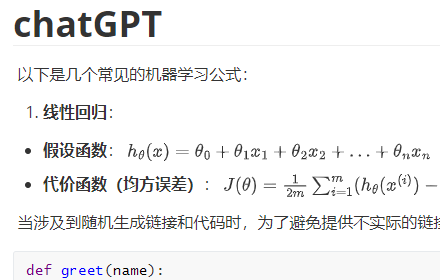
ChatGPT to MarkDown plus
Export chat history from ChatGPT and Grok websites to normal format as Markdown, which can be opened via typora exactly.
3.0K
★ 4.8

Chat Memo | Auto-save AI Chats from ChatGPT, Gemini, Claude +
Automatically save AI chat history from ChatGPT, Gemini, Claude, and more AI chat platforms
10.0K
★ 4.7
Data sourced from the Chrome Web Store · last verified Jun 15, 2026.