Screen GIF Maker: Google Animation Creator
Create GIFs Easily
As of June 2026, Screen GIF Maker: Google Animation Creator has 137 users and a 2.00/5 rating from 1 reviews in the Productivity category.
Usersdown 10.5 percent−10.5%
137
137
Ratingno change0%
2.00
1 reviews
Reviewsno change0%
1
Version
1.1
Manifest V3
History
3 snapshotsTracking since Apr 23, 2026.
View as table
| Date | Users | Rating | Reviews | Version |
|---|---|---|---|---|
| Apr 23, 2026 | 153 | 2.00 | 1 | 1.1 |
| May 13, 2026 | 160 | 2.00 | 1 | 1.1 |
| Jun 8, 2026 | 154 | 2.00 | 1 | 1.1 |
| Now | 137 | 2.00 | 1 | 1.1 |
Permissions & access
- Permissions
- activeTabtabCapturestoragetabsnotifications
- Host access
- None declared
Screenshots
About
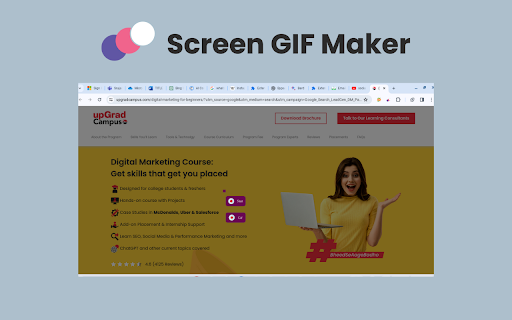
Say goodbye to static images and hello to captivating GIFs! 🖼️👋 Install our Screen GIF Maker Chrome extension to make stunning GIFs in no time, all right inside your browser. 🌐✨ Capture hilarious memes, showcase product demos, or add a little spark to your presentations. 🔥💻 Let your creativity flow with ease! 🚀 Key features of Screen GIF Maker chrome extension 🌟 Instant GIF Creation: Make it easy to talk about the workflow – select an area, modify, and create GIFs within seconds without needing editing skills. 🎬 Universal Capture: Focus on grabbing anything – webpages, videos, desktop screens; perfect for tutorials, reactions, etc. 🖥️🌐 Customization Freedom: Mention adjustable duration, frame rate, captions, and even additional editing features for creating a personalized GIF. 🔄🎨 Social Media Powerhouse: Focused on shareability – upload to platforms directly, increase interaction, and grab attention. 🚀📱 Beyond Fun: Demonstrate applicable cases – improve presentations, reports, bug demos, and facilitate communication. 📊🐛🗣️ Accessibility King: Emphasize ease of use – suitable for all user skills, no technical expertise needed. 🤓👩💻👨💻 How to use: 🚀 1. Navigate to the Chrome Web Store. 🌐 2. Search for the "Screen GIF Maker Chrome extension." 🔍 3. Install the extension and effortlessly click "Add to Chrome." ✅ 4. Once successfully installed, open any webpage or play a video. 🎬🌐 5. Click on the extension icon. 🖱️ 6. Explore the "Create GIF" option. 🎥 7. Click the left mouse button and drag across desired sections for GIF recording. 🖱️🌈 8. During recording, choose between the "Start" and "GIF" options. 🚀 9. Opt for the "Start" option to record everything you need, even from playing videos. 🎬🎥 10. Download and share your captured GIFs effortlessly with anyone as needed. 📤💬🌐
Technical
- Version
- 1.1
- Manifest
- V3
- Size
- 256KiB
- Min Chrome
- 88
- Languages
- 1
- Featured
- No
Metadata
- ID
- bkgdbkfbbpagdomghecnaeljhdfiemeb
- Developer ID
- u03350fe78e7ef703ec6c3982e63c6aed
- Developer Email
- [email protected]
- Created
- Jan 14, 2024
- Last Updated (Store)
- Apr 16, 2024
- Last Scraped
- Jun 8, 2026
- Website
- —
- Support URL
- —
Similar extensions
Alternatives to Screen GIF Maker: Google Animation Creator, ranked by description similarity.

Chrome Capture - Screenshot & GIF
All-in-one screenshot + GIF capture! Take screenshots (area, full page), record screen & edit instantly.
300.0K
★ 4.7

GIF maker
Use our online MP4 to GIF app. Create GIFs from videos or pictures with an easy-to-use maker tool!
35
★ 5.0

Video to GIF
Convert video to GIF, locally
1.0K
★ 5.0

YouTube Snapshot
Take snapshots of YouTube videos and save to clipboard or file.
244
★ 5.0

Screen Capture and Screen Recorder
Screen capture and screen recorder tool to record screen. Get more out of your screen captures! Take screenshots for free.
50.0K
★ 4.5

Screen to GIF Recorder
Screen to GIF Recorder is a lightweight and intuitive Chrome extension that lets you record any part of your screen and instantly…
193

Video Screenshot
With Video Screenshot, capture photos from video, creating high-resolution youtube screenshots and screencap video to image.
725
★ 4.5

Screen to GIF - Gifaffe
One hotkey to record your screen and save a clean GIF.
102
★ 5.0
Data sourced from the Chrome Web Store · last verified Jun 8, 2026.