
Home Page: The fastest way to visit bookmarked sites
Replace your default new tab with a fast, dashboard that lets you visit and organize bookmarks instantly.
As of June 2026, Home Page: The fastest way to visit bookmarked sites has 6 users in the Workflow & Planning category.
Usersno change0%
6
6
Ratingno change0%
—
— reviews
Reviewsno change0%
—
Version
1.6.4
Manifest V3
History
8 snapshotsTracking since Apr 8, 2026.
View as table
| Date | Users | Rating | Reviews | Version |
|---|---|---|---|---|
| Apr 8, 2026 | 6 | — | — | 1.6.4 |
| Apr 19, 2026 | 4 | — | — | 1.6.4 |
| May 3, 2026 | 5 | — | — | 1.6.4 |
| May 9, 2026 | 7 | — | — | 1.6.4 |
| May 14, 2026 | 6 | — | — | 1.6.4 |
| May 20, 2026 | 3 | — | — | 1.6.4 |
| May 27, 2026 | 7 | — | — | 1.6.4 |
| Jun 3, 2026 | 4 | — | — | 1.6.4 |
| Now | 6 | — | — | 1.6.4 |
Permissions & access
- Permissions
- tabsbookmarksstoragecontextMenusactiveTabscripting
- Host access
- https://firestore.googleapis.com/*
Screenshots


About
Replace Chrome’s default new tab with the fastest way to open your bookmarked sites.

Open a new tab and start typing, no mouse needed to instantly access any of your bookmarks. No more searching, tab hoarding, or digging through bookmark bars just to get to a site.

Install this extension to:
1. Replace Chrome’s default new tab page with Home Page
2. Right-click any website to Save to Home Page or update an existing bookmark
3. Import all of your Chrome bookmarks into Home Page
4. Open all links in a bookmark folder with a single click
5. View and save open Chrome tabs, then close them or store them as bookmarks

New to Home Page? Here’s what you can do:
- Instant Search: Start typing to search through all bookmarks and folders.
- Number-Based Launching: Type a number + Enter to instantly open a site, often faster than typing its name.
- Search Bar Commands: In addition to bookmarks, the search bar supports dictionary lookups, calculations, and Reddit searches.
- Custom New Tab Page: Set Home Page as your new tab and experience a faster, cleaner way to browse.
- Open Entire Folders at Once: Create workflows by opening all links in a folder at once, something Chrome normally blocks without an extension.
- Bookmark Importing: Pull your existing Chrome bookmarks directly into your Home Page dashboard.
- Clean, Keyboard First Layout: A visual grid that stays organized while remaining lightning fast to navigate.

Built for people who value speed over clutter and getting to their sites faster than any traditional bookmark manager.

Enjoy :)
Technical
- Version
- 1.6.4
- Manifest
- V3
- Size
- 494KiB
- Min Chrome
- 88
- Languages
- 1
- Featured
- No
Metadata
- ID
- bfkgolflffgpadpmalidogiebabgnlei
- Developer ID
- u20ec93edaf42bb262007d4ffd3705da4
- Developer Email
- [email protected]
- Created
- Sep 25, 2025
- Last Updated (Store)
- Mar 29, 2026
- Last Scraped
- Jun 9, 2026
- Website
- —
- Support URL
- —
Similar extensions
Alternatives to Home Page: The fastest way to visit bookmarked sites, ranked by description similarity.

New Tab Unlimited Bookmarks
Add unlimited bookmarks to the Chrome start page. Works with existing bookmarks folders.
67
★ 4.7

Bookmark Pro
Save native bookmarks in Chrome faster.
680
★ 4.5

Personalized Chrome Home
A beautiful and customizable new tab page with shortcuts, clock, and to-do lists.
21

Custom Links New Tab
A new tab extension enables putting custom links on your new tab to improve your workflow. Backup, restore, and share links.
58
★ 5.0

Custom New Tab Page
Add any website URL to open automatically when you open a new tab in Chrome.
51
★ 1.0

quickee
Tabs on steroids
10
★ 5.0
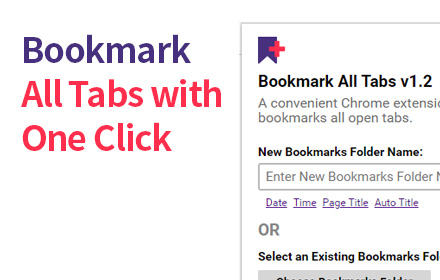
Bookmark All Tabs
A Chrome extension that allows you to bookmark all open tabs with one click. Choose to save to a new or existing bookmark folder.
1.0K
★ 4.1

BiTab New Tab
BiTab Newtab is Beautiful personal homepage for Google Chrome New Tab - Chrome native newtab
245
★ 4.1
Data sourced from the Chrome Web Store · last verified Jun 9, 2026.