
Chrome LCT
Chrome LCT is an assistant app for interactive projectors that enables a better interactive experience for users.
As of May 2026, Chrome LCT has 1,000 users and a 5.00/5 rating from 1 reviews in the Workflow & Planning category.
Usersno change0%
1.0K
1,000
Ratingno change0%
5.00
1 reviews
Reviewsno change0%
1
Version
1.2
Manifest V2
History
2 snapshotsTracking since Apr 1, 2026.
View as table
| Date | Users | Rating | Reviews | Version |
|---|---|---|---|---|
| Apr 1, 2026 | — | 5.00 | 1 | 1.2 |
| Apr 29, 2026 | 317 | 5.00 | 1 | 1.2 |
| Now | 1.0K | 5.00 | 1 | 1.2 |
Permissions & access
- Permissions
- webviewstoragefullscreenoverrideEscFullscreenusbhid
- Host access
- None declared
Screenshots


About
Key features:
Installation Guide – Including hardware installation guide for LCT module, touch area setting and touch accuracy calibration.
Just follow the installation guide to enjoy touch function easily and quickly.
Touch accuracy calibration – recalibrate touch accuracy in order to improve the interactive experience. Users can choose either auto calibration or manual calibration for better accuracy setting.
Touch area setting- set up the effective touch area through auto mode (capture the touch area automatically) or manual mode (select the touch area manually).
Trouble-shooting viewer–To check if there is any obstacle or ambient light sources that interfere with touch performance.

---------------------

安裝指引步驟-含LCT module的硬體安裝指引、觸控區域校正、觸控準度校正,跟隨安裝指引步驟即可簡單且快速的使用觸控功能。

觸控準度校正-將觸控準度重新校正,提升互動體驗。可選擇簡便快速的自動校正,或更加精準的手動校正。

觸控區域設定-設定有效的觸控區域範圍。可使用自動區域設定,自動抓取畫面大小及位置。或使用手動區域設定,規劃出所需的觸控範圍。

即時畫面檢視-檢視在畫面中是否存在障礙物或其他光源影響觸控品質。
Technical
- Version
- 1.2
- Manifest
- V2
- Size
- 24.39MiB
- Min Chrome
- 23
- Languages
- 1
- Featured
- No
Metadata
- ID
- beoijgamapnimhdbmhllmkdpggneedim
- Developer ID
- u2143e2e8218bd5a72a2e7537a736015a
- Developer Email
- —
- Created
- Sep 26, 2016
- Last Updated (Store)
- Oct 26, 2016
- Last Scraped
- May 26, 2026
- Website
- —
- Support URL
- —
- Privacy Policy
- —
Similar extensions
Alternatives to Chrome LCT, ranked by description similarity.

Touch Utility (Chrome)
Touch Utility (Chrome) is an assistant app for S560 interactive projectors that enable a better interactive experience for users.
4
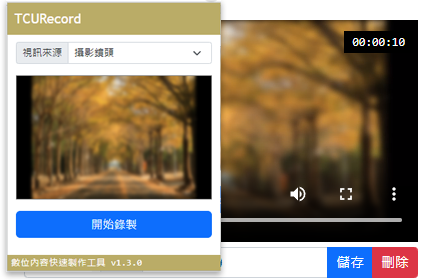
數位內容快速製作工具(TCURecord)
數位內容快速製作工具,可將電腦畫面與指定攝影機進行快速錄製。
163
★ 5.0

HiTab 新标签页
一款集才华与颜值于一身的浏览器新标签页,让你每一次访问互联网都从美好开始。
200.0K
★ 4.1

iTab新标签页
iTab 组件式图标自定义您的浏览器的标签页,精美日历、炫酷天气、每日头条、海量壁纸、常用网址随心订制
300.0K
★ 4.4

ChatGPT臺灣繁體中文版
將ChatGPT頁面所呈現之中文內容,替換為具台灣經驗之正體中文,以強化應用體驗。
40.0K
★ 3.9

多显示器窗口管理
该扩展支持在多个显示器之间进行窗口切换、最大化、居中、贴边、垂直/水平排列、标签页从窗口分离/合并、以及快捷键支持。
1.0K
★ 5.0

LLM 網頁助手
在瀏覽網頁時隨時向 LLM 提問,並分享當前網頁內容和截圖
—

Vel New Tab - 超簡潔的客制桌布新分頁
這是一個超簡潔的新分頁,沒有任何東西,你可以將靜態圖片、Gif動圖、甚至是影片作為背景,你依然可以利用響應式起動器快速的打開頁面。
100
★ 4.5
Data sourced from the Chrome Web Store · last verified May 26, 2026.