
Sunchay
Save anything to Sunchay with one click
As of June 2026, Sunchay has 18 users and a 5.00/5 rating from 3 reviews in the Productivity category.
Usersno change0%
18
18
Ratingno change0%
5.00
3 reviews
Reviewsno change0%
3
Version
1.5.6
Manifest V3
History
5 snapshotsTracking since Apr 16, 2026.
View as table
| Date | Users | Rating | Reviews | Version |
|---|---|---|---|---|
| Apr 16, 2026 | 18 | 5.00 | 3 | 1.5.6 |
| Apr 22, 2026 | 18 | 5.00 | 3 | 1.5.6 |
| Apr 27, 2026 | 19 | 5.00 | 3 | 1.5.6 |
| May 4, 2026 | 18 | 5.00 | 3 | 1.5.6 |
| Jun 3, 2026 | 19 | 5.00 | 3 | 1.5.6 |
| Now | 18 | 5.00 | 3 | 1.5.6 |
Permissions & access
- Permissions
- activeTabstoragecontextMenusnotifications
- Host access
- <all_urls>
Screenshots


About
Save web content to your Sunchay account effortlessly with the Sunchay Chrome Extension.

Key Features:
• One-click saving of URLs, files, and content
• Right-click context menu for quick access
• Support for PDFs, images, and documents
• Secure authentication with your Sunchay server
• Beautiful, modern interface
• Keyboard shortcuts for power users

How it works:
1. Install the extension
2. Pin the Sunchay extension and login
3. Click the extension icon or right-click to save content
4. Get instant confirmation when content is saved

Perfect for researchers, students, professionals, and anyone who needs to organize web content efficiently.

Privacy-focused: Your data is only sent to your configured Sunchay server - no third-party tracking or data collection.
Technical
- Version
- 1.5.6
- Manifest
- V3
- Size
- 33.78KiB
- Min Chrome
- 88
- Languages
- 1
- Featured
- No
Metadata
- ID
- bdgemhbobdkdnholfncaihcmddmjmmlb
- Developer ID
- ua1cf2223d9ac32153dacc252e2045f34
- Developer Email
- [email protected]
- Created
- Jul 8, 2025
- Last Updated (Store)
- Mar 3, 2026
- Last Scraped
- Jun 3, 2026
- Website
- sunchay.com
- Support URL
- —
- Privacy Policy
- https://sunchay.com/privacy-policy
Similar extensions
Alternatives to Sunchay, ranked by description similarity.

Soond
Send email simply
6
★ 5.0

SuperCurate Web Clipper
Save web content to your SuperCurate library with one click. Clip articles, text snippets, images and PDFs from any webpage.
3

Save Any Webpage
Use this extension to save any webpage and download it for future use with just one click.
45

Highlight Saver
Allows users to save highlighted text from a webpage.
5

Tab Save
One-click download for files from open tabs, lists of URLs, or scholarly article PDFs from their associated DOI.
1.0K
★ 5.0
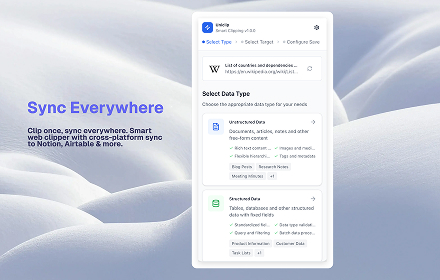
Uniclip
Clip and export web content as Markdown or CSV files.
8
★ 5.0

Web Content Clipper
Save web content locally
2

SnapCapture
Take snapshots of selected areas in Chrome for user to either save them or copy them to clipboard to be pasted.
6
Data sourced from the Chrome Web Store · last verified Jun 3, 2026.