
Project Alf
Extension for Project Alf that allows to analyze page or selected text and allow to create task, product or objective from it.
As of May 2026, Project Alf has 3 users and a 5.00/5 rating from 1 reviews in the Workflow & Planning category.
Usersup 50.0 percent+50.0%
3
3
Ratingno change0%
5.00
1 reviews
Reviewsno change0%
1
Version
0.4
Manifest V3
History
1 snapshotsTracking since May 31, 2026.
View as table
| Date | Users | Rating | Reviews | Version |
|---|---|---|---|---|
| May 31, 2026 | 2 | 5.00 | 1 | 0.4 |
| Now | 3 | 5.00 | 1 | 0.4 |
Permissions & access
- Permissions
- storageactiveTabsidePanelcontextMenus
- Host access
- None declared
Screenshots
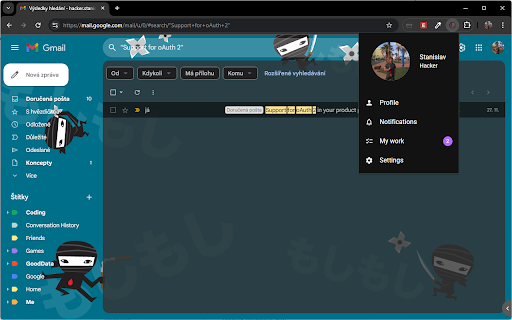


About
Transform text into Actionable Insights with Project Alf!

Boost your productivity with an AI-powered Chrome extension that analyzes web page content or selected text. Whether you're reading an article, reviewing a report, or brainstorming ideas, this tool turns words into actionable outputs:

Product Ideas
Generate innovative product concepts based on key information.

Task Suggestions
Identify specific actions to take from the content.

Objectives
Create clear and structured objectives tailored to your project needs.

Seamlessly integrate AI into your daily workflow to save time, improve efficiency, and unlock new possibilities from every word you read.

How It Works:

Gmail Page Mode
Analyze entire email content directly on Gmail.

Selection Mode
Select text on any webpage to get instant AI-driven suggestions.
Technical
- Version
- 0.4
- Manifest
- V3
- Size
- 1.34MiB
- Min Chrome
- 88
- Languages
- 1
- Featured
- No
Metadata
- ID
- bbfklidkfgjnnalgjbpcdmfhnegedcik
- Developer ID
- u6d0b25d46188e1dd38924637abc2ec94
- Developer Email
- [email protected]
- Created
- Dec 7, 2024
- Last Updated (Store)
- Jan 8, 2025
- Last Scraped
- May 31, 2026
- Website
- —
- Support URL
- https://www.project-alf.com/#/aboutus
- Privacy Policy
- —
Similar extensions
Alternatives to Project Alf, ranked by description similarity.

SnapAI
Select text on any webpage and instantly get AI-powered explanations, summaries, translations, and more.
3

Knapsack
An AI side panel securely connected to your data
42
★ 5.0

Prodmoh Assist
ProdMoh AI PM assistant for everywhere you work - Draft responses, simplify complexity, think strategically
4

CoTaskAI
LLM on your browser. CoTaskAI helps you to talk to your browsing contents, summarize, and generate ideas.
5

AI SideChat: Send Text & Images with Prompts
Boost productivity: open ChatGPT, Gemini, DeepSeek & more in a side panel. Send text & images instantly with pre-defined prompts.
3

Improvise GPT
AI-based email and message improvisation using ChatGPT - A powerful and user-friendly solution for written communication.
62
★ 4.8

Secure Editor
A security-focused AI Editor that helps you write better and read faster - directly on your current page.
—

Moly
Unleash AI Superpowers. Anywhere. Anytime.
114
★ 5.0
Data sourced from the Chrome Web Store · last verified May 31, 2026.