
Hide WhatsApp Web Buttons
A simple browser extension to hide WhatsApp Web's Status, Channels, and Communities buttons - UNOFFICIAL
As of June 2026, Hide WhatsApp Web Buttons has 275 users and a 4.92/5 rating from 13 reviews in the Workflow & Planning category.
Usersup 70.8 percent+70.8%
275
275
Ratingup 0.2 percent+0.2%
4.92
13 reviews
Reviewsup 18.2 percent+18.2%
13
Version
4.5.6
Manifest V3
90-day change · In the last 90 days this extension 2 version updates.
History
11 snapshotsTracking since Apr 1, 2026.
View as table
| Date | Users | Rating | Reviews | Version |
|---|---|---|---|---|
| Apr 1, 2026 | 161 | 4.91 | 11 | 4.5.4 |
| Apr 9, 2026 | 164 | 4.91 | 11 | 4.5.4 |
| Apr 20, 2026 | 170 | 4.91 | 11 | 4.5.4 |
| Apr 25, 2026 | 191 | 4.92 | 12 | 4.5.4 |
| May 2, 2026 | 188 | 4.92 | 12 | 4.5.4 |
| May 9, 2026 | 194 | 4.92 | 12 | 4.5.4 |
| May 13, 2026 | 221 | 4.92 | 13 | 4.5.4 |
| May 19, 2026 | 229 | 4.92 | 13 | 4.5.4 |
| May 26, 2026 | 235 | 4.92 | 13 | 4.5.4 |
| Jun 2, 2026 | 235 | 4.92 | 13 | 4.5.5 |
| Jun 8, 2026 | 273 | 4.92 | 13 | 4.5.6 |
| Now | 275 | 4.92 | 13 | 4.5.6 |
Permissions & access
- Permissions
- storage
- Host access
- None declared
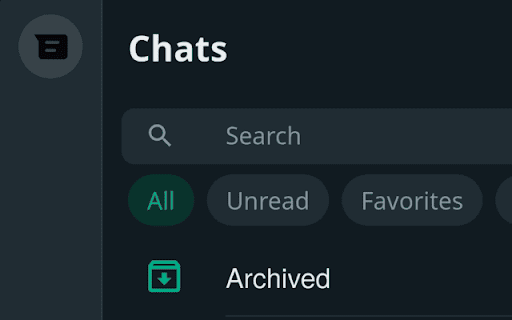
Screenshots


About
👋 Disclaimer:
This extension is not affiliated with or endorsed by WhatsApp or Meta.

Hide WhatsApp Web Buttons Extension – UNOFFICIAL 🛠️
A simple browser extension to hide WhatsApp Web's Status, Channels, and Communities buttons.

💡 Why use this extension?
Designed with neurodivergent users in mind (like those managing ADHD 🧠🦋), this extension helps reduce distractions caused by those persistent notification icons on WhatsApp Web that you can’t mute. If you’ve ever felt interrupted by statuses or unnecessary tabs, this tool is here to help.

With this extension, you can:
✅ Hide the Status, Channels, and Communities buttons.
✅ Focus better without being lured by distracting icons.

🌐 Download the Extension:
Get started by downloading the extension from the following stores:
- 🌐 Chrome Web Store: https://chromewebstore.google.com/detail/hide-wpp-web-buttons/aojnkbieledkkkhhecdedjmhncmngjbb
- 🦊 Firefox Add-ons Store: https://addons.mozilla.org/en-US/firefox/addon/hide-wpp-web-buttons/

🛠️ How to Use:
1. Install the extension.
2. Reload the WhatsApp Web page for it to take effect.
3. Click on the extension icon if you want to customize which buttons to show/hide.

🔒 Privacy Matters:
- This extension collects NO data.
- It’s completely ad-free!

🌟 Open Source:
Want to see how it works? Check out the source code here:
https://github.com/nijamaDev/Hide-WhatsApp-Web-Buttons

🙏 Enjoying the extension?
If you find it helpful, consider supporting its development by donating. 💖
https://buymeacoffee.com/nijamadev

🐦 Also you can follow me on X | Bluesky | Mastodon
https://x.com/nijamaDev
https://bsky.app/profile/nijamadev.bsky.social
https://mastodon.social/@nijamaDev
Technical
- Version
- 4.5.6
- Manifest
- V3
- Size
- 19.87KiB
- Min Chrome
- 88
- Languages
- 1
- Featured
- No
Metadata
- ID
- aojnkbieledkkkhhecdedjmhncmngjbb
- Developer ID
- u0a8641dfcc8f1e0db3d95d7c58c69c15
- Developer Email
- [email protected]
- Created
- Jun 29, 2022
- Last Updated (Store)
- May 27, 2026
- Last Scraped
- Jun 8, 2026
- Website
- —
- Support URL
- —
- Privacy Policy
- —
Similar extensions
Alternatives to Hide WhatsApp Web Buttons, ranked by description similarity.

Disable WhatsApp Status: Privacy & Focus
Disable WhatsApp Status extension empowers users to regain control over WhatsApp. Focus on privacy and conversations.
76
★ 5.0

Privacy Guard for WhatsApp Web
Secure your WhatsApp Web with smart lock, panic button, and blur mode. Your privacy, your control.
26

blurrit
A web extension to make your WhatsApp safe and to make you feel safer.
354
★ 5.0
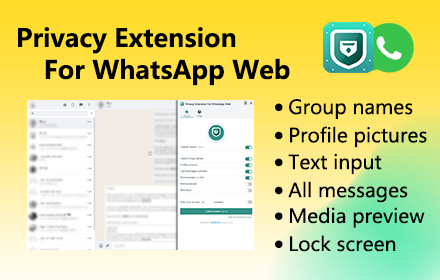
Privacy Extension For WhatsApp Web - wabulk.net
Protect your privacy on WhatsApp Web, lock your screen, and hide messages, images, profile, and more with blur effects.
200.0K
★ 4.7
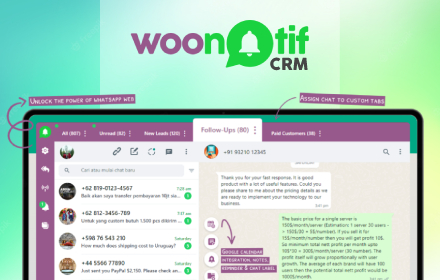
WooNotif CRM
WooNotif CRM is an extension to turn your WhatsApp Web into powerful CRM tool. Manage and organize all chats easier than before.
282
★ 3.4

WA Flowmode: Focus & Privacy for WhatsApp™
Transform WhatsApp Web into a distraction-free workspace. Hides chat lists by default—type to reveal only who you need.
8
★ 5.0

Procastinator
Keep whatsapp web lite, without stories
27
★ 5.0

Picky Assist
Access WhatsApp, automate, chat, call, and update CRM from any webpage with just a click no more switching tabs
309
★ 5.0
Data sourced from the Chrome Web Store · last verified Jun 8, 2026.