
Search Console Bookmarks
Save and reload Google Search Console analyses
As of June 2026, Search Console Bookmarks has 8 users in the Productivity category.
Usersup 14.3 percent+14.3%
8
8
Ratingno change0%
—
— reviews
Reviewsno change0%
—
Version
1.0
Manifest V3
History
3 snapshotsTracking since Apr 1, 2026.
View as table
| Date | Users | Rating | Reviews | Version |
|---|---|---|---|---|
| Apr 1, 2026 | 7 | — | — | 1.0 |
| Apr 21, 2026 | 9 | — | — | 1.0 |
| May 11, 2026 | 7 | — | — | 1.0 |
| Now | 8 | — | — | 1.0 |
Permissions & access
- Permissions
- storagetabsscripting
- Host access
- https://search.google.com/search-console/*
Screenshots


About
Overview
Search Console Bookmarks is a productivity-boosting Chrome extension designed for SEO professionals, content marketers, and website owners who regularly work with Google Search Console. This tool allows you to save, organize, and instantly reload your frequently used Search Console analyses, eliminating the need to recreate complex filter combinations and report configurations.
Key Features
Save Your Analyses with One Click

Capture the exact state of any Search Console report with custom filters
Save query filters, page filters, date ranges, country selections, and device filters
Name and organize your analyses for easy reference
Add as many saved states as you need

Instant Access to Your Previous Work

Load any saved analysis with a single click
Instantly restore complex filter combinations
Jump between different reports without losing your place
Maintain consistent views for regular reporting

Streamlined Workflow

Eliminate repetitive filter setup for recurring analyses
Save time when switching between multiple sites or properties
Perfect for agencies managing multiple client accounts
Ideal for teams sharing standardized reporting approaches

Simple and Clean Interface

Intuitive popup design requires no learning curve
Clearly organized saved analyses with timestamps
Easy deletion of outdated reports
Works seamlessly with Google Search Console's interface

Use Cases
For SEO Professionals

Save complex keyword performance analyses for regular review
Maintain consistent date ranges for month-to-month comparisons
Quickly switch between mobile and desktop performance views
Track specific landing page performance consistently over time

For Content Teams

Save filters for content clusters you regularly monitor
Create dedicated views for specific content campaigns
Track seasonal keyword performance year over year
Monitor how specific page types perform in search

For Agency Teams

Standardize reporting views across client accounts
Save client-specific analyses for quick access during meetings
Create consistent reporting templates for team members
Ensure all team members analyze data using the same parameters

For Website Owners

Save views of your most important keywords and pages
Create simple analyses that you can return to consistently
Track performance of specific sections of your website
Maintain consistency in how you evaluate your search performance

How It Works

Navigate to Google Search Console and configure your desired filters and settings
Click the Search Console Bookmarks icon in your Chrome toolbar
Name your analysis and click "Save Current State"
To load a saved analysis, simply open the extension and click "Load" next to the analysis name
Your saved configuration is instantly applied to Search Console

Privacy & Security

All your data stays on your device - no external servers
Saved analyses sync across your Chrome browsers (when signed in)
No tracking or analytics - your Search Console data remains private
Minimal permissions required - only accesses Search Console

Technical Details

Compatible with all Google Search Console reports
Saves filter settings, date ranges, and page/query specific configurations
Lightweight with minimal impact on browser performance
Regular updates to maintain compatibility with Search Console

Who Should Use This Extension
This extension is ideal for:

SEO specialists and consultants
Content marketers and strategists
Digital marketing agencies
Website owners and administrators
Anyone who regularly analyzes search performance data

Get Started
Install Search Console Boomarks today and transform how you work with Google Search Console. Save hours of repetitive setup time and maintain consistency in your search analytics workflow.
Customer Support
If you encounter any issues or have suggestions for improvements, please contact us through the support link or leave a review with your feedback. We're committed to making this tool as useful as possible for the SEO and digital marketing community.

Search Console Bookmarks is not affiliated with Google or Google Search Console. This extension is an independent tool designed to enhance the Search Console experience.
Technical
- Version
- 1.0
- Manifest
- V3
- Size
- 70.69KiB
- Min Chrome
- 88
- Languages
- 1
- Featured
- No
Metadata
- ID
- ampbghiknbhcocgpebchhlkcemnngioh
- Developer ID
- ubbf4fc7c01611b0967ff4555f609ce87
- Developer Email
- [email protected]
- Created
- Apr 3, 2025
- Last Updated (Store)
- Apr 3, 2025
- Last Scraped
- Jun 6, 2026
- Website
- searchandai.com
- Support URL
- https://searchandai.com/extensions
- Privacy Policy
- https://searchandai.com/extensions
Similar extensions
Alternatives to Search Console Bookmarks, ranked by description similarity.

BlazeSEO - SEO Competitor Analyzer
Compare your page's SEO against top-ranking competitors directly from search results.
43
★ 5.0

Google Search Console Enhancer
Adds advanced metrics and quick filters to Google Search Console performance reports.
28

Search Operators Analyzer
Perform advanced search operations with various Google search operators.
41
★ 5.0
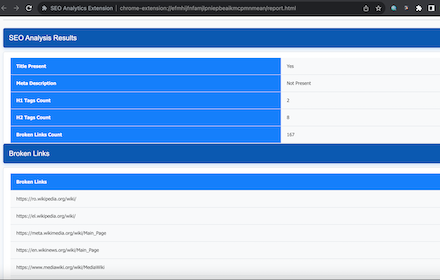
SEO Analytics Extension
Analyze SEO elements of web pages.
109

SEO Tools
Modern SEO toolkit with indexability check, schema validation, link analysis. Integrates Google Search Console, Ahrefs, Archive.org.
83

PitchSEO - SEO Audit Report Generator & White Label SEO Audit Tool
AI Powered Website SEO Audit Tool, White Label SEO Reports, competitor insights & actionable SEO analysis.
40
★ 5.0

Highlighter SEO
SEO tool to help visualize page structure titles, paragraphs and image alt. It also helps to verify the correct design of a web page
48
★ 5.0

Meta SEO Analyzer - Semdash
Displays all meta data and main SEO information without tracking, or ads.
288
★ 5.0
Data sourced from the Chrome Web Store · last verified Jun 6, 2026.