
Tracklay
Overlay the currently playing track on YouTube videos from timestamped comments.
As of June 2026, Tracklay has 4 users in the Entertainment category.
Usersdown 20.0 percent−20.0%
4
4
Ratingno change0%
—
— reviews
Reviewsno change0%
—
Version
0.3.1
Manifest V3
History
7 snapshotsTracking since Apr 11, 2026.
View as table
| Date | Users | Rating | Reviews | Version |
|---|---|---|---|---|
| Apr 11, 2026 | 5 | — | — | 0.3.1 |
| Apr 28, 2026 | 4 | — | — | 0.3.1 |
| May 6, 2026 | 3 | — | — | 0.3.1 |
| May 11, 2026 | 4 | — | — | 0.3.1 |
| May 23, 2026 | 3 | — | — | 0.3.1 |
| May 30, 2026 | 4 | — | — | 0.3.1 |
| Jun 12, 2026 | 3 | — | — | 0.3.1 |
| Now | 4 | — | — | 0.3.1 |
Permissions & access
- Permissions
- activeTabcontextMenus
- Host access
- *://*.youtube.com/*
Screenshots

About
Tracklay overlays the currently playing track on YouTube videos using timestamped tracklists from the comments.

How to use:
  1. Go to any YouTube video with a timestamped tracklist in the comments (e.g. DJ sets, radio shows, mixes)
  2. Find a comment with timestamps and either:
    - Highlight the tracklist text and click the "Use as tracklist" button that appears or click it in the right-click menu after selecting
  3. The current track name will appear as a minimal overlay in the top-right corner of the video player

Features:
  - Works in fullscreen
  - Supports multiple timestamp formats (0:00:00, 30:58, [1:03:24], etc.)
  - Hover the overlay to reveal a close button, click the music note to bring it back
  - No data collection, no external requests — everything runs locally
Technical
- Version
- 0.3.1
- Manifest
- V3
- Size
- 18.8KiB
- Min Chrome
- 88
- Languages
- 1
- Featured
- No
Metadata
- ID
- amhllkflehhlnoafljjjicaddmmfhfpg
- Developer ID
- ucbe7fcb11690e89634be0668b51128bb
- Developer Email
- [email protected]
- Created
- Mar 13, 2026
- Last Updated (Store)
- Mar 30, 2026
- Last Scraped
- Jun 12, 2026
- Website
- —
- Support URL
- —
Similar extensions
Alternatives to Tracklay, ranked by description similarity.

Timestamp Chatter for Youtube
Sync YouTube comments with video playback and highly customizable timestamp overlays.
6
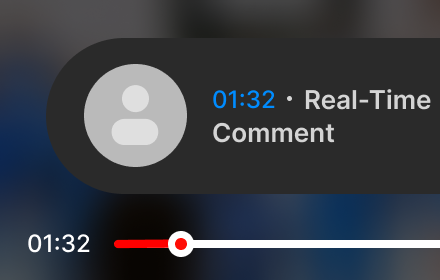
CommentSync - Real-time YouTube Comments
Sync YouTube comments with video playback. See reactions and timestamps appear automatically as you watch.
1.0K
★ 4.6

Youtube Cloud Comment
Youtube Cloud Comment
5

Traxsource to YouTube Playlist
Instantly convert Traxsource charts to YouTube playlists
8

YouTube Poco Poco
Displays YouTube comments on the video player in a stylish way.
10
★ 5.0

YTLoop - YouTube A-B Loop
Loop YouTube videos with one click. Set A-B points to repeat specific sections.
41

Video TSPL
Extracts timestamps from YouTube descriptions. Click to jump to tracks. Displays video title and thumbnail.
—

YouTube Music Supporter
Transform YouTube into a powerful music player with visualizer, lyrics, bandwidth tracking, and more!
13
Data sourced from the Chrome Web Store · last verified Jun 12, 2026.