
YouTube Poco Poco
Displays YouTube comments on the video player in a stylish way.
As of June 2026, YouTube Poco Poco has 10 users and a 5.00/5 rating from 1 reviews in the Entertainment category.
Usersup 233.3 percent+233.3%
10
10
Ratingno change0%
5.00
1 reviews
Reviewsno change0%
1
Version
1.0.3
Manifest V3
History
4 snapshotsTracking since Apr 17, 2026.
View as table
| Date | Users | Rating | Reviews | Version |
|---|---|---|---|---|
| Apr 17, 2026 | 3 | 5.00 | 1 | 1.0.3 |
| May 8, 2026 | 4 | 5.00 | 1 | 1.0.3 |
| May 16, 2026 | 5 | 5.00 | 1 | 1.0.3 |
| Jun 4, 2026 | 7 | 5.00 | 1 | 1.0.3 |
| Now | 10 | 5.00 | 1 | 1.0.3 |
Permissions & access
- Permissions
- scriptingstorageidentity
- Host access
- *://*.youtube.com/*
Screenshots

About
🎬 Redefine Your YouTube Viewing Experience.

Are you tired of looking down at the comment section while watching a video?
"YouTube Poco Poco" is a Chrome extension that overlays comments directly onto the video player in real-time, beautifully and seamlessly.

Whether you want to feel the excitement of a live stream or enjoy the shared atmosphere of past videos, this extension brings the community to your screen.
Choose from 4 distinct display styles to match your mood and the video's vibe.


━━━━━━━━━━━━━━━━━━━━━━━━━━
 📺 4 Display Modes
━━━━━━━━━━━━━━━━━━━━━━━━━━

1. 🌊 Flow (Danmaku Mode)
   Comments fly across the screen from right to left.
   Perfect for experiencing the overwhelming sense of unity and excitement, similar to Niconico or Bilibili.

2. 🫧 Bubble (Bubble Mode)
   Comments pop up and float like bubbles before fading away.
   Stylish and unobtrusive, great for music videos and Vlogs where you don't want the screen too cluttered.

3. 📰 Ticker (News Mode)
   Comments scroll at the bottom of the screen like a news ticker.
   Recommended for those who want to keep up with information without blocking the main video content.

4. 📑 Stack (List Mode)
   Comments are stacked in a list on the side of the screen.
   Allows you to track the latest comment history while watching the video, without opening the chat sidebar.


━━━━━━━━━━━━━━━━━━━━━━━━━━
 ⚙️ Powerful Customization
━━━━━━━━━━━━━━━━━━━━━━━━━━

It's not just about displaying comments; it's about how YOU want to see them.
We've focused on readability and usability.

🎨 Custom Fonts
   Change fonts to Gothic, Serif, Rounded, or use your OS installed fonts to match the video's atmosphere.

⚡ Auto Fetch
   Automatically fetches and displays comments the moment you open a video page. No manual clicks required.

⏸️ Smart Playback Control
   When you pause the video, the flowing comments pause too.
   Resume the video, and the comments start moving again.

🖱️ Hover to Pause
   Hover your mouse over any specific comment to pause it instantly.
   Great for reading fast-moving text at your own pace.

🎚️ Detailed Settings
   - Font Size
   - Flow Speed
   - Simultaneous Display Limit
   - Opacity (Transparency)
   - Vertical Position
   Adjust all these settings intuitively with simple sliders.


━━━━━━━━━━━━━━━━━━━━━━━━━━
 📖 How to Use
━━━━━━━━━━━━━━━━━━━━━━━━━━

1. Add this extension to Chrome.
2. Open any YouTube video or Live stream.
3. Comments will automatically start appearing on the screen.
4. To adjust settings, click the icon in the bottom right of the player or open the extension menu.


━━━━━━━━━━━━━━━━━━━━━━━━━━
 🔒 Privacy & Safety
━━━━━━━━━━━━━━━━━━━━━━━━━━

This extension operates entirely within your browser (client-side).
It does NOT send your fetched comment data or browsing history to any external servers. You can use it with peace of mind.

* This extension is not affiliated with YouTube official.
* Functionality may be affected by future updates to the YouTube platform.
Technical
- Version
- 1.0.3
- Manifest
- V3
- Size
- 89.63KiB
- Min Chrome
- 88
- Languages
- 2
- Featured
- No
Metadata
- ID
- lobhbhggpgdekoojnaokbkbemhendmap
- Developer ID
- u5a215ec58bed32c91fc3cf8ee45b7505
- Developer Email
- [email protected]
- Created
- Dec 25, 2025
- Last Updated (Store)
- Feb 7, 2026
- Last Scraped
- Jun 4, 2026
- Website
- https://mpcsaku.github.io/
- Support URL
- —
- Privacy Policy
- —
Similar extensions
Alternatives to YouTube Poco Poco, ranked by description similarity.
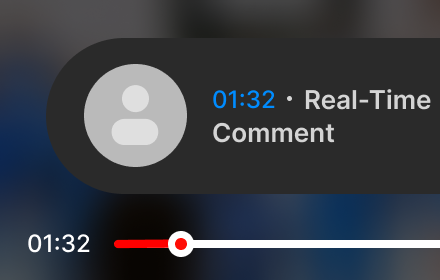
CommentSync - Real-time YouTube Comments
Sync YouTube comments with video playback. See reactions and timestamps appear automatically as you watch.
1.0K
★ 4.6

YouTube Comment Flow
Displays scrolling comments from a YouTube videos. Made by Maruf Korkutata
2
★ 5.0

Youtube Cloud Comment
Youtube Cloud Comment
5

Twitch Danmaku
Twitchの配信にニコニコ動画風の弾幕コメントを表示します
47
★ 5.0
'Improve YouTube!' TEST (for YouTube)
YouTube, tidy & smart? Supercharge YouTube! Give it strong features, filter only the videos you want & exactly the look you like
20.0K
★ 4.0

YouTube Focus Mode (Stay Focused on Videos)
Focus only on the video. Dim comments, related videos, and the sidebar to fully control your attention.
52

Youtube Comment Position Switcher
Enhance your YouTube viewing experience by freely switching between comments and related videos positions.
29

YouTube→B站弹幕
🎬 YouTube Danmaku Overlay (B站弹幕同步助手)
在 YouTube 高码率视频中增加来自哔哩哔哩(Bilibili)的弹幕体验!
Bring Bilibili-style 弹幕 (danmaku / live comments)…
46
★ 4.0
Data sourced from the Chrome Web Store · last verified Jun 4, 2026.