
Open in Microsoft Edge
Easily open desired links in Microsoft Edge Browser
As of May 2026, Open in Microsoft Edge has 10,000 users and a 3.53/5 rating from 313 reviews in the Workflow & Planning category.
Usersno change0%
10.0K
10,000
Ratingup 0.3 percent+0.3%
3.53
313 reviews
Reviewsup 4.3 percent+4.3%
313
Version
3.0.0
Manifest V3
History
2 snapshotsTracking since Apr 25, 2026.
View as table
| Date | Users | Rating | Reviews | Version |
|---|---|---|---|---|
| Apr 25, 2026 | 10.0K | 3.52 | 300 | 3.0.0 |
| May 22, 2026 | 10.0K | 3.51 | 306 | 3.0.0 |
| Now | 10.0K | 3.53 | 313 | 3.0.0 |
Permissions & access
- Permissions
- storagecontextMenusnativeMessaging
- Host access
- None declared
Screenshots

About
Easily open website links in Microsoft Edge
Open a website using Microsoft Edge now.

Want to open a website using your favorite browser software Microsoft Edge? You can do so now after you install our software extension.

To begin using our software extension, here are the steps you need to do.

Ensure you have Edge installed on your computer.
Install our software extension
Once you install our software, please refresh all your existing Tabs/close browser and restart browser to let the extension load.

Choose the link you wish to open with Edge via the right click context menu button.
Its that simple, just use the right click context menu to choose Edge when you want to open a website.

Please note this extension was NOT made by Microsoft. It was made by an external third party developer.
Technical
- Version
- 3.0.0
- Manifest
- V3
- Size
- 303KiB
- Min Chrome
- 88
- Languages
- 40
- Featured
- No
Metadata
- ID
- akkeflfepdogekcemgkidllneichjhce
- Developer ID
- u375f53618dc3fb7693a60f5edefb8809
- Developer Email
- [email protected]
- Created
- Dec 16, 2020
- Last Updated (Store)
- Sep 16, 2022
- Last Scraped
- May 22, 2026
- Website
- —
- Support URL
- —
- Privacy Policy
- —
Similar extensions
Alternatives to Open in Microsoft Edge, ranked by description similarity.

Chiku Linker - Open Links in Tab
ChikuLinker: Enhance Chrome lead gen! Open word-related links quickly for productivity. Optimize workflow and ace lead gen.
48
★ 5.0

Teams and BlueJeans Closer
This extension automatically closes the launcher window for Teams and BlueJeans after 5 seconds.
256
★ 5.0

Open in IE
Send HTML links and webpages directly to the Internet Explorer browser without copy and paste!
20.0K
★ 3.5

Open in Winzip
Easily open desired links in Winzip
10.0K
★ 3.7

Bill Tracker
This is a chrome extension which stores links that you regularly need to open, and gives you the option to open them all as new…
67

Always Open in New Tab
Automatically opens all links in new tabs in the background, keeping you on your current page for better browsing control.
453
★ 5.0

Open With iTunes™
Easily open desired links in iTunes
10.0K
★ 3.8
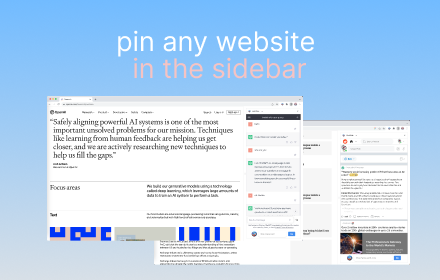
Sidebar Tabs — Open Any Website (ChatGPT, Todoist, Notion) in Side Panel
Open and pin any website in sidebar — such as ChatGPT, Gemini, Claude, Todoist, Notion and more.
3.0K
★ 4.1
Data sourced from the Chrome Web Store · last verified May 22, 2026.