
AI Code Finder, Alerts, Ask Questions about Papers: CatalyzeX
🧑💻 Get code for AI & other research papers, create alerts, ask authors questions directly on Google, ArXiv, Scholar, PubMed, IEEE
As of June 2026, AI Code Finder, Alerts, Ask Questions about Papers: CatalyzeX has 50,000 users and a 4.75/5 rating from 65 reviews in the Developer Tools category.
Usersno change0%
50.0K
50,000
Ratingno change0%
4.75
65 reviews
Reviewsup 1.6 percent+1.6%
65
Version
0.0.0.122
Manifest V3
History
2 snapshotsTracking since Apr 17, 2026.
View as table
| Date | Users | Rating | Reviews | Version |
|---|---|---|---|---|
| Apr 17, 2026 | 50.0K | 4.75 | 64 | 0.0.0.122 |
| May 12, 2026 | 50.0K | 4.75 | 64 | 0.0.0.122 |
| Now | 50.0K | 4.75 | 65 | 0.0.0.122 |
Changelog
- May 7, 2026description
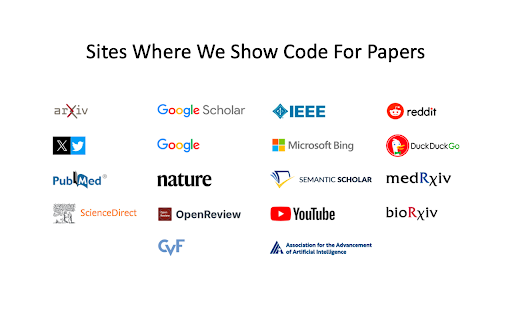
CatalyzeX's free browser extension instantly finds and shows open-source code implementations for any research papers (AI and more) you encounter when browsing Google, ArXiv, Scholar, Github, Twitter/X, and many other search engines, forums, LLM/AI chats, and scholarly/academic websites.
Don't see it on a website you want? Send us a note [email protected]

Code for Papers Everywhere:
▶ Browse the web as usual and you'll start seeing [CODE] buttons next to papers everywhere.
▶ These buttons will automatically appear directly on the page for any implementation links found.
▶ Click on any [CODE] button to instantly jump to the open-source implementation and explore!

Alert creation:
▶ Click on any bell icon to create an alert for new code for papers/topics, author's newest work, latest developments.

Ask authors questions:
▶ Browse the web as usual and you'll start seeing a question box next to papers/articles everywhere.
▶ Type in your question to ask the authors of papers any question you may have!


Powered by CatalyzeX.com's repository used by thousands of engineers, researchers, developers, and tech leaders worldwide — to browse algorithms, models, and papers with code for relevant and state-of-the-art developments in artificial intelligence, data science, computer vision, speech recognition, deep learning, and large language models.

If you have any feedback/suggestions/requests or run into any issues, please email us at [email protected] anytime.
We'd love to hear from you!

____
This extension also works on Opera and UC Browser.

Need the Firefox add-on instead? Get it here: https://addons.mozilla.org/en-US/firefox/addon/code-finder-catalyzex/

Need the Edge add-on? Get it here: https://microsoftedge.microsoft.com/addons/detail/get-papers-with-code-ever/mflbgfojghoglejmalekheopgadjmlkm
____


*************** CATALYZEX VALUES YOUR PRIVACY ***************

When you add CatalyzeX, it says that we can “Read and change all your data on all websites.” That’s only partially true. A more accurate description is that it allows CatalyzeX to insert [CODE] buttons next to any papers and techniques you see directly on the webpage, whenever available. While we’re sure you’re super interesting (especially as you're using CatalyzeX!), we do not have any interest in tracking what you search for, what you buy, etc. It’s just not what we do.

At CatalyzeX, we care about privacy just as much as you do. It's core to our decision-making and how we deliver your CatalyzeX experience.

Learn more about CatalyzeX’s privacy policy at https://docs.google.com/document/d/e/2PACX-1vRE4yIizuRPSmDzLMRChj12HIX7ypn8qfSeYnE3WHpww2RbJD2A93MHyfdNsySHt_4UGYzFgSZ2a1CY/pub
CatalyzeX's free browser extension instantly finds and shows open-source code implementations for any research paper (AI and more) you encounter while browsing Google, ArXiv, Scholar, GitHub, Twitter/X, and many other search engines, forums, LLM/AI chats, and scholarly/academic websites.
Don't see it on a website you want? Send us a note [email protected]

Code for Papers Everywhere:
▶ Browse the web as usual and you'll start seeing [CODE] buttons next to papers everywhere.
▶ These buttons will automatically appear directly on the page for any implementation links found.
▶ Click on any [CODE] button to instantly jump to the open-source implementation and explore!

Alert creation:
▶ Click on any bell icon to create an alert for new code for papers/topics, author's newest work, latest developments.

Ask authors questions:
▶ Browse the web as usual and you'll start seeing a question box next to papers/articles everywhere.
▶ Type in your question to ask the authors of papers any question you may have!


Powered by CatalyzeX.com's repository used by thousands of engineers, researchers, developers, and tech leaders worldwide — to browse algorithms, models, and papers with code for relevant and state-of-the-art developments in artificial intelligence, data science, computer vision, speech recognition, deep learning, and large language models.

If you have any feedback/suggestions/requests or run into any issues, please email us at [email protected] anytime.
We'd love to hear from you!

____
This extension also works on Opera and UC Browser.

Need the Firefox add-on instead? Get it here: https://addons.mozilla.org/en-US/firefox/addon/code-finder-catalyzex/

Need the Edge add-on? Get it here: https://microsoftedge.microsoft.com/addons/detail/get-papers-with-code-ever/mflbgfojghoglejmalekheopgadjmlkm
____


*************** CATALYZEX VALUES YOUR PRIVACY ***************

When you add CatalyzeX, it says that we can “Read and change all your data on all websites.” That’s only partially true. A more accurate description is that it allows CatalyzeX to insert [CODE] buttons next to any papers and techniques you see directly on the webpage, whenever available. While we’re sure you’re super interesting (especially as you're using CatalyzeX!), we do not have any interest in tracking what you search for, what you buy, etc. It’s just not what we do.

At CatalyzeX, we care about privacy just as much as you do. It's core to our decision-making and how we deliver your CatalyzeX experience.

Learn more about CatalyzeX’s privacy policy at https://docs.google.com/document/d/e/2PACX-1vRE4yIizuRPSmDzLMRChj12HIX7ypn8qfSeYnE3WHpww2RbJD2A93MHyfdNsySHt_4UGYzFgSZ2a1CY/pub
Permissions & access
- Permissions
- contextMenusscriptingstorage
- Host access
- https://arxiv.org/*, https://twitter.com/*, https://www.google.com/*, https://www.google.co.uk/*, https://www.google.co.in/*, https://www.google.co.il/*, https://www.google.co.kr/*, https://www.google.co.jp/*, https://www.google.co.th/*, https://www.google.co.ma/*, https://www.google.co.nz/*, https://www.google.com.br/*, https://www.google.com.vn/*, https://www.google.com.tw/*, https://www.google.com.au/*, https://www.google.com.sg/*, https://www.google.com.tr/*, https://www.google.com.eg/*, https://www.google.com.hk/*, https://www.google.com.bd/*, https://www.google.com.pk/*, https://www.google.com.pe/*, https://www.google.com.ar/*, https://www.google.com.ph/*, https://www.google.fr/*, https://www.google.de/*, https://www.google.ca/*, https://www.google.it/*, https://www.google.sc/*, https://www.google.es/*, https://www.google.ru/*, https://www.google.at/*, https://www.google.cz/*, https://www.google.pt/*, https://www.google.ch/*, https://www.google.tn/*, https://www.google.dz/*, https://www.google.lk/*, https://www.google.pl/*, https://scholar.google.com/*, https://scholar.google.co.uk/*, https://scholar.google.co.in/*, https://scholar.google.co.il/*, https://scholar.google.co.kr/*, https://scholar.google.co.jp/*, https://scholar.google.co.th/*, https://scholar.google.co.nz/*, https://scholar.google.com.br/*, https://scholar.google.com.vn/*, https://scholar.google.com.tw/*, https://scholar.google.com.au/*, https://scholar.google.com.sg/*, https://scholar.google.com.tr/*, https://scholar.google.com.eg/*, https://scholar.google.com.hk/*, https://scholar.google.com.bd/*, https://scholar.google.com.pk/*, https://scholar.google.com.pe/*, https://scholar.google.com.ar/*, https://scholar.google.com.ph/*, https://scholar.google.fr/*, https://scholar.google.de/*, https://scholar.google.ca/*, https://scholar.google.it/*, https://scholar.google.sc/*, https://scholar.google.es/*, https://scholar.google.ru/*, https://scholar.google.at/*, https://scholar.google.cz/*, https://scholar.google.pt/*, https://scholar.google.ch/*, https://scholar.google.pl/*, https://*.catalyzex.com/*
Screenshots


About
CatalyzeX's free browser extension instantly finds and shows open-source code implementations for any research paper (AI and more) you encounter while browsing Google, ArXiv, Scholar, GitHub, Twitter/X, and many other search engines, forums, LLM/AI chats, and scholarly/academic websites.
Don't see it on a website you want? Send us a note [email protected]

Code for Papers Everywhere:
▶ Browse the web as usual and you'll start seeing [CODE] buttons next to papers everywhere.
▶ These buttons will automatically appear directly on the page for any implementation links found.
▶ Click on any [CODE] button to instantly jump to the open-source implementation and explore!

Alert creation:
▶ Click on any bell icon to create an alert for new code for papers/topics, author's newest work, latest developments.

Ask authors questions:
▶ Browse the web as usual and you'll start seeing a question box next to papers/articles everywhere.
▶ Type in your question to ask the authors of papers any question you may have!


Powered by CatalyzeX.com's repository used by thousands of engineers, researchers, developers, and tech leaders worldwide — to browse algorithms, models, and papers with code for relevant and state-of-the-art developments in artificial intelligence, data science, computer vision, speech recognition, deep learning, and large language models.

If you have any feedback/suggestions/requests or run into any issues, please email us at [email protected] anytime.
We'd love to hear from you!

____
This extension also works on Opera and UC Browser.

Need the Firefox add-on instead? Get it here: https://addons.mozilla.org/en-US/firefox/addon/code-finder-catalyzex/

Need the Edge add-on? Get it here: https://microsoftedge.microsoft.com/addons/detail/get-papers-with-code-ever/mflbgfojghoglejmalekheopgadjmlkm
____


*************** CATALYZEX VALUES YOUR PRIVACY ***************

When you add CatalyzeX, it says that we can “Read and change all your data on all websites.” That’s only partially true. A more accurate description is that it allows CatalyzeX to insert [CODE] buttons next to any papers and techniques you see directly on the webpage, whenever available. While we’re sure you’re super interesting (especially as you're using CatalyzeX!), we do not have any interest in tracking what you search for, what you buy, etc. It’s just not what we do.

At CatalyzeX, we care about privacy just as much as you do. It's core to our decision-making and how we deliver your CatalyzeX experience.

Learn more about CatalyzeX’s privacy policy at https://docs.google.com/document/d/e/2PACX-1vRE4yIizuRPSmDzLMRChj12HIX7ypn8qfSeYnE3WHpww2RbJD2A93MHyfdNsySHt_4UGYzFgSZ2a1CY/pub
Technical
- Version
- 0.0.0.122
- Manifest
- V3
- Size
- 345KiB
- Min Chrome
- 88
- Languages
- 1
- Featured
- Yes
Metadata
- ID
- aikkeehnlfpamidigaffhfmgbkdeheil
- Developer ID
- u6ef96781c48da00efd114a4e8157c9c2
- Developer Email
- [email protected]
- Created
- Jul 1, 2020
- Last Updated (Store)
- May 7, 2026
- Last Scraped
- Jun 12, 2026
- Website
- catalyzex.com
- Support URL
- —
Similar extensions
Alternatives to AI Code Finder, Alerts, Ask Questions about Papers: CatalyzeX, ranked by description similarity.

Spot AI
Highlight text and instantly ask AI for explanations, summaries, and insights.
4

CodeLens: Extension Source Explorer
Unlock the secrets of any browser extension. View source code for Chrome, Firefox, and Opera extensions with a single click.
16
★ 5.0

Privacy Inspector
See what websites secretly store about you - view tracking data, delete cookies, protect your privacy
2

ChatGPT Query Insights
Reveal hidden Bing sub-queries, sources, and domains behind every ChatGPT web search. Built for AI SEO (GEO) optimization.
98
★ 5.0

AI Code Snippets
Save code snippets with useful AI generated explanations to help you learn faster
6

Absolute Right Click Enable Plus
Force Enable Right Click & Copy
184

Blarrow: AI Code Explainer & Generator
AI-powered inline code explanations and code generation for technical blogs.
19
★ 4.6

Copy Code Block
Automatically adds a copy button to code blocks on web pages for easy copying of code snippets.
62
Data sourced from the Chrome Web Store · last verified Jun 12, 2026.