
CSAE Toolkit
This extension complements the Cisco Support Assistant Extension (CSAE) and offers purpose-built tools to aid in campaign creation.
As of May 2026, CSAE Toolkit has 13 users and a 5.00/5 rating from 1 reviews in the Developer Tools category.
Usersno change0%
13
13
Ratingno change0%
5.00
1 reviews
Reviewsno change0%
1
Version
1.2.6
Manifest V3
History
2 snapshotsTracking since Apr 25, 2026.
View as table
| Date | Users | Rating | Reviews | Version |
|---|---|---|---|---|
| Apr 25, 2026 | 13 | 5.00 | 1 | 1.2.6 |
| May 22, 2026 | 11 | 5.00 | 1 | 1.2.6 |
| Now | 13 | 5.00 | 1 | 1.2.6 |
Permissions & access
- Permissions
- activeTabscriptingstoragecookiesclipboardWritesidePanel
- Host access
- *://*/*
Screenshots


About
Experience seamless web development with the Cisco Support Assistant Extension (CSAE) Toolkit. This modern Chrome extension enhances your workflow by providing real-time CSS selector insights, intuitive hover functionality, and comprehensive support for exploring CSS properties on any web page.

## Main Features:

1. Real-Time CSS Selector Insight:
Easily install and enable the extension in your browser. With the "Grab CSS Selector" button, you can activate hover functionality to see CSS selectors and their values in real-time as you hover over any element on the page. Clicking an element allows you to copy its CSS selector to the clipboard, with spaces removed for convenience. To stop the hover functionality, simply press the ESC key. This feature streamlines the process of identifying and utilizing CSS selectors for efficient web development.

2. Flexible Hover and Pin Functionality:
Enhance your exploration with the ability to pin multiple hover boxes using the "ALT + Click" method. This feature allows you to pin hover boxes for multiple elements, making it easy to further explore and compare CSS properties. You can close each pinned hover box individually by clicking the "x" button or exit the functionality entirely by pressing the ESC key. The modern and appealing UI of the hover boxes, with proper formatting and spacing, ensures a seamless user experience.

3. Color Picker Tool:
Utilize the "Color Picker" button to activate the EyeDropper tool, allowing you to select any color from the webpage. The selected color is copied directly to your clipboard, enhancing your design process by providing precise color values quickly and efficiently.

4. Comprehensive Configuration and Storage Management:
Easily access and inspect the Cisco Support Assistant Extension’s configuration through the Chrome Developer Tools. By opening the extension, right-clicking, and selecting "Inspect," you can navigate to the "CSAE Toolkit CE Storage" panel. Here, you will find buttons to load and retrieve the CSAE configuration, making it simple to manage and view your extension settings. Additionally, the Storage Manager feature allows you to inspect and manage Local and Session storage, view and clear storage data, and manage cookies. This ensures a comprehensive approach to managing your browser storage and cookies for enhanced privacy and security.

Unlock the full potential of web development with the CSAE Toolkit. Streamline your CSS selector exploration, enhance your productivity, and enjoy a beautifully designed interface. Install now and elevate your web development experience!
Technical
- Version
- 1.2.6
- Manifest
- V3
- Size
- 5.33MiB
- Min Chrome
- 88
- Languages
- 1
- Featured
- No
Metadata
- ID
- aijjakillcinbdbbokmboeeikkbpbidd
- Developer ID
- u07c97154f1a0f0bc6d48358dcb57ead0
- Developer Email
- [email protected]
- Created
- Jun 30, 2024
- Last Updated (Store)
- Jun 30, 2024
- Last Scraped
- May 22, 2026
- Website
- —
- Support URL
- —
Similar extensions
Alternatives to CSAE Toolkit, ranked by description similarity.

CSS Magic Inspector
Edit CSS properties on the fly.
40

CSS Analyzer AI
Revolutionary CSS analyzer with AI-powered: CSS Analyzer, Spaces Agent, Assets Extract, X Color AI, Hover elements & Capture
59

CSSpy
Ein einfacher Web Inspector, um HTML-Elemente und deren CSS-Eigenschaften auf Webseiten anzuzeigen.
21
★ 5.0
CSS Peeper
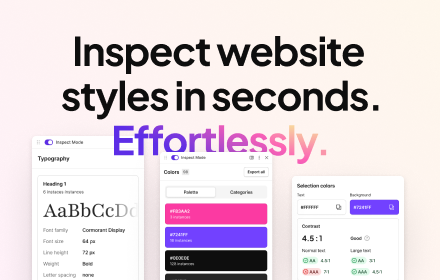
Inspect website styles in seconds. Supercharge your workflow, and save hours of work.
500.0K
★ 4.1

View CSS
A Chrome extension to view the CSS of any website.
1.0K
★ 4.7

CSS Finder
Inspect CSS classes on hover.
185
★ 1.0

Click & Scrape
Visual element selection with CSS selector generation for developers and test engineers
9

CSS Inspector
Inspect and copy CSS from any element on any webpage
34
Data sourced from the Chrome Web Store · last verified May 22, 2026.