Inline
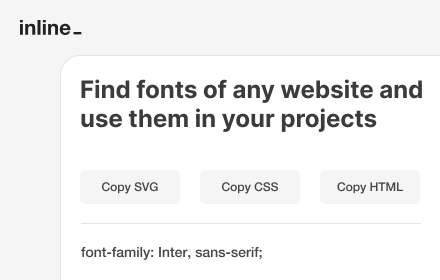
Extract and analyze fonts from any webpage, and copy the SVG, CSS or HTML code to use in your own projects.
As of May 2026, Inline has 223 users and a 5.00/5 rating from 1 reviews in the Developer Tools category.
Usersdown 1.3 percent−1.3%
223
223
Ratingno change0%
5.00
1 reviews
Reviewsno change0%
1
Version
0.0.1
Manifest V3
History
2 snapshotsTracking since Apr 25, 2026.
View as table
| Date | Users | Rating | Reviews | Version |
|---|---|---|---|---|
| Apr 25, 2026 | 226 | 5.00 | 1 | 0.0.1 |
| May 22, 2026 | 231 | 5.00 | 1 | 0.0.1 |
| Now | 223 | 5.00 | 1 | 0.0.1 |
Permissions & access
- Permissions
- activeTabclipboardWrite
- Host access
- None declared
Screenshots
About
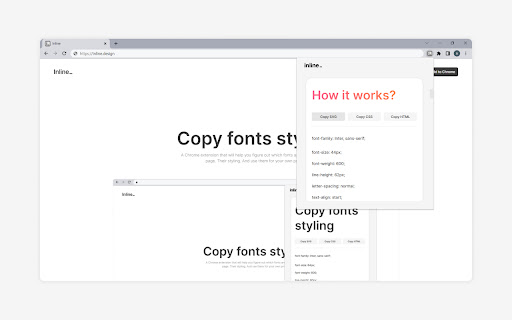
With Inline, you can easily figure out which fonts are used in any website and use them in your own projects.

You can copy the font and its styling as an SVG file, allowing you to integrate it into your own design projects. You can also copy the whole CSS code of the font, or copy the font and its styling as an HTML code. And if you're only interested in a particular CSS property, you can copy that too.

(Please be sure to restart Chrome the first time you install Inline)
Technical
- Version
- 0.0.1
- Manifest
- V3
- Size
- 26.82KiB
- Min Chrome
- 88
- Languages
- 1
- Featured
- Yes
Metadata
- ID
- aifjpngbegpnahbmnajckckddcgfnodk
- Developer ID
- u6b578288687a9adf4c9465e60422149f
- Developer Email
- [email protected]
- Created
- Mar 8, 2023
- Last Updated (Store)
- Mar 12, 2023
- Last Scraped
- May 22, 2026
- Website
- —
- Support URL
- —
- Privacy Policy
- —
Similar extensions
Alternatives to Inline, ranked by description similarity.

Font Inspector
Font Inspector — Instantly Identify Fonts on Any Website
760
★ 4.0

FontLens
Instantly inspect font & typography styles on any webpage.
13

Google Font Previewer for Chrome
Choose a font from the Google Font directory with a few text styling options and preview the font styles on the current tab.
40.0K
★ 4.2

Font Detector – What font is this?
Font Detector is a fast and free font finder tool that helps you identify any font on a webpage instantly. What font is used here?
473
★ 5.0

What Font - find font
Lets you know what font is used on any website
7.0K
★ 3.8

Font Detector
Detects font details on any webpage to find Fonr family, height and more
77
★ 1.0

Font Finder - Typography Inspector
Highlight text to see font details instantly. Perfect for designers and developers!
8

WhatFont
WhatFont: Identify fonts on any page and image in seconds!
597
★ 5.0
Data sourced from the Chrome Web Store · last verified May 22, 2026.