
Pin/Unpin Tab Shortcut Ctrl/Command + Shift + P
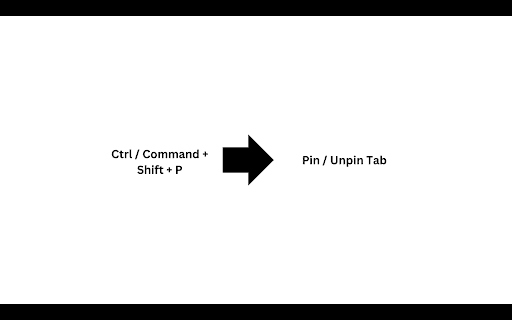
Pin or unpin the current tab with Ctrl+Shift+P (Windows) or Command+Shift+P (macOS).
As of May 2026, Pin/Unpin Tab Shortcut Ctrl/Command + Shift + P has 572 users and a 4.00/5 rating from 4 reviews in the Accessibility category.
Usersdown 71.4 percent−71.4%
572
572
Ratingno change0%
4.00
4 reviews
Reviewsno change0%
4
Version
1.0
Manifest V3
90-day change · In the last 90 days this extension lost 1.4K users.
History
2 snapshotsTracking since Apr 25, 2026.
View as table
| Date | Users | Rating | Reviews | Version |
|---|---|---|---|---|
| Apr 25, 2026 | 2.0K | 4.00 | 4 | 1.0 |
| May 22, 2026 | 490 | 4.00 | 4 | 1.0 |
| Now | 572 | 4.00 | 4 | 1.0 |
Permissions & access
- Permissions
- None declared
- Host access
- None declared
Screenshots
About
Easily manage your browser tabs by quickly toggling the pinning and unpinning of the active tab with a keyboard shortcut.

Windows/Linux: Use Ctrl + Shift + P
macOS: Use Command + Shift + P

This lightweight extension helps streamline your workflow by giving you quick control over tab organization, allowing you to pin important tabs and unpin them with ease.
Technical
- Version
- 1.0
- Manifest
- V3
- Size
- 10.39KiB
- Min Chrome
- 88
- Languages
- 1
- Featured
- No
Metadata
- ID
- aicnmpdcjiigeokbnkinjgmfodofheph
- Developer ID
- u4ff06e54c63dab8b09df0bc80040e5ce
- Developer Email
- [email protected]
- Created
- Oct 23, 2024
- Last Updated (Store)
- Oct 23, 2024
- Last Scraped
- May 22, 2026
- Website
- —
- Support URL
- —
Similar extensions
Alternatives to Pin/Unpin Tab Shortcut Ctrl/Command + Shift + P, ranked by description similarity.

Pin Switcher
Toggle active tab pinning/unpinning with shortcuts.
6

Tab Manager
Tab Manager is a browser extension designed to power users with the ability to pin and organize tabs in bulk rather than…
1

my-tab-group
A browser extension for organizing and managing browser tabs
—

Tab Cloner
Duplicate active tabs with shortcuts.
19
KK Tab
CMD K your Tabs
17
★ 5.0

Focus Highlighter
A simple tool to always highlight the element in focus on the webpage on ALL webpages.
15

Move tabs and groups
Move tabs and tab groups around using keyboard shortcuts. Also pin/unpin/ungroup tabs or create a new tab in the current group.
53
Tab Slider
Keep your tabs ordered by their most recent usage.
824
★ 4.5
Data sourced from the Chrome Web Store · last verified May 22, 2026.