Tab Slider
Keep your tabs ordered by their most recent usage.
As of May 2026, Tab Slider has 824 users and a 4.50/5 rating from 14 reviews in the Accessibility category.
Usersup 5.0 percent+5.0%
824
824
Ratingno change0%
4.50
14 reviews
Reviewsno change0%
14
Version
2.1
Manifest V3
History
5 snapshotsTracking since Apr 1, 2026.
View as table
| Date | Users | Rating | Reviews | Version |
|---|---|---|---|---|
| Apr 1, 2026 | 785 | 4.50 | 14 | 2.1 |
| Apr 21, 2026 | 828 | 4.50 | 14 | 2.1 |
| May 6, 2026 | 793 | 4.50 | 14 | 2.1 |
| May 18, 2026 | 835 | 4.50 | 14 | 2.1 |
| May 31, 2026 | 860 | 4.50 | 14 | 2.1 |
| Now | 824 | 4.50 | 14 | 2.1 |
Permissions & access
- Permissions
- storage
- Host access
- None declared
Screenshots

About
🔥 BOOST YOUR BROWSING EXPERIENCE! 🔥

This extension keeps your browser tabs sorted in Most Recently Used (MRU) order, from left to right — just like the way apps are organized on desktop operating systems when you use Cmd/Alt+Tab. Tab Slider brings this behavior to Chrome. Try it out!

How it works:

- If you stay on a tab for more than 1 second (by default), it will "slide" to the leftmost position;
- This keeps your most recently used tabs ordered from left to right;
- Thanks to this order, pressing Ctrl+Tab switches you to the next most recently used tab;
- Pinned tabs slide in the opposite direction (left to right). This is intentional — it allows seamless switching between your most recently used pinned tabs and normal tabs using keyboard shortcuts:
   - Ctrl+Shift+Tab switches to the most recently used pinned tab;
   - Ctrl+Tab switches back to the most recently used normal tab;

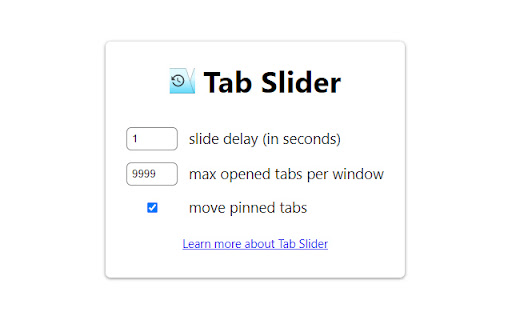
You can customize the reordering delay and the maximum number of reordered tabs in the extension’s settings; newly opened active tabs immediately appear on the left.

Once you get used to it, this way of managing tabs will feel completely natural and intuitive 🪄
Technical
- Version
- 2.1
- Manifest
- V3
- Size
- 17.75KiB
- Min Chrome
- 88
- Languages
- 1
- Featured
- Yes
Metadata
- ID
- nobaaibkcalggmjnjhnlmmcldllpogjp
- Developer ID
- uf13ca66a32e4889277066af265f169f6
- Developer Email
- [email protected]
- Created
- Nov 4, 2017
- Last Updated (Store)
- Jul 9, 2025
- Last Scraped
- May 31, 2026
- Website
- nikitaeverywhere.com
- Privacy Policy
- —
Similar extensions
Alternatives to Tab Slider, ranked by description similarity.

Smart Tab Organizer
Automatically organizes tabs based on usage patterns and importance scores
—

Chrome Tabs Numbers
Display the number of open tabs in the Chrome browser.
535
★ 5.0

Tab Manager Simplifed
Track, search, and filter your browser tabs in real-time. Keep an eye on active tabs and bring order to your browsing experience.
2
★ 5.0

SmartTab Overlay
Adds a Tab Switcher, Search functionalities for Tabs, History, Bookmarks, Most Visited Websites, Reading List and Saved Tabs.
4
★ 5.0

Enhanced Tab Manager
Manage tabs with grouping, colors, and save/restore functionality.
12
★ 3.0

Tab Saver - Bookmark
The Chrome extension enables easy saving and reloading of multiple tabs, saving time and memory.
36

FlashTabs by Bliink
Opens a user-specified webpages in popup.
5
★ 5.0

TabNav - Navigate Tabs Like a Pro
Fly through your tabs with history, search, and shortcuts.
5
Data sourced from the Chrome Web Store · last verified May 31, 2026.