
Send to X4
Send articles from any website to Xteink X4 e-ink reader as EPUB
As of June 2026, Send to X4 has 1,000 users and a 5.00/5 rating from 3 reviews in the Productivity category.
Usersno change0%
1.0K
1,000
Ratingno change0%
5.00
3 reviews
Reviewsup 200.0 percent+200.0%
3
Version
1.1.1
Manifest V3
History
3 snapshotsTracking since Apr 16, 2026.
View as table
| Date | Users | Rating | Reviews | Version |
|---|---|---|---|---|
| Apr 16, 2026 | 1.0K | 5.00 | 1 | 1.1.1 |
| Apr 27, 2026 | 1.0K | 5.00 | 2 | 1.1.1 |
| May 20, 2026 | 1.0K | 5.00 | 2 | 1.1.1 |
| Now | 1.0K | 5.00 | 3 | 1.1.1 |
Permissions & access
- Permissions
- scriptingactiveTabdownloadstabsstorage
- Host access
- http://192.168.3.3/*, http://192.168.4.1/*, http://192.168.1.224/*, <all_urls>
Screenshots

About
Send reading content from any website or Twitter thread to your Xteink X4 as EPUB. Supports Stock & CrossPoint firmware.

**Send to X4** is the essential tool for Xteink X4 owners. It lets you format and transfer long-form articles, newsletters, and even Twitter threads directly to your e-ink reader as clean, beautiful EPUB files.

### 🚀 What's New in v1.1.1
- **CrossPoint Support:** Now fully compatible with both Stock and CrossPoint custom firmware.
- **Twitter/X Threads:** Automatically stitches Twitter threads into a single readable chapter.
- **Smart File Manager:** Sort, view, and delete your files directly on the device.

### How it works
1. Open any article or Twitter thread
2. Connect to your X4's WiFi hotspot
3. Click the extension icon
4. Hit "Send to X4" — done!

### Key Features
- **Universal Support:** Works on blogs, news sites, Substack, and now Twitter/X.
- **Firmware Agnostic:** Works perfectly with Stock Xteink firmware and CrossPoint (custom IPs supported).
- **Offline-First:** No accounts, no servers, no cloud sync—your data never leaves your local network.
- **Advanced Manager:** Organize your X4 library by Date or Name directly from the popup.
- **Download Option:** Save the generated EPUBs to your computer if you prefer.

### Perfect for
- E-ink enthusiasts who want distraction-free reading
- People who use custom firmware (CrossPoint) on their X4
- Anyone tired of complex "Read Later" services and accounts

### Privacy
This extension:
- Does NOT collect any personal data
- Does NOT send data to external servers
- Processes everything locally in your browser
- Only communicates with your X4 device on local WiFi (192.168.x.x)

### Requirements
- Xteink X4 e-ink reader
- Chrome browser
Technical
- Version
- 1.1.1
- Manifest
- V3
- Size
- 109KiB
- Min Chrome
- 88
- Languages
- 1
- Featured
- No
Metadata
- ID
- agchamhmjdpmfmfhbekjonjpjcfknmbh
- Developer ID
- u4c3b872370bc9ab0840d596d9edd37a6
- Developer Email
- [email protected]
- Created
- Jan 23, 2026
- Last Updated (Store)
- Feb 1, 2026
- Last Scraped
- Jun 7, 2026
- Support URL
- —
- Privacy Policy
- https://www.chapiware.com/send-to-x4/privacy.md
Similar extensions
Alternatives to Send to X4, ranked by description similarity.

EZ Ink
Save articles from desktop to read on E-ink devices. Upload to cloud, sync to Kindle/Kobo. PWA companion required.
7

Crux
Essential tools for X (Twitter) Articles - reading stats, table of contents & copy
2

X Screenshot - Tweet Capture & Save
Screenshot tweets & threads from X (Twitter). Multi-select, custom CSS, download or copy to clipboard.
62
★ 5.0

Twitter/X thread Reader
Unroll Twitter X thread to readable articles with one click
484
★ 4.3
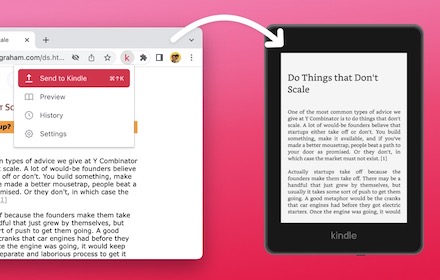
Send web articles to Kindle by KTool
Send web articles, Twitter threads, RSS and newsletters to Kindle
2.0K
★ 4.7

Tweet Thread Downloader
Scrapes a Twitter thread and saves it as a Markdown file.
51

to kindle
Extension that sends the current web article to kindle using the user's kindle device's email address
431
★ 5.0

X2img
Convert X posts to images
3
Data sourced from the Chrome Web Store · last verified Jun 7, 2026.