Send web articles to Kindle by KTool
Send web articles, Twitter threads, RSS and newsletters to Kindle
As of May 2026, Send web articles to Kindle by KTool has 2,000 users and a 4.70/5 rating from 27 reviews in the Productivity category.
Usersno change0%
2.0K
2,000
Ratingno change0%
4.70
27 reviews
Reviewsno change0%
27
Version
1.9.0
Manifest V3
History
1 snapshotsTracking since Apr 28, 2026.
View as table
| Date | Users | Rating | Reviews | Version |
|---|---|---|---|---|
| Apr 28, 2026 | 2.0K | 4.70 | 27 | 1.9.0 |
| Now | 2.0K | 4.70 | 27 | 1.9.0 |
Permissions & access
- Permissions
- storagecontextMenuscookiesscriptingactiveTab
- Host access
- *://ktool.io/*
Screenshots



About
KTool.io

👉 Send news articles and newsletters to Kindle
👉 Reduce screen time. Improve productivity.

You spend too much time on computer screens. It damages our eyesight and hurts our comprehension.

KTool helps you read everything on Kindle instead.

Less eyestrain. More focus 🧘

———

H O W    T O    U S E

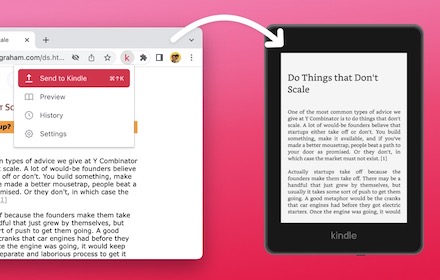
1. Installing this extension will add a KTool button to your Chrome browser
2. Sign up for an account
3. Click the Send to Kindle menu item on an article that you'd like to read on your Kindle.

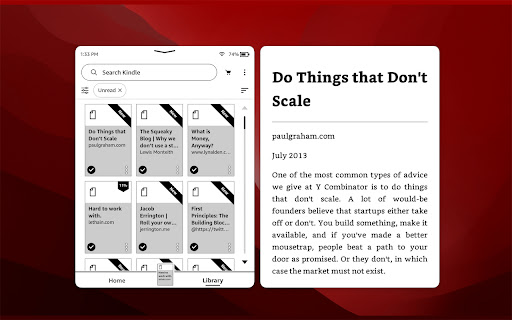
Send long web articles to your Kindle to read later. Read anywhere: on your Kindle e-reader or the Kindle app on your iPhone, iPad, or Android device. Articles are available for offline reading once delivered to the Kindle.

———

F E A T U R E S

✨ New: Added support for comic sites
✨ New: ADHD Reader Mode — helps you read faster by highlighting the beginning of every word of the article
✨ New: Send RSS feeds to Kindle automatically (premium feature)
✨ New: Forward email newsletters to Kindle automatically (premium feature)
✅ Send PDF, Markdown & DOCX documents to Kindle (premium feature)
✅ Send Hacker News discussions to Kindle
✅ On-demand article conversion using Kindle's built-in web browser
✅ Automatically import devices from Amazon.com
✅ Dark Mode
✅ Send ebooks on Standard Ebooks to Kindle
✅ Send Wikipedia articles to Kindle
✅ Preview the article before sending
✅ Browse and search send history
✅ Speedy delivery to your Kindle
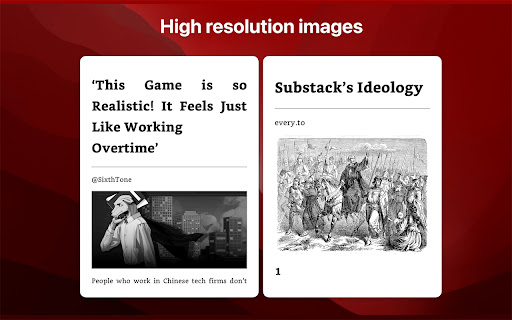
✅ Image support
✅ Emoji support
✅ Keyboard short-cut support
✅ Send Twitter thread to Kindle
✅ Send email newsletters to Kindle

KTool can send to the following devices:

✅  Kindle e-readers sold by Amazon
✅  Android Kindle app
✅  iPhone/iPad Kindle app

———

P R I C I N G

Please check https://ktool.io/pricing for details

———

C O N T A C T

KTool: https://ktool.io
Support: daniel (at) podzim.co
Twitter: https://twitter.com/ktool_io

———

P R I V A C Y

This extension does not do anything unless you click the Send to Kindle button. We do not monitor or inject any scripts into your pages while you browse.

When you click the Kindle icon, this extension sends the contents of the page and its URL to the KTool service. The KTool service then packages the contents into a reader-ready format and delivers it to your Kindle.

Content which you process with the KTool service will be cached on the server for a short period.

More information on our privacy page: https://ktool.io/privacy. Feel free to contact us if you have any questions.
Technical
- Version
- 1.9.0
- Manifest
- V3
- Size
- 1.96MiB
- Min Chrome
- 92
- Languages
- 1
- Featured
- Yes
Metadata
- ID
- igfcoofpmcdpcocfofdobneaileiogmo
- Developer ID
- u8f81fbb55ec18150c93b2cc8511ac7c4
- Developer Email
- [email protected]
- Created
- Apr 5, 2022
- Last Updated (Store)
- Nov 20, 2024
- Last Scraped
- May 25, 2026
- Website
- ktool.io
- Support URL
- https://twitter.com/ktool_io
- Privacy Policy
- https://ktool.io/privacy
Similar extensions
Alternatives to Send web articles to Kindle by KTool, ranked by description similarity.

to kindle
Extension that sends the current web article to kindle using the user's kindle device's email address
431
★ 5.0

Web2Kindle
Send web content to your Kindle device
25

Readbetter.io Chrome Extension
Readbetter.io Chrome Extension
544
★ 2.0

KDP Tools — Amazon Book Research & Analytics
Amazon KDP research: BSR tracking, sales estimation, keyword analysis, review intelligence, competition scoring & 50+ tools.
48
★ 1.0

Kindle to Notion - Export Highlights in 1 Click Free
Export Kindle highlights to Notion instantly. One-click sync for book notes, annotations & reading insights. Free, no signup.
120
★ 4.7

TAKO - Read it later
TAKO is the successor to 'Pocket Item Viewer' (formerly for Pocket.com) and saves interesting pages to read later.
386
★ 4.0

Book Creator AI Suite
AI-powered tools for authors: Generate book titles, content prompts, and metadata optimization for publishing
194

Daily Reader
Send any web article to your Kindle, Tolino or PocketBook in one click — AI summaries, Dropbox, Google Drive & more.
32
★ 5.0
Data sourced from the Chrome Web Store · last verified May 25, 2026.