
Compress with IMGCentury
🌟 Compress Images with IMGCentury - Effortless Image Compression for All Your Needs 🌟 Looking to reduce the size of images…
As of June 2026, Compress with IMGCentury has 4 users in the Productivity category.
Usersdown 20.0 percent−20.0%
4
4
Ratingno change0%
—
— reviews
Reviewsno change0%
—
Version
1.1
Manifest V3
History
2 snapshotsTracking since May 3, 2026.
View as table
| Date | Users | Rating | Reviews | Version |
|---|---|---|---|---|
| May 3, 2026 | 5 | — | — | 1.1 |
| Jun 2, 2026 | 7 | — | — | 1.1 |
| Now | 4 | — | — | 1.1 |
Permissions & access
- Permissions
- contextMenus
- Host access
- https://imgcentury.com/*
Screenshots


About
🌟 Compress Images with IMGCentury - Effortless Image Compression for All Your Needs 🌟

Looking to reduce the size of images without losing quality? 🚀 Compress Images with IMGCentury is the ultimate Chrome extension for quick, easy, and effective image compression. Perfect for web developers, designers, bloggers, and anyone who frequently works with images online, this extension makes it effortless to compress images directly from your browser. 🌐✨

🌟 What is Compress Images with IMGCentury?
This Chrome extension integrates seamlessly with IMGCentury.com, a powerful online image compression tool. 💻 By simply right-clicking on any image and selecting the "Compress with IMGCentury" option, you can instantly open the image on IMGCentury.com to compress it and optimize its size for faster loading and better performance. 🎯 Whether you’re optimizing images for a website, email, or social media, this tool gets the job done in just a few clicks. 🖼️🔧

🌟 Key Features and Benefits
🔅 Right-Click Simplicity: Right-click on any image and select "Compress with IMGCentury" to start the compression process immediately.
🔅 Seamless Integration: Automatically opens the selected image on IMGCentury.com for compression.
🔅 Fast and Lightweight: The extension is optimized for speed and does not affect your browser's performance. ⚡
🔅 High-Quality Results: Compress images while preserving their resolution and quality. 🖼️✅
🔅 No Downloads Required: Everything happens online—no need for additional software or tools. 🌐
🔅 Perfect for Web Optimization: Great for improving website performance, reducing bandwidth usage, and enhancing SEO by optimizing image sizes. 📈💡

🌟 Who Is This Extension For?
🔅 Web Developers: Easily optimize images for faster-loading websites. 💻🔧
🔅 Graphic Designers: Compress high-quality images while retaining their sharpness and details. 🎨✨
🔅 Content Creators and Bloggers: Reduce image sizes for blogs and articles without compromising visual quality. 📝📷
🔅 Social Media Managers: Prepare images for social media platforms to reduce upload time and enhance quality. 📱📷

🌟 How to Use Compress Images with IMGCentury
1️⃣ Install the extension from the Chrome Web Store.
2️⃣ Browse any webpage and locate an image you want to compress. 🖼️
3️⃣ Right-click the image and select "Compress with IMGCentury" from the context menu. 🔗
4️⃣ The image will open in IMGCentury.com’s compression tool, where you can customize compression settings and download the optimized image. 🎯⬇️

🌟 Why Choose IMGCentury for Image Compression?
IMGCentury.com is a leading platform for image compression, offering fast, reliable, and high-quality results. ⚡ With this extension, you get direct access to IMGCentury’s powerful features, making it easier than ever to optimize images without additional steps. 🌐✨

🌟 Common Use Cases for Compress Images with IMGCentury
🔅 Speeding up website load times by reducing image sizes. 🚀
🔅 Compressing images for email attachments. 📧
🔅 Optimizing photos for online portfolios or galleries. 🖼️🌟
🔅 Reducing file sizes for easier sharing on messaging apps and social media platforms. 📱💬

🌟 Supported Image Formats
This extension works with popular image formats such as JPEG, PNG, and GIF, ensuring compatibility with almost all online images. 🖼️✅

🌟 Why Image Compression Matters
Optimizing image sizes is crucial for better user experiences, faster website performance, and improved SEO. 📈 With Compress Images with IMGCentury, you can significantly reduce image file sizes while maintaining their quality, ensuring your digital content remains visually appealing and fast-loading. 🌐✨

🌟 Get Started Today!
Install Compress Images with IMGCentury now and enjoy a hassle-free, powerful image compression solution. 🎉 Whether you’re managing a website, creating content, or sharing visuals, this extension is your go-to tool for reducing image sizes quickly and efficiently. 🚀
Technical
- Version
- 1.1
- Manifest
- V3
- Size
- 17.6KiB
- Min Chrome
- 88
- Languages
- 1
- Featured
- No
Metadata
- ID
- aejlkojcgbhhdbohpgfnlmnmfihifjkj
- Developer ID
- u84616861c4179498175c2396de837a47
- Developer Email
- [email protected]
- Created
- Jan 4, 2025
- Last Updated (Store)
- Jan 4, 2025
- Last Scraped
- Jun 2, 2026
- Website
- —
- Support URL
- https://imgcentury.com/contact-us/
- Privacy Policy
- https://imgcentury.com/privacy/
Similar extensions
Alternatives to Compress with IMGCentury, ranked by description similarity.

Picture Compressor
Introducing Picture Compressor, a simple image compressor that reduces picture size and creates compressed images.
887
★ 5.0

Image Compressor
Compress an image once per session. Redirect to the website for further use.
20

Image Compressor
Compress images (JPG, PNG, WebP), reduce image size
31

Image Compressor
Compress JPG and PNG images instantly in your browser.
58

Bulk image compressor
Bulk image compressor allows you to compress images in batches
1.0K
★ 3.8

Pic Smaller - Smart Image Compressor
Compress images instantly in your browser with smart algorithms. Multiple formats supported. 100% client-side, privacy-first.
1
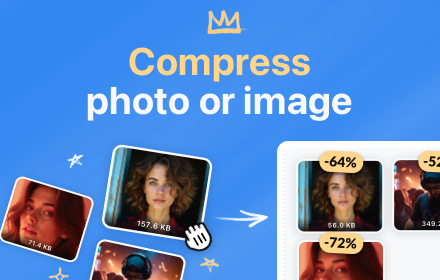
Photo Compressor
Easily reduce file sizes with this photo compressor. The ultimate image optimizer and picture size reducer for web and storage! 🚀
305
★ 5.0

Image Size Converter
Use image size converter as an image compressor and image resizer tool. It allows to create tiny png, jpg, webp files.
524
★ 5.0
Data sourced from the Chrome Web Store · last verified Jun 2, 2026.