
Zoom to Fill - Ultrawide Video
Removes videos black bars on Netflix, Amazon Prime, Disney Plus, HBO Max, Youtube by changing to ultrawide video aspect ratio.
As of June 2026, Zoom to Fill - Ultrawide Video has 200,000 users and a 3.92/5 rating from 646 reviews in the Entertainment category.
Usersup 100.0 percent+100.0%
200.0K
200,000
Ratingup 1.3 percent+1.3%
3.92
646 reviews
Reviewsup 7.7 percent+7.7%
646
Version
2.2.1
Manifest V3
90-day change · In the last 90 days this extension gained 100.0K users, 1 version update.
History
9 snapshotsTracking since Apr 1, 2026.
View as table
| Date | Users | Rating | Reviews | Version |
|---|---|---|---|---|
| Apr 1, 2026 | 100.0K | 3.87 | 600 | 2.1.8 |
| Apr 19, 2026 | 100.0K | 3.88 | 603 | 2.1.8 |
| Apr 29, 2026 | 100.0K | 3.88 | 605 | 2.1.8 |
| May 10, 2026 | 100.0K | 3.88 | 607 | 2.1.8 |
| May 23, 2026 | 200.0K | 3.87 | 609 | 2.1.8 |
| Jun 5, 2026 | 200.0K | 3.87 | 612 | 2.1.8 |
| Jun 7, 2026 | 200.0K | 3.91 | 638 | 2.2.1 |
| Jun 13, 2026 | 200.0K | 3.92 | 642 | 2.2.1 |
| Jun 19, 2026 | 200.0K | 3.91 | 643 | 2.2.1 |
| Now | 200.0K | 3.92 | 646 | 2.2.1 |
Permissions & access
- Permissions
- activeTabstorage
- Host access
- <all_urls>
Screenshots


About
Change aspect ratio of any video on any website, removing black bars ⬛ from videos and correcting the aspect ratio 🎉

Works on most websites, officially tested on major streaming platforms like:
⭐ Netflix
⭐ Amazon Prime
⭐ Disney+
⭐ HBO Max
⭐ Youtube
⭐ and many more popular streaming websites!

This extension was made for primarily for ultrawide 🖥️ screens (21:9, 32:9), but you can use it on any resolution and any video you like to zoom!
If you have a 16:9 screen, this extension is very useful for 4:3 videos.

❇️How to use it?
Very simple, if you want to use the player button (available for that site):
*️⃣Click on the button to zoom, this will use your predefined aspect ratio.
*️⃣Scroll on the button, to manually adjust your zoom level.

⚠️If there is no button, you can use the popup
*️⃣Select a predefined aspect ratio (16:9, 18:9, 21:9, 32:9). Selecting it again will reset the video aspect ratio to the original size.
*️⃣Use the plus and minus controls, this will manually adjust the zoom level, also, you can scroll on the number to do the same.

You can now also use shortcut keys ⌨️ to do everything, they can be customized on ⚙️Settings
*️⃣You can define single keys for multiples aspect ratios.
*️⃣You can define multiple keyboard combos separately also.

New additions made on the last 2.0 version:
✅ Extension player button is now on most major streaming platforms.
✅ Popup added with more options and features
✅ Manual zoom adjustment
✅ Persistent mode
✅ Keyboard shortcuts
✅ Support for more screen resolutions

If you find any issue don't doubt in leave feedback❗
You are always welcome to contact the developer 😉

Copyright © 2023 by Gabriel Mazzoleni
All Rights Reserved
Technical
- Version
- 2.2.1
- Manifest
- V3
- Size
- 126KiB
- Min Chrome
- 88
- Languages
- 55
- Featured
- Yes
Metadata
- ID
- adpjimagbfpknkodpofjphpbdlfkeiho
- Developer ID
- ua1cdc66763b3764ed738588f9186e021
- Developer Email
- [email protected]
- Created
- Apr 8, 2020
- Last Updated (Store)
- Jun 1, 2026
- Last Scraped
- Jun 19, 2026
- Website
- zoomtofill.com
- Support URL
- https://zoomtofill.com/
- Privacy Policy
- https://zoomtofill.com/privacy/
Similar extensions
Alternatives to Zoom to Fill - Ultrawide Video, ranked by description similarity.

YouTube Video Zoom
Resizes YouTube videos to fill the entire screen, removing black bars
148
★ 1.0

CineZoom for YT™
Transform your videos into a cinematic ultrawide experience with one click.
17
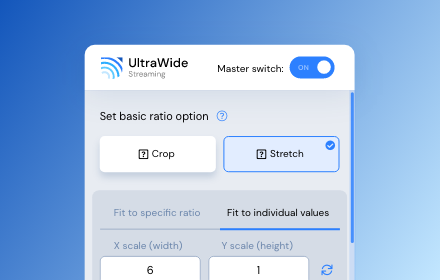
UltraWide Streaming: custom ratios [QVI]
Go fullscreen on your ultrawide monitor. Fit the video to 21:9, 32:9, or custom ratio. Supports most streaming platforms.
10.0K
★ 4.2

AMC+ UltraWide: custom fullscreen ratios
Go fullscreen on your ultrawide monitor. Fit the video to 21:9, 32:9, or custom ratio.
4

UltraWide for U-NEXT: custom fullscreen ratios
Go fullscreen on your ultrawide monitor. Fit the video to 21:9, 32:9, or custom ratio. Designed for U-NEXT platform.
29

Audio Booster for Netflix [QVI]
Quiet audio bothering you? 🚀 Get Audio Booster for Chrome and enjoy better sound! 🎧 Compatible with +15 SVODs 🎬
8.0K
★ 4.8

STARZ PLAY UltraWide: custom fullscreen ratios
Go fullscreen on your ultrawide monitor. Fit the video to 21:9, 32:9, or custom ratio. Supports most streaming platforms.
26

UltraBoost — Universal Video Enhancer
Zoom, speed, volume boost, filters, HD screenshot, loop & Ad-Speeder for any HTML5 video player across the web.
57
Data sourced from the Chrome Web Store · last verified Jun 19, 2026.