Code Pad Text Editor
An multi-language code text-editor crafted for the Chrome OS. Completely free to use and to modify under the GPL!
As of June 2026, Code Pad Text Editor has 20,000 users and a 4.37/5 rating from 663 reviews in the Developer Tools category.
Usersno change0%
20.0K
20,000
Ratingno change0%
4.37
663 reviews
Reviewsdown 0.2 percent−0.2%
663
Version
1.0.96
Manifest V2
History
3 snapshotsTracking since Apr 1, 2026.
View as table
| Date | Users | Rating | Reviews | Version |
|---|---|---|---|---|
| Apr 1, 2026 | 20.0K | 4.37 | 664 | 1.0.96 |
| May 2, 2026 | 30.0K | 4.37 | 664 | 1.0.96 |
| Jun 1, 2026 | 30.0K | 4.37 | 662 | 1.0.96 |
| Now | 20.0K | 4.37 | 663 | 1.0.96 |
Permissions & access
- Permissions
- syncFileSystemstorageclipboardReadfullscreennotifications
- Host access
- https://www.google-analytics.com/
Screenshots
About
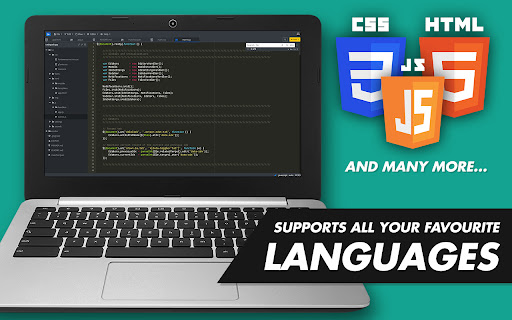
The editor supports a variety of programming languages!

# Currently supported:
Apache, Bash, C/C++, CoffeeScript, CSS3, Dockerfile, GitIgnore, GoLang, HTML5, Java, JavaScript, JSON, Less, Lua, Markdown, MS SQL, Perl, PHP, PHTML, Plain text, PostgreSQL SQL Python, Ruby, Rust, Sass, Scala, SQL, TypeScript, XML, XHTML, and a few more..

Code Pad Text Editor is a free, lightweight text editor for code crafted for Chrome OS. Code Pad allows you to write simple code snippets or build complete programming applications and projects easily, straight on your Chromebook.

P.S. You can also use Code Pad Text Editor as a simple text editor (notepad), if that's all you need (duh)...

# Some nifty features:
 - Full project browsing & management
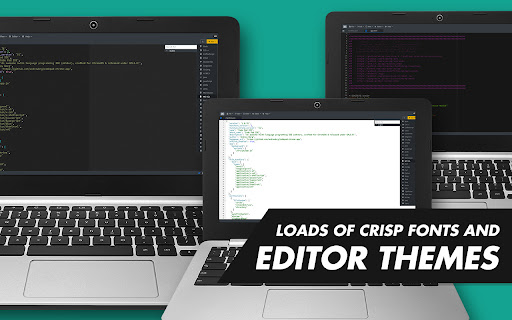
 - Over 20 familiar themes (Monokai, etc...)
 - Choice of crisp mono-spaced editor fonts
 - Ready-made code snippets
 - Syntax error & bug detection/alerts
 - Syntax highlighting
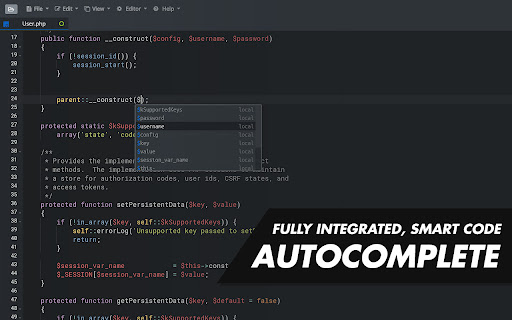
 - Code auto-completion & hinting
 - Code folding
 - Works with Google Drive or Local storage
 - Centralized clipboard with Chrome OS
 - Automatic in-dent and out-dent
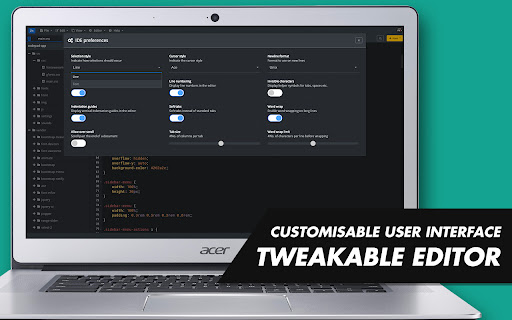
 - Tweak-able interface
 - Key bindings
 - Drag & drop files with your mouse
 - Toggle between soft tabs & real tabs
 - Line wrapping
 - Runs in full screen
 - Cut, copy & paste functionality

Code Pad IDE matches the features and performance of native editors such as Sublime, Vim and TextMate.

# GitHub page:
https://github.com/andrewbrg/codepad-chrome-app

If you love Code Pad Text Editor; leave a rating!
Technical
- Version
- 1.0.96
- Manifest
- V2
- Size
- 2.83MiB
- Min Chrome
- 51
- Languages
- 1
- Featured
- No
Metadata
- ID
- adaepfiocmagdimjecpifghcgfjlfmkh
- Developer ID
- ub372afcc6a030a3b85ab9347974e8e4e
- Developer Email
- [email protected]
- Created
- Nov 12, 2017
- Last Updated (Store)
- Nov 21, 2020
- Last Scraped
- Jun 1, 2026
- Website
- —
- Privacy Policy
- —
Similar extensions
Alternatives to Code Pad Text Editor, ranked by description similarity.

Code Edit Beta
A small and simple open source code editor for Chrome and Chrome OS.
127
★ 2.8

Plex Code Editor
A robust code editor extension with multi-language support, intelligent layout, and specialized JSON formatting.
96

Archetype Code Editor
A fast, offline code editor for all Chromebooks, based on the Monaco editor from VS Code.
659
★ 4.7

Keypress Editor
An code editor for Chrome.
1.0K
★ 3.9

Seecode Editor & JSON Viewer
A robust code editor extension with multi-language support, intelligent layout, and specialized JSON formatting.
63

Text
A text editor for Chrome OS and Chrome.
—
★ 4.0
Tailor
Code Editor for Chrome
418
★ 3.5

Zed Code Editor
Offline-capable, feature rich, extensible code editor designed for Chrome
10.0K
★ 4.2
Data sourced from the Chrome Web Store · last verified Jun 1, 2026.