
Vimeo Video Looper
A Chrome extension to loop Vimeo videos with custom start and end times.
As of May 2026, Vimeo Video Looper has 110 users in the Productivity category.
Usersup 1.9 percent+1.9%
110
110
Ratingno change0%
—
— reviews
Reviewsno change0%
—
Version
1.1
Manifest V3
History
2 snapshotsTracking since Apr 25, 2026.
View as table
| Date | Users | Rating | Reviews | Version |
|---|---|---|---|---|
| Apr 25, 2026 | 108 | — | — | 1.1 |
| May 21, 2026 | 116 | — | — | 1.1 |
| Now | 110 | — | — | 1.1 |
Permissions & access
- Permissions
- activeTab
- Host access
- https://*.vimeo.com/*
Screenshots

About
# Vimeo Loop Master

Enhance your Vimeo viewing experience with Vimeo Loop Master, the Chrome extension that allows you to create custom loops on your favorite videos.

## Key Features:

- **Custom Loops**: Easily set start and end points to create loops on any part of the video.
- **Intuitive Interface**: Simple and immediate controls directly overlaid on the Vimeo player.
- **Flexibility**: Start and stop loops at any time during playback.
- **Compatibility**: Works on all Vimeo video pages.

## How It Works:

1. Install the extension and navigate to a Vimeo video.
2. Click on the extension icon to make the controls appear on the video.
3. Use the overlay controls to set the loop start and end times.
4. Click "Start Loop" to begin looping the selected section.
5. Use "Stop Loop" to return to normal playback.

Perfect for musicians studying specific passages, teachers wanting to emphasize certain moments, or anyone wishing to repeatedly enjoy their favorite parts of a video.

Vimeo Loop Master: Repeat, Learn, Enjoy!
Technical
- Version
- 1.1
- Manifest
- V3
- Size
- 217KiB
- Min Chrome
- 88
- Languages
- 1
- Featured
- No
Metadata
- ID
- ppmagkgecpcdnbkmfjjkekmfnhnnmclm
- Developer ID
- u560167d6ab9e9ae19006f75b9d521fb6
- Developer Email
- [email protected]
- Created
- Oct 16, 2024
- Last Updated (Store)
- Oct 16, 2024
- Last Scraped
- May 21, 2026
- Website
- —
- Support URL
- —
- Privacy Policy
- —
Similar extensions
Alternatives to Vimeo Video Looper, ranked by description similarity.

YouLoop - Replay your favorite video parts
Chrome extension to loop specific parts of your YouTube videos
736
★ 4.8

YouTube Loop Master
YouTube video segment looping extension.
5

YT Looper Pro
Loop specific segments of YouTube videos for better learning.
5
★ 5.0

YT Loop Station
Precision A/B looping with 30ms crossfade for seamless YouTube playback. Perfect for music practice and language learning.
37
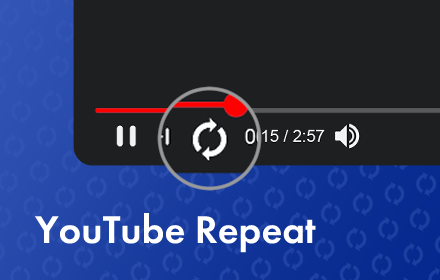
YouTube Repeat
Let youtube repeat replay song in one click! Loop youtube video, listen song on repeat, and enjoy infinite loop for hours
10.0K
★ 4.6

Loopify
Loopify lets you create and repeat specific sections of YouTube videos.
10
★ 5.0

video-clipper
video-clipper
205
★ 1.0

YouTube Looper
Use youtube looper to quickly loop youtube video, music and karaoke. Add this youtube repeat tool to create loop effortlessly.
200
★ 4.7
Data sourced from the Chrome Web Store · last verified May 21, 2026.