
QuizTeX
Automatically renders LaTeX equations on Quizlet so you can read math and physics formulas clearly.
As of June 2026, QuizTeX has 123 users and a 5.00/5 rating from 1 reviews in the Education category.
Usersup 720.0 percent+720.0%
123
123
Ratingno change0%
5.00
1 reviews
Reviewsno change0%
1
Version
1.10.4
Manifest V3
History
11 snapshotsTracking since Apr 5, 2026.
View as table
| Date | Users | Rating | Reviews | Version |
|---|---|---|---|---|
| Apr 5, 2026 | 15 | 5.00 | 1 | 1.10.4 |
| Apr 18, 2026 | 20 | 5.00 | 1 | 1.10.4 |
| Apr 23, 2026 | 36 | 5.00 | 1 | 1.10.4 |
| Apr 30, 2026 | 49 | 5.00 | 1 | 1.10.4 |
| May 7, 2026 | 55 | 5.00 | 1 | 1.10.4 |
| May 12, 2026 | 74 | 5.00 | 1 | 1.10.4 |
| May 17, 2026 | 85 | 5.00 | 1 | 1.10.4 |
| May 24, 2026 | 99 | 5.00 | 1 | 1.10.4 |
| May 30, 2026 | 96 | 5.00 | 1 | 1.10.4 |
| Jun 5, 2026 | 97 | 5.00 | 1 | 1.10.4 |
| Jun 14, 2026 | 107 | 5.00 | 1 | 1.10.4 |
| Now | 123 | 5.00 | 1 | 1.10.4 |
Permissions & access
- Permissions
- None declared
- Host access
- https://*.quizlet.com/*
Screenshots


About
QuizTeX is a LaTeX renderer that automatically converts raw LaTeX into properly rendered math on Quizlet using MathJax SVG output.

It supports Flashcards, Learn mode, Match, Blast, Test, and set/word list pages. The extension is designed for STEM learners who study formulas and symbols that Quizlet may display as plain LaTeX text.

No telemetry or analytics are included. The extension runs only on Quizlet pages and processes content locally in your browser personal data. This is an independent project — not affiliated with or endorsed by Quizlet Inc.


Usage Tips:
To prevent the extension from auto-modifying your data while editing you can turn the extension off during editing then back on once you are ready to practice. You can also configure the extension to run only on demand:

Select the More Options (three vertical dots) on the QuizTeX extension
Select "This can read and change site data"
Select "On quizlet.com"
Select "This can read and change site data" again
Select "When you click the extension"
A popup will ask you to reload — click "Reload"
Once configured this way, the extension will only render LaTeX when you manually click it, so your flashcard data stays untouched while you edit. When you're ready to view your cards with rendered LaTeX, simply click the extension and everything will typeset as expected.

⚠️ Skipping this step can cause data loss. If the extension is left in its default auto-run mode while you edit, it may reformat your raw LaTeX into something else, requiring you to manually fix each card. Always turn off (or switch to click-only mode) before importing a study set or writing new LaTeX content, then re-enable when you're done.
Technical
- Version
- 1.10.4
- Manifest
- V3
- Size
- 694KiB
- Min Chrome
- 88
- Languages
- 1
- Featured
- No
Metadata
- ID
- ppljcggfeggnfoidkilaiepncfjiipaj
- Developer ID
- u531fc43e1697689ce8da66def6abd7b9
- Developer Email
- [email protected]
- Created
- Mar 15, 2026
- Last Updated (Store)
- Mar 23, 2026
- Last Scraped
- Jun 14, 2026
- Website
- —
- Support URL
- https://github.com/manny-serrano/QuizTeX
Similar extensions
Alternatives to QuizTeX, ranked by description similarity.

LaTeX Markdown Viewer
A Chrome extension to render LaTeX and Markdown files.
198

MathBridge - Universal Math Converter
Convert any math expression to LaTeX and MathML. Works with text, images, and handwritten math.
2

LatexToCalc
Translate LaTeX text to calculator format. Now with MathJax to LaTeX conversion!
94
★ 3.0
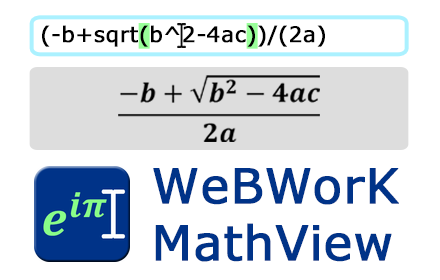
WeBWorK MathView
Preview nicely formatted math equations as you type them into WeBWorK answer boxes!
2.0K
★ 4.6

Equation Editor
Use Equation Editor to easily type mathematical formulas and convert LaTeX to PNG online with our LaTeX math equation writer.
2.0K
★ 4.9

Math Quiz Extension
A Chrome extension that generates random math quizzes and tracks progress.
5

moment.of.math - Write math and check your work- BETA
Free and easy-to-use math scratchpad. Write math equations, paste anywhere, check your work. THIS EXTENSION IS FOR BETA TESTING.
83
★ 5.0

WebAssign Fixer
Webassign Fixer makes Webassign faster, cleaner, and easier to use, helping you focus on your learning.
61
★ 4.8
Data sourced from the Chrome Web Store · last verified Jun 14, 2026.