
Salesforce Status Helper
Salesforce Status Helper will help keep you logged into Omni-Channel for when those unexpected disconnects occur without warning.
As of May 2026, Salesforce Status Helper has 51 users and a 5.00/5 rating from 1 reviews in the Developer Tools category.
Usersdown 7.3 percent−7.3%
51
51
Ratingno change0%
5.00
1 reviews
Reviewsno change0%
1
Version
4.6.4
Manifest V3
History
2 snapshotsTracking since Apr 26, 2026.
View as table
| Date | Users | Rating | Reviews | Version |
|---|---|---|---|---|
| Apr 26, 2026 | 55 | 5.00 | 1 | 4.6.4 |
| May 23, 2026 | 53 | 5.00 | 1 | 4.6.4 |
| Now | 51 | 5.00 | 1 | 4.6.4 |
Permissions & access
- Permissions
- notificationsscriptingstorage
- Host access
- *://*.salesforce.com/*, *://*.force.com/*
Screenshots
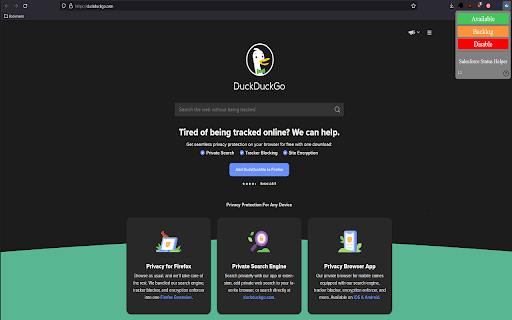

About
This extension is useful for when Omni-Channel disconnects you unexpectedly and without warning.

Features:
- Automated queue where it will change your status from Available -> Backlog -> Offline based on your time input.
- If you choose to manually set your status, click your preferred Omni-Channel status. The chosen status will remain active until disabled.
- Every 15 seconds the extension will check that you're still logged in with the selected status or if using the automated queue based on your input time. If not, it will automatically sign you back in.
- Every 60 seconds the extension will check that Omni Supervisor is in a healthy state.

NOTES:
- If the extension detects that you're 'On a Web Case' it will NOT change your status. You will have to manually change out of it first.
- This will ONLY work in .salesforce.com or .force.com domains. If you try to set your status in another tab without these domains nothing will happen.
- If you don't have Omni Supervisor open in a Salesforce tab then an error will display in the console. More importantly you can enter into an error state that the extension can't detect.

-----------------------------------------------------------------------------------------------------

Troubleshooting:

If you open Web Developer Tools by either pressing 'F12' or by going into Settings > More Tools > Developer Tools you will see various console logs. Please use these logs to report any issues.
Technical
- Version
- 4.6.4
- Manifest
- V3
- Size
- 48.96KiB
- Min Chrome
- 88
- Languages
- 1
- Featured
- No
Metadata
- ID
- pocbnhhipcmpgeonneedpjkclpanljpi
- Developer ID
- ufc74a238a001c6b593875231f7b0510f
- Developer Email
- [email protected]
- Created
- May 13, 2022
- Last Updated (Store)
- Oct 2, 2024
- Last Scraped
- May 23, 2026
- Website
- —
- Privacy Policy
- —
Similar extensions
Alternatives to Salesforce Status Helper, ranked by description similarity.

Salesforce Status Helper
Salesforce Status Helper will help keep you logged into Omni-Channel for when those unexpected disconnects occur without warning.
4

Salesforce OmniStudio Explorer
This extension supports development of Salesforce OmniStudio applications
3.0K
★ 5.0

OmniStudio Inspector
A modern inspector for OmniStudio components in Salesforce.
71
★ 5.0

OmniStudio DR/IP Tracer
Trace OmniStudio DataRaptor and Integration Procedure calls directly inside Salesforce
45
★ 5.0

Automation Hunter For Salesforce
Quickly find all automation written on any salesforce object
1.0K
★ 3.7

Crazy Compare For Salesforce
Quickly compare two different salesforce profiles and find difference
5.0K
★ 3.6

Salesforce Simplified
Salesforce Recent Components For Salesforce Developers
2.0K
★ 4.9

Digital Engagement Setup Canvas
Visual setup, analysis, and debugging for Salesforce Digital Engagement
1
Data sourced from the Chrome Web Store · last verified May 23, 2026.