
Send Gmail Responses-ChatGPT
Send gmail response with the help of ChatGPT
As of May 2026, Send Gmail Responses-ChatGPT has 7 users and a 5.00/5 rating from 4 reviews in the Social & Communication category.
Usersup 16.7 percent+16.7%
7
7
Ratingno change0%
5.00
4 reviews
Reviewsno change0%
4
Version
1.0.0
Manifest V3
History
1 snapshotsTracking since Apr 26, 2026.
View as table
| Date | Users | Rating | Reviews | Version |
|---|---|---|---|---|
| Apr 26, 2026 | 6 | 5.00 | 4 | 1.0.0 |
| Now | 7 | 5.00 | 4 | 1.0.0 |
Permissions & access
- Permissions
- None declared
- Host access
- https://mail.google.com/*, https://chat.openai.com/*
Screenshots


About
Sure! Here's a step-by-step guide on how to send a response email using Gmail with the help of ChatGPT:

1. Log in to your Gmail account using your email address and password.
2. Navigate to the inbox and locate the email that you want to respond to.
3. Click on the email to open it and scroll down to the bottom of the message where you will see a "Reply" button.
4. Click on the "Reply" button. This will open up a new email window with the original message included in the body of the email.
5. Type your response in the body of the email. You can format your response using the formatting options available on the toolbar above the email body, such as bold, italic, or underline.
6. When you are finished writing your response, click on the "Send" button in the bottom left corner of the email window.
7. Your response email will now be sent to the original sender.

That's it! You have successfully sent a response email using Gmail. If you have any further questions or need further assistance, feel free to ask ChatGPT.
Technical
- Version
- 1.0.0
- Manifest
- V3
- Size
- 25.12KiB
- Min Chrome
- 88
- Languages
- 1
- Featured
- No
Metadata
- ID
- pnbdlckjhalfgeglinmkphomoeoigngn
- Developer ID
- u688ab522fa99d9ff3541d830ccea72bd
- Developer Email
- [email protected]
- Created
- Feb 28, 2023
- Last Updated (Store)
- Jul 23, 2024
- Last Scraped
- May 23, 2026
- Website
- heycolleagues.com
- Support URL
- —
- Privacy Policy
- https://kanhaiyakumar.me/wikipedia-search
Similar extensions
Alternatives to Send Gmail Responses-ChatGPT, ranked by description similarity.

Email GPT
Let me help you start writing email in just minutes.
93
★ 5.0

ChatGPT AI for Instagram™ comments and messages
Generate engagements 10 times faster for your Instagram™ posts with personalized AI comments responses
423
★ 4.6
Send ChatGPT with WhatsApp
Send ChatGPT conversations to your friends with WhatsApp
1.0K
★ 3.0

GIPHY for Gmail
Add the power of GIPHY to your Gmail experience. Search and discover the best GIFs for your every email need quickly and easily.
100.0K
★ 3.4

FormalizeIt
Gmail add-on to help write more proffesional and polite emails using OpenAI.
—
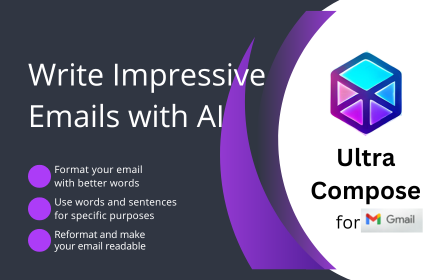
Ultra Compose AI
Write impressive emails with AI
252
★ 5.0

Message Chatbot: AI-Powered by Chat GPT-4
Ultimate Efficiency Tool for FB Message, Create replies 10x faster with ChatGPT!
381

RevertGPT - Quickly Insert Text Anywhere
Quick Reply Templates
74
Data sourced from the Chrome Web Store · last verified May 23, 2026.