FontFinder & WordCounter
This extension can help you find the font of a text, identify colors, and count the number of words and characters in that text.
As of May 2026, FontFinder & WordCounter has 397 users and a 4.20/5 rating from 5 reviews in the Workflow & Planning category.
Usersdown 2.2 percent−2.2%
397
397
Ratingno change0%
4.20
5 reviews
Reviewsno change0%
5
Version
1.1.1
Manifest V3
History
2 snapshotsTracking since Apr 26, 2026.
View as table
| Date | Users | Rating | Reviews | Version |
|---|---|---|---|---|
| Apr 26, 2026 | 406 | 4.20 | 5 | 1.1.1 |
| May 23, 2026 | 408 | 4.20 | 5 | 1.1.1 |
| Now | 397 | 4.20 | 5 | 1.1.1 |
Permissions & access
- Permissions
- contextMenusscripting
- Host access
- <all_urls>
Screenshots

About
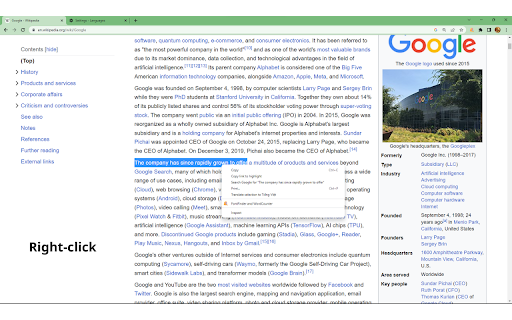
Step 1: Select the paragraph you want to find:

Choose the paragraph you wish to find and count the number of words, characters, colors, and font styles.
Step 2: Right-click to bring up the menu:

Hover over the paragraph and right-click. A menu will appear with various options.
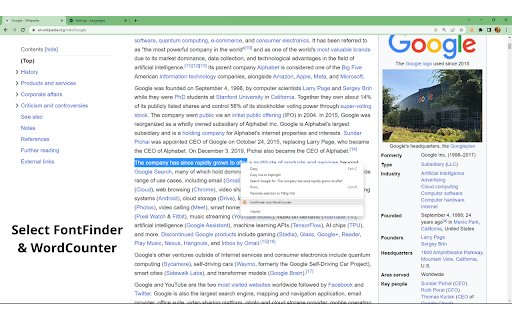
Step 3: Click on "FontFinder & WordCounter":

In the menu, locate and click on the option "FontFinder & WordCounter." This will open a new window.
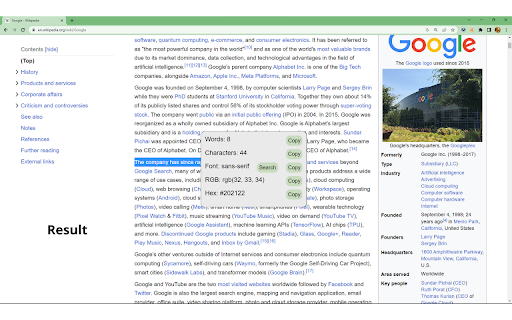
Step 4: View the results of word count, character count, colors, and font styles:

After clicking on "FontFinder & WordCounter," a table will display information about the number of words, characters, colors, and font styles of the selected paragraph.
Technical
- Version
- 1.1.1
- Manifest
- V3
- Size
- 81.7KiB
- Min Chrome
- 88
- Languages
- 1
- Featured
- Yes
Metadata
- ID
- pmmcbibbppmdbnefnhofogkhleekemgi
- Developer ID
- ueb65408e978c88a6f3bdb815abd9ef6a
- Developer Email
- [email protected]
- Created
- Jul 10, 2023
- Last Updated (Store)
- Jul 11, 2023
- Last Scraped
- May 23, 2026
- Website
- —
- Support URL
- —
- Privacy Policy
- —
Similar extensions
Alternatives to FontFinder & WordCounter, ranked by description similarity.

Word Counter
Word counting extension with hotkey and right-click menu item
7

Word/Character Counter
Calculate the number of letters, words, sentences, paragraphs, and spaces in a piece of text.
209
★ 5.0

Word Counter
Word counter with ease.
16
Character Count Tool
Calculate how many words and characters are on a page. Simply highlight the text, right click, and click the Character Count icon!
7.0K
★ 4.7

Selection Length
View the character count and word count of the current selected text.
37

Word Counter
Displays word counts for selected text on any webpage.
26

Word Counter Plus
A simple and accurate word counter. Provides a right click context menu to get stats on the selected text
3.0K
★ 5.0

WordScope: Word Counter Plus Readability Extension
Count words, characters, sentences and reading time in selected text. Check text readability. 100% local, zero tracking.
3
★ 5.0
Data sourced from the Chrome Web Store · last verified May 23, 2026.