
Smart Jira
Context-aware ticket creation for Jira.
As of June 2026, Smart Jira has 4 users and a 5.00/5 rating from 1 reviews in the Productivity category.
Usersup 100.0 percent+100.0%
4
4
Ratingno change0%
5.00
1 reviews
Reviewsno change0%
1
Version
1.2.1
Manifest V3
History
7 snapshotsTracking since Apr 16, 2026.
View as table
| Date | Users | Rating | Reviews | Version |
|---|---|---|---|---|
| Apr 16, 2026 | 2 | 5.00 | 1 | 1.2.1 |
| Apr 27, 2026 | 2 | 5.00 | 1 | 1.2.1 |
| May 4, 2026 | — | 5.00 | 1 | 1.2.1 |
| May 10, 2026 | 2 | 5.00 | 1 | 1.2.1 |
| May 21, 2026 | 3 | 5.00 | 1 | 1.2.1 |
| May 27, 2026 | 4 | 5.00 | 1 | 1.2.1 |
| Jun 3, 2026 | 6 | 5.00 | 1 | 1.2.1 |
| Now | 4 | 5.00 | 1 | 1.2.1 |
Permissions & access
- Permissions
- storageactiveTabwebRequest
- Host access
- <all_urls>
Screenshots


About
Stop writing Jira tickets from scratch. SmartJira captures your screen, takes your rough notes, and uses AI to produce a complete, structured ticket — then pushes it to Jira in one click.

HOW IT WORKS

1. Describe the issue — type a few words, capture a screenshot, or both
2. AI structures it — your notes become a formatted ticket with title, steps to reproduce, acceptance criteria, and technical notes
3. Push to Jira — one click creates the issue in your project with screenshots and error logs attached

KEY FEATURES

AI-Powered Tickets
Turn rough notes into professional bug reports, feature requests, and stories. The AI generates a title, description, steps to reproduce, expected/actual behavior, acceptance criteria, and technical notes — tailored to the issue type.

One-Click Screenshots
Capture the current tab or upload images. Screenshots are sent as visual context to the AI and automatically attached to the Jira ticket.

Automatic Error Capture
Failed API calls (4xx/5xx), network failures, and console errors from the current tab are quietly recorded as you browse. They're included in the AI prompt for better context and attached as a HAR report to the ticket. Sensitive headers (auth tokens, cookies) are stripped automatically.

Native Jira Integration
Connects directly to your Jira Cloud instance via REST API. Respects your project's issue types, required fields, and custom fields. Tickets are created in Atlassian Document Format (ADF) — not plain text.

Multi-Provider AI
Choose your preferred AI provider and model:
- OpenAI: GPT-5.2, GPT-5 Mini
- Anthropic: Claude Opus 4.6, Sonnet 4.6, Haiku 4.5
- Google: Gemini 3.1 Pro, Gemini 3 Flash
Switch providers anytime from the settings.

Auto-Save Drafts
Your ticket description, screenshots, and settings are automatically saved to local storage. Close the popup, come back later — everything is still there.

Smart Field Handling
SmartJira reads your project's required fields from Jira and asks the AI to fill them. Story points, priority, custom fields — handled automatically.

PRIVACY & SECURITY

SmartJira has no backend, no accounts, and no tracking.

- Your API keys are stored in your browser's local storage — never transmitted to our servers
- AI requests go directly from your browser to OpenAI/Anthropic/Google
- Jira requests go directly from your browser to your Jira instance
- We never see, collect, or store your credentials or ticket data
- Sensitive headers are stripped from error reports before they leave your browser

You stay in full control of your data.

WHO IT'S FOR

- QA Engineers — file bugs with screenshots and network errors already attached
- Developers — spot a bug, jot a note, get a structured ticket without leaving your flow
- Product Managers — turn feature ideas into actionable tickets with acceptance criteria

SETUP (2 MINUTES)

1. Install the extension
2. Enter your AI provider API key (OpenAI, Anthropic, or Google)
3. Enter your Jira domain, email, API token, and project key
4. Click "Test Connection" — you're ready to go

100% FREE

No subscription, no freemium tier, no hidden costs. SmartJira is free. You only pay for AI API usage directly to your provider — typically pennies per ticket.

Website: https://smartjira.vercel.app
Privacy: https://smartjira.vercel.app/privacy.html
Technical
- Version
- 1.2.1
- Manifest
- V3
- Size
- 219KiB
- Min Chrome
- 88
- Languages
- 1
- Featured
- No
Metadata
- ID
- pmcjohbpkicgdbjihoblngknigohfdgj
- Developer ID
- uf4ad8bdd8c46ff4491f44adcca04aee2
- Developer Email
- [email protected]
- Created
- Jul 24, 2025
- Last Updated (Store)
- Mar 8, 2026
- Last Scraped
- Jun 9, 2026
- Support URL
- https://smartjira.vercel.app
- Privacy Policy
- https://smartjira.vercel.app/privacy.html
Similar extensions
Alternatives to Smart Jira, ranked by description similarity.

Jira Agent
Analyze Jira tickets with development and testing effort estimates, story points, and acceptance criteria validation
14
★ 5.0

Copy Jira Issue Information
Copies the Key and Summary of the current open Jira Issue into your clipboard.
32
★ 5.0

JIRA Ticket Copier
Copy JIRA ticket info (ID, status, title) or git commit message from JIRA Cloud. Fast, reliable, and accessible.
10
★ 5.0
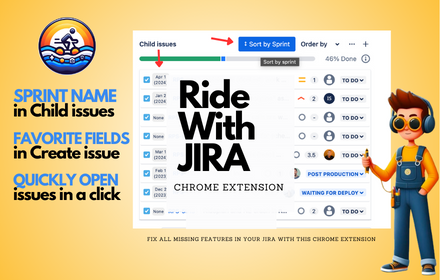
Ride With Jira
Ride With Jira Chrome Extension
455
★ 4.8

LogicBalls AI Support Assistant
AI assistant for high-quality support responses across Freshdesk, Zendesk, Intercom, Tawk.to, and Email.
1

Jira Copy Helper
A convenient Copy button to Jira issue pages with dropdown options for copying ticket ID, title, URL, or formatted links.
14

UATIFY
Capture your screen then edit and create JIRA tickets quickly.
Take screenshots and draw arrows/circles/text etc.
Empower your…
20
★ 5.0

Jira Quick Opener
Boost productivity by quickly opening Jira tickets via a customizable keyboard shortcut and smart presets.
6
★ 5.0
Data sourced from the Chrome Web Store · last verified Jun 9, 2026.