FNSKU Label — print FNSKU labels with dates
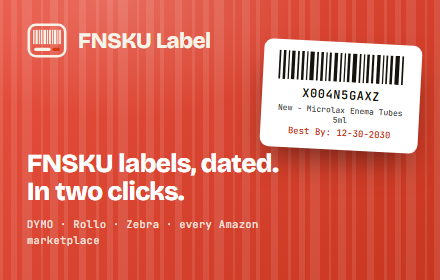
Print FNSKU barcode labels with Best By dates from Amazon Send to Amazon in two clicks. Works with DYMO, Rollo & Zebra.
As of June 2026, FNSKU Label — print FNSKU labels with dates has — users in the Workflow & Planning category.
Usersno change0%
—
—
Ratingno change0%
—
— reviews
Reviewsno change0%
—
Version
1.0.0
Manifest V3
History
1 snapshotsTracking since Jun 16, 2026.
Not enough history yet for this metric — the chart fills in as we collect more snapshots.
View as table
| Date | Users | Rating | Reviews | Version |
|---|---|---|---|---|
| Jun 16, 2026 | — | — | — | 1.0.0 |
| Now | — | — | — | 1.0.0 |
Permissions & access
- Permissions
- storage
- Host access
- https://api.fnskulabel.com/*
Screenshots


About
Print Amazon FBA FNSKU labels — barcode, FNSKU, product title, and Best By date — in two clicks, straight from the Send to Amazon page. No retyping expiration dates. No editing PDFs. No fiddling with the print dialog's scale.

HOW IT WORKS
1. Enter the expiration date in Amazon's field, like you do today.
2. Click the "Print Label with Date" button the extension adds next to "Print SKU labels".
3. Labels print to your thermal printer with the Best By date already on them — sized exactly to your label paper.

WHAT YOU GET
• Two clicks per shipment — the date flows straight from Amazon onto the label.
• Reads the item condition automatically (prints "New - Product title").
• Works with DYMO, Rollo, and Zebra thermal printers, and any label size (presets + custom).
• Scale labels down to fit small items so the barcode still scans.
• Prints the exact quantity Amazon reports (optionally plus spares).
• Dates are optional — items without an expiration date print a standard label.
• FBA-compliant Code128 barcodes, generated locally on every label.
• A simple Settings page — set your label size and options, no files to edit.

PRIVATE BY DESIGN
Your product, SKU, and shipment data are read and printed entirely in your browser and never leave your device. The only thing sent off-device is your license key and an anonymous device ID, used solely to validate your subscription.

REQUIRES A LICENSE
FNSKU Label is a paid subscription ($99/year). After installing, open Settings and paste your license key to activate. Get a key at https://fnskulabel.com.

—
FNSKU Label is an independent product and is not affiliated with, endorsed by, or sponsored by Amazon.com, Inc. "Amazon", "FBA", "Send to Amazon", and "FNSKU" are trademarks of Amazon.com, Inc. or its affiliates. DYMO, Rollo, and Zebra are trademarks of their respective owners.
Technical
- Version
- 1.0.0
- Manifest
- V3
- Size
- 36.94KiB
- Min Chrome
- 100
- Languages
- 1
- Featured
- No
Metadata
- ID
- pliccpmepifabgdhfekaomckloknhnpe
- Developer ID
- u23bed9eaa6df764369a8845b76d0192d
- Developer Email
- [email protected]
- Created
- Jun 15, 2026
- Last Updated (Store)
- Jun 15, 2026
- Last Scraped
- Jun 16, 2026
- Website
- fnskulabel.com
- Support URL
- https://fnskulabel.com/contact.html
- Privacy Policy
- https://fnskulabel.com/privacy.html
Data sourced from the Chrome Web Store · last verified Jun 16, 2026.