
Word Skipper Highlighter
Highlights words in articles with customizable skip intervals
As of May 2026, Word Skipper Highlighter has 2 users in the Education category.
Usersdown 33.3 percent−33.3%
2
2
Ratingno change0%
—
— reviews
Reviewsno change0%
—
Version
1.0
Manifest V3
History
1 snapshotsTracking since Apr 26, 2026.
View as table
| Date | Users | Rating | Reviews | Version |
|---|---|---|---|---|
| Apr 26, 2026 | 3 | — | — | 1.0 |
| Now | 2 | — | — | 1.0 |
Permissions & access
- Permissions
- activeTabstorage
- Host access
- None declared
Screenshots


About
Word Skipper Highligter: Smart Text Highlighting
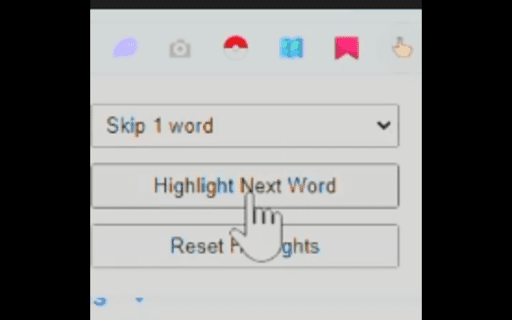
Word Skipper Highligter is a Chrome extension that intelligently highlights text to improve reading comprehension and speed. By highlighting every 4th word, it creates a rhythmic reading pattern that guides your eyes through text more efficiently.
Our extension is designed for:

Students who struggle with focus while reading
People with reading difficulties like dyslexia
Anyone looking to improve their reading speed
Educators supporting diverse learning needs

Simply install the extension, navigate to any webpage, and watch as Word Skipper Highligter transforms walls of text into manageable, visually-guided content. The customizable highlighting pattern helps maintain your place while reading and reduces eye strain.
Try Word Skipper Highligter today and experience text in a whole new way!
Technical
- Version
- 1.0
- Manifest
- V3
- Size
- 30.55KiB
- Min Chrome
- 88
- Languages
- 1
- Featured
- No
Metadata
- ID
- plahlkdkajccddjppckaadapmcmcokdd
- Developer ID
- uefad9b5441b58cc21d96596ffdc2a8db
- Developer Email
- [email protected]
- Created
- Feb 23, 2025
- Last Updated (Store)
- Feb 23, 2025
- Last Scraped
- May 23, 2026
- Website
- —
- Support URL
- —
Similar extensions
Alternatives to Word Skipper Highlighter, ranked by description similarity.

Vocab Booster
Highlight words to see definitions and synonyms, simplify text, and quiz yourself on new vocabulary.
4

Keyword Highlighter
Highlight keywords in red and green and retain them after reload.
121
★ 5.0

Word Definer
Select any word on a webpage to see its definition in a small popup
12

Wordye
Wordye can highlight selected words and add them to a word list.
1

Bold Metaguiding
Read faster with bold metaguiding
—
★ 5.0

WordWeaver
Highlight a word on any webpage to see synonyms and antonyms in a clean popup.
—

Alexandria - Read Aloud & Text to Speech
Listen to any webpage read aloud with word-by-word highlighting. Stay focused, absorb more, remember what you read.
120
★ 5.0

Fast Reader
A simple Chrome extension for speed reading — shows selected text word by word in fullscreen for better focus.
8
★ 5.0
Data sourced from the Chrome Web Store · last verified May 23, 2026.