
Activate Enable Right Click & Copy
Allow Right Click, Enable Copy and Paste in Every Site. Simple Allow Copy, Activate Enable Right Click, Copy Text Easily.
As of June 2026, Activate Enable Right Click & Copy has 50,000 users and a 4.25/5 rating from 56 reviews in the Workflow & Planning category.
Usersno change0%
50.0K
50,000
Ratingup 0.2 percent+0.2%
4.25
56 reviews
Reviewsup 1.8 percent+1.8%
56
Version
6.5.2
Manifest V3
History
4 snapshotsTracking since Apr 17, 2026.
View as table
| Date | Users | Rating | Reviews | Version |
|---|---|---|---|---|
| Apr 17, 2026 | 50.0K | 4.24 | 55 | 6.5.2 |
| Apr 24, 2026 | 60.0K | 4.24 | 55 | 6.5.2 |
| May 7, 2026 | 50.0K | 4.24 | 55 | 6.5.2 |
| May 11, 2026 | 60.0K | 4.25 | 56 | 6.5.2 |
| Now | 50.0K | 4.25 | 56 | 6.5.2 |
Permissions & access
- Permissions
- tabsactiveTabstoragescriptingunlimitedStoragenotificationsclipboardWriteoffscreen
- Host access
- https://tessdata.projectnaptha.com/*.gz, https://github.com/naptha/tessdata/blob/gh-pages/*.gz?raw=true, <all_urls>
Screenshots


About
This Chrome extension, designed with the latest Chrome updates Manifest V3, allows you to Enable Context Menu, Allow Copy and Right-click functionalities on websites that have disabled these commands. Additionally, it allows users to copy text from images using the OCR function.

Due to limitations of web browsers, copying and pasting in Microsoft Office for the web through menus requires additional permissions which are provided through this extension.

Installing this free extension Enables context menus on protected websites. Unblock right click menu. Highlight and allow copy option for all pages works again.

Once this extension is installed, you must reload any open tabs in order to cut, copy, and paste via the right-click menus.

Features: Please, add review to Activate Enable Right Click Extension.

► Copy & Highlight: You know when you're browsing websites and you find some info you want to save or remember? This feature lets you quickly copy that info and highlight it, making it super easy to see what's important.

► Image Reader (OCR): Ever see text in a picture on a website and wish you could just copy it like normal text? The OCR (Optical Character Recognition) feature does exactly that. It lets you grab text from any image you come across online, so you can use it however you want.

► Context Menu Access: Some websites stop you from using the right-click menu (you know, when you click the mouse button on the right). This feature gives that control back to you, so you can right-click to your heart's content.

► Bypass Text Protection: Ever tried to copy something from a website and it wouldn't let you? This tool helps you get around those annoying restrictions, so you can copy whatever you need.

► Absolute Mode: When websites put up a bunch of barriers to stop you from copying text or doing other basic stuff, this mode knocks down those barriers. It's like having a master key to the internet.

► No More Dialogs: You know those pop-up messages that appear when you're trying to copy something, asking if you're sure or warning you about copyright? This gets rid of those, making your web browsing smoother and less interrupted.

Note:- This extension works effectively on most websites, it may encounter challenges with exceptionally sophisticated methods used to disable copy-paste functionality. (Installing or uninstalling this extension may display promotional content.)

Privacy Assurance:- We want you to feel secure while using our extension. Rest assured, this software does not collect or transmit any personally identifiable information. It does not track your browsing behavior. The necessary information for the functioning of this software is solely stored on your own device. Our servers do not have access to this information, ensuring your privacy remains intact.
Technical
- Version
- 6.5.2
- Manifest
- V3
- Size
- 2.57MiB
- Min Chrome
- 88
- Languages
- 53
- Featured
- Yes
Metadata
- ID
- pkoccklolohdacbfooifnpebakpbeipc
- Developer ID
- u9988f8c9013e66fc4a23adec06d26a14
- Developer Email
- [email protected]
- Created
- Jul 17, 2023
- Last Updated (Store)
- Jun 22, 2026
- Last Scraped
- Jun 24, 2026
- Website
- —
- Support URL
- —
Similar extensions
Alternatives to Activate Enable Right Click & Copy, ranked by description similarity.
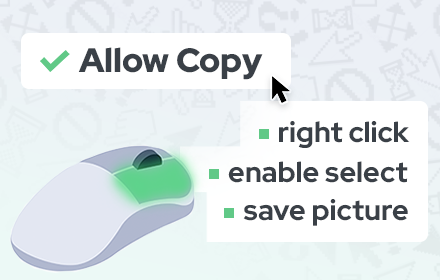
Allow Copy - Select & Enable Right Click
Enable copy on protected websites: allow right click, unblock context menu. Enable text highlight and allow copy.
200.0K
★ 4.4

Enable Right Click ─ Allow Copy Everywhere
Allow copying and remove copy protection. Enable text selection, right-click menu, and context menu.
6.0K
★ 4.9

Enable Right Click – Copy, Paste & Context Menu
Enables right-click, copy, Paste, and text selection on websites that block these actions. Restore full control of your browser.
214

Allow Right-Click
Re-enable the possibility to use the context menu, copy, paste, and text selection on sites that prevent them.
400.0K
★ 4.3

Absolute Enable Right Click & Copy
Absolute Enable Right Click & Copy on all websites, including those that block it.
80.0K
★ 4.7

Enable Right Click - Allow Copy & Select Text
Enable Right Click, selection text and copy text on websites that disable these features.
60
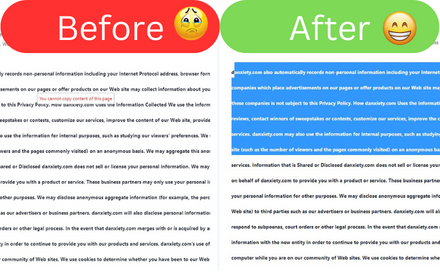
Allow Copy
Allow Copy on every websites
353

Enable Right Click
Enable right-click, text selection, and copy functionality on protected websites
895
★ 3.5
Data sourced from the Chrome Web Store · last verified Jun 24, 2026.