
DirX - RTL LTR
Toggle the X-axis flow direction of a webpage or individual elements from right to left and left to right
As of May 2026, DirX - RTL LTR has 246 users and a 5.00/5 rating from 12 reviews in the Productivity category.
Usersup 75.7 percent+75.7%
246
246
Ratingno change0%
5.00
12 reviews
Reviewsno change0%
12
Version
2.2.5
Manifest V3
History
2 snapshotsTracking since Apr 26, 2026.
View as table
| Date | Users | Rating | Reviews | Version |
|---|---|---|---|---|
| Apr 26, 2026 | 140 | 5.00 | 12 | 2.2.5 |
| May 24, 2026 | 187 | 5.00 | 12 | 2.2.5 |
| Now | 246 | 5.00 | 12 | 2.2.5 |
Permissions & access
- Permissions
- activeTabcontextMenusscriptingstoragewebNavigation
- Host access
- http://*/*, https://*/*
Screenshots

About
*New! Custom settings for websites*

- Activation -
1. Right-click menu (ContextMenu)
2. Keyboard shortcuts

- Keyboard Shortcuts -
Ctrl+Shift+Right -> Right to left (RTL)
Ctrl+Shift+Left -> Left to right (LTR)
Ctrl+Shift+X -> Select mode

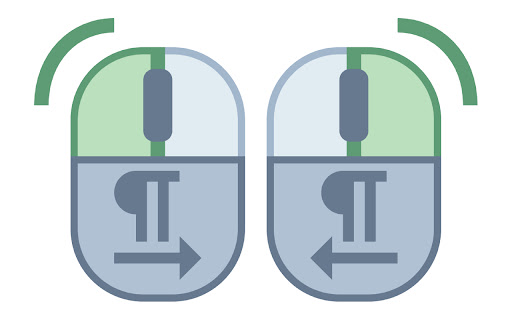
- Element selection mode (mouse buttons) -
Right click -> Right to left (RTL)
Left click -> Left to right (LTR)
Ctrl+Shift+X -> Cancel select mode


- Notes -
The extension should work on most websites, but there may be exceptions.
Technical
- Version
- 2.2.5
- Manifest
- V3
- Size
- 67.45KiB
- Min Chrome
- 88
- Languages
- 4
- Featured
- No
Metadata
- ID
- pkdclhjgddilmjlikjmkkcoohkkldabl
- Developer ID
- uae3eb62e0943ac831d93ab2afbf492e0
- Developer Email
- [email protected]
- Created
- Dec 2, 2022
- Last Updated (Store)
- Apr 8, 2024
- Last Scraped
- May 24, 2026
- Website
- dir-x.com
- Support URL
- —
- Privacy Policy
- —
Similar extensions
Alternatives to DirX - RTL LTR, ranked by description similarity.

Quick Launch
Quickly open pre-selected websites. Manage your list, choose sites for quick launch, and set shortcuts for favorites.
17

Copy & Right-Click unlocked
Re-enable text selection, copying, and right-click context menu on sites that block them. Improve accessibility and usability.
23

WebKey - Productivity Shortcuts
Multi-website browser extension with custom keyboard shortcuts and productivity enhancements for Gmail, Platzi, Notion, and more.
—

DragFree (Mouse Unblock+Char Count+Image Save+Capture)
Restores mouse drag, right-click, and image save on blocked sites. Adds bulk image save, char counter, and page capture.
500.0K
★ 4.3

RTL Toggle - Arabic Text Fixer
Fix Arabic, Hebrew & RTL text direction on any website. Right-click, select text, or use picker mode.
282
★ 5.0

Super Search
An extension to create and manage search contexts.
10
★ 5.0

Web à la Carte
Your web, your rules. Customize any website with split-screen viewing, smart search, element removal, and privacy protection.
35
★ 5.0

Unlock & Nav
Unblocks right-click/copy and provides configurable navigation buttons.
26
★ 5.0
Data sourced from the Chrome Web Store · last verified May 24, 2026.