
Tabside Note
A rich note editor in a sidebar.
As of June 2026, Tabside Note has 17 users and a 5.00/5 rating from 1 reviews in the Productivity category.
Usersdown 63.8 percent−63.8%
17
17
Ratingno change0%
5.00
1 reviews
Reviewsno change0%
1
Version
1.0.2
Manifest V3
History
7 snapshotsTracking since Apr 17, 2026.
View as table
| Date | Users | Rating | Reviews | Version |
|---|---|---|---|---|
| Apr 17, 2026 | 47 | 5.00 | 1 | 1.0.2 |
| Apr 27, 2026 | 27 | 5.00 | 1 | 1.0.2 |
| May 7, 2026 | 29 | 5.00 | 1 | 1.0.2 |
| May 14, 2026 | 33 | 5.00 | 1 | 1.0.2 |
| May 23, 2026 | 30 | 5.00 | 1 | 1.0.2 |
| Jun 2, 2026 | 34 | 5.00 | 1 | 1.0.2 |
| Jun 10, 2026 | 18 | 5.00 | 1 | 1.0.2 |
| Now | 17 | 5.00 | 1 | 1.0.2 |
Permissions & access
- Permissions
- sidePanelstorage
- Host access
- None declared
Screenshots


About
A browser extension that adds an advanced note editor to the side panel.


Features:

You can reorder the notes by dragging and dropping them.
Dark/Light theme follows browser preference.
11 custom syntaxes.
Last edited date.
Character counter.
Dynamic Search.
Supports 16 languages.
Export notes as HTML, MD or TXT.
Backup: Export and Import all data.


Shortcuts:

CTRL + B: Bold
CTRL + I: Italic
ESC: Go back to notes list
SHIFT + ENTER: Inside a code block or quote, moves to a new line.


Supported Markdown Syntaxes:

# header 1
## header 2
### header 3
- unordered list
1. ordered list
--- horizontal rule
> quote

1.0.2 – Local Biom
• The list view has been redesigned with a modern design approach.
• You can now create categories using hashtags anywhere in your note. Created categories appear at the top of the main note list, and you can rearrange them by dragging and dropping.
• Some known issues have been resolved.

1.0.1 – Apple Pie
• The interface has been modularized with at least 20% performance improvement.
• Added support for some basic Markdown syntax in the editor.
• The block exit command for pre and blockquote formats has been changed to Shift + Enter.
• The search bar now focuses automatically, allowing faster and smoother note searches.
• Toolbar buttons now change color according to the elements in the editor.
• Insert image and video. (YouTube, Dailymotion, Vimeo or MP4)
• Intuitive notifications added for critical operations.
• The note export feature has been updated. Notes can now be exported as HTML, Markdown, or plain text (TXT).
• Bug fixes and other improvements.

1.0.1: Black Hole
• First version of the extension.
Technical
- Version
- 1.0.2
- Manifest
- V3
- Size
- 89.05KiB
- Min Chrome
- 88
- Languages
- 14
- Featured
- Yes
Metadata
- ID
- pjpcplhkdgnclaojeaffaimoepijlhki
- Developer ID
- u4a88006ea0eedb7c248185aad8e4fd62
- Developer Email
- [email protected]
- Created
- Aug 12, 2025
- Last Updated (Store)
- Dec 22, 2025
- Last Scraped
- Jun 10, 2026
- Website
- —
- Support URL
- —
- Privacy Policy
- —
Similar extensions
Alternatives to Tabside Note, ranked by description similarity.

Basic Notes
Take quick notes from your browser. Use tags to organize your notes. No need to login or sign up.
55

ToDo
Simple notes extension for to-do lists etc.
14
★ 5.0

Scriblet: Side Note Taker
Rich text & Markdown notes in Chrome side panel. Auto-save, tags, search, images, export PDF/DOCX/TXT.
104
★ 5.0

Notes
Quickly capture and organize notes within your browser.
12
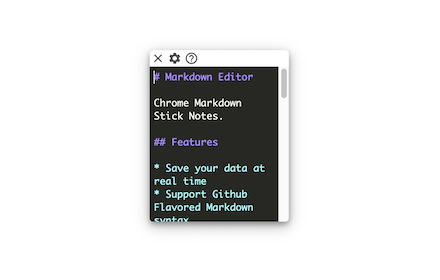
Markdown Sticky Notes
Markdown Sticky Notes web extension
499
★ 4.2

WriteTab
WriteTab — A clean, distraction-free text editor that opens on every new tab. Write, format, and auto-save your notes instantly.
9
★ 5.0

dash - synced todo and notes app
With sync storage and themes
24

Minimal Sidebar & New Tab Notes
Minimalist note-taking with text utilities. Works in sidebar and new tab with markdown preview support.
—
Data sourced from the Chrome Web Store · last verified Jun 10, 2026.