
Restore Scrollbar Position for Mac
Restores the last scrollbar position when dragging the scrollbar when your mouse leaves the scrollbar's buffer zone.
As of May 2026, Restore Scrollbar Position for Mac has 21 users in the Accessibility category.
Usersdown 16.0 percent−16.0%
21
21
Ratingno change0%
—
— reviews
Reviewsno change0%
—
Version
0.1.1
Manifest V3
History
2 snapshotsTracking since Apr 26, 2026.
View as table
| Date | Users | Rating | Reviews | Version |
|---|---|---|---|---|
| Apr 26, 2026 | 25 | — | — | 0.1.1 |
| May 24, 2026 | 23 | — | — | 0.1.1 |
| Now | 21 | — | — | 0.1.1 |
Permissions & access
- Permissions
- None declared
- Host access
- None declared
Screenshots
About
How many times have you scrolled the webpage a certain distance and suddenly want to "peek" at sometime at the top or bottom of the webpage without losing your current scroll position?

If I scroll back to the top (or bottom) of the page to review part of the webpage, there is no guaranteed way to return to where I was.

On Windows systems, this is easy because when dragging the scrollbar using the mouse, if you keep the mouse button held down, and move the pointer sideways for about 100 pixels, the scrollbar goes back to its location before being dragged, and the webpage with it.

Mac systems have not implemented this super useful behavior, but with this extension you can now have a similar feature too.

To quickly scroll to another part of the webpage and easily jump back to the current position, simply drag the scrollbar to the desired part of the webpage, and without releasing he mouse button, drag the pointer away from the scrollbar at least 100 pixels away and then release the mouse button.

Limitation:
For performance reasons, only the top level scrollbar is supported. For scrollbars inside subsections of the webpage, it isn't supported.

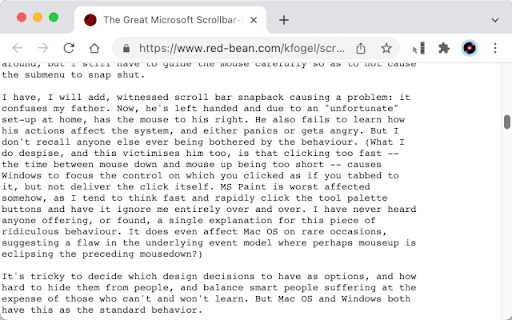
For a discussion on this behavior, please see this thread:
https://www.red-bean.com/kfogel/scrollbar-redux.html
Technical
- Version
- 0.1.1
- Manifest
- V3
- Size
- 8.24KiB
- Min Chrome
- 88
- Languages
- 1
- Featured
- No
Metadata
- ID
- pillfigpnfnjpoadcklbhimicogneenp
- Developer ID
- u73f6e3b7a9e73e51c247d614b863fd36
- Developer Email
- [email protected]
- Created
- Mar 6, 2022
- Last Updated (Store)
- Mar 6, 2022
- Last Scraped
- May 24, 2026
- Website
- —
- Support URL
- —
- Privacy Policy
- https://em-te.github.io/privacy
Similar extensions
Alternatives to Restore Scrollbar Position for Mac, ranked by description similarity.

Roller
Enable auto scrolling with the mouse wheel button on Linux
74
★ 5.0

Scrollbar Click
Click the scrollbar and scrolls to where you clicked.
100
★ 5.0

Reverse AutoScroll
Middle-click autoscroll with reversed direction on regular web pages.
25
★ 5.0

GDS - Grab Drag Scroller
Grab Page, Drag to Scroll
29

Scroll to the bottom
helps users get to the top and bottom of a page instantly
867
★ 2.1

Auto Scroll
Windows-style autoscroll for Chrome/Brave - middle-click to scroll with customizable speed, colors, and controls
91

CleanScroll
PageUp/PageDownでスムーズにスクロール。速度はpopupで自由に設定可能!
—

Webber | The scrollbar hider
An browser extension designed to let you easily hide scrollbar
465
★ 3.4
Data sourced from the Chrome Web Store · last verified May 24, 2026.